

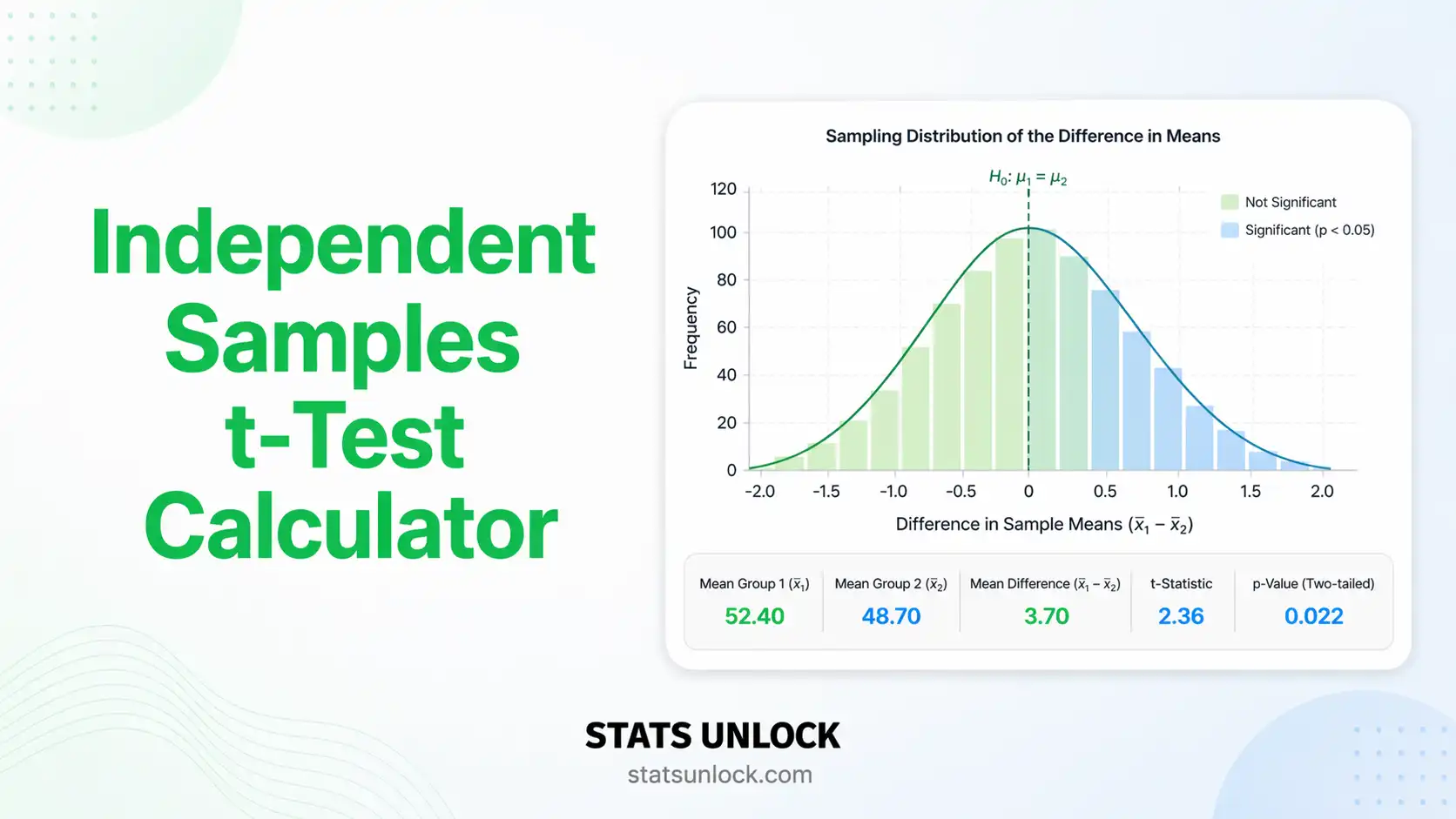

Independent Samples t Test Calculator
Paste two groups of comma separated numbers, or upload a CSV, and get the t statistic, degrees of freedom, exact p value, Cohen's d, the confidence interval for the difference in means, Levene and normality checks, four charts, and wording you can paste straight into a paper.
Reviewed by the StatsUnlock methods team · Last updated: 3 September 2026
⚡ 0. Quick Answer
An independent samples t test checks whether two unrelated groups have different population means, by dividing the gap between the two sample means by the standard error of that gap.
The result is a t statistic. Large positive or large negative values mean the two groups are far apart relative to the noise inside them. The p value is the tail area of the t distribution beyond that value, so it answers one narrow question: how surprising is a gap this big if the true means are identical? It says nothing about how big or how useful the difference is, which is why Cohen's d and the confidence interval sit beside it on every result card below.
Rule of thumb: if p is below 0.05 the means differ more than chance comfortably explains, and Cohen's d of 0.20 is small, 0.50 is medium and 0.80 is large. If the larger group variance is more than twice the smaller, report the Welch version, which this calculator selects automatically.
Key takeaways
- This independent samples t test calculator returns t, df, the exact two tailed p value, Cohen's d, Hedges' g and a 95% confidence interval from raw data or from means and standard deviations.
- Degrees of freedom are n₁ + n₂ − 2 for the pooled Student test and a fractional Welch Satterthwaite value when variances differ.
- Welch is the safer default. It matches Student when variances are equal and stays accurate when they are not, so the tool runs both and flags the one to report.
- A significant p value with a d below 0.20 usually means a large sample found a trivial difference, so read the effect size before the asterisks.
- Detecting a medium effect (d = 0.50) at 80% power and alpha 0.05 needs about 64 participants per group, and the tool recalculates that number for your own data.
📚 1. What Is an Independent Samples t Test?
The independent samples t test compares the means of two separate groups of people, animals, plots or items. Each observation belongs to exactly one group, and no value in group 1 is paired with a particular value in group 2. A placebo arm against a treatment arm, boys against girls, burned plots against unburned plots: those are independent samples.
What it actually measures. The test builds a signal to noise ratio. The signal is the difference between the two sample means. The noise is the standard error of that difference, which grows when the groups are spread out and shrinks when the samples are large. The t statistic is signal divided by noise, so t rises when the gap widens, when the spread narrows, or when you collect more data.
A worked one liner. Group 1 has a mean of 55.0 with s = 6.0 and n = 20. Group 2 has a mean of 49.0 with s = 6.5 and n = 20. The pooled standard deviation is 6.26, the standard error of the difference is 1.98, so t = 6.0 ÷ 1.98 = 3.03 on 38 degrees of freedom, p = 0.0043, and Cohen's d = 0.96. The gap is both statistically clear and large.
1.1 Who uses an independent samples t test, and what for?
Researchers use it whenever two separate groups are compared on one continuous outcome: treatment against control, one teaching method against another, disturbed sites against undisturbed ones. It is the default first test in trials, education research, ecology and quality control, because two group comparisons are the most common design there is.
Clinical trials use it to compare an outcome between placebo and treatment arms. Education researchers use it to compare exam scores between two teaching methods. Ecologists use it to compare species counts between disturbed and undisturbed sites. Sports scientists use it to compare VO2 max between trained and untrained athletes. Manufacturing uses it to compare a quality measure across two production lines. In every case there are two groups, one continuous outcome, and no pairing between the groups.
1.2 What is an independent samples t test not used for?
It is not for paired measurements, not for three or more groups, not for categorical outcomes, and not for judging whether a difference matters. Each of those needs a different tool, and using the t test anyway changes the degrees of freedom, the error rate, or the meaning of the answer.
It is not a test of whether the distributions are identical, only whether the means differ. It is not valid for before and after measurements on the same subjects, which need the paired test. It is not the right tool for three or more groups, because running three t tests inflates the false positive rate from 5% to about 14%. And it is not a test of practical importance: that judgement comes from the effect size and the confidence interval.
1.3 What is the difference between an independent samples t test and a paired t test?
The independent test compares two separate groups of units, and the paired samples t test compares two measurements taken on the same units. Pairing is what changes the arithmetic: the paired test analyses the within subject differences, so it uses n minus 1 degrees of freedom instead of n₁ + n₂ minus 2, and it is more powerful whenever the pairing is real.
| Test | What it compares | Use it when | Cost of using it wrongly |
|---|---|---|---|
| Independent samples t test | Two group means | Two unrelated groups, continuous outcome, roughly normal or n above 30 | Baseline choice |
| Welch t test | Two group means with separate variances | Variance ratio above 2, or unequal group sizes | Almost none, so it is the recommended default |
| Paired samples t test | Mean of within subject differences | Each value in group 1 is linked to one value in group 2 | Using the independent test throws away the pairing and loses power |
| Mann-Whitney U | Rank distributions | Small samples with clear skew or ordinal data | Slightly less power when the data really are normal |
| One-way ANOVA | Three or more group means | More than two groups | Repeated t tests inflate the false positive rate |
| One-sample t test | One mean against a fixed value | You have one group and a benchmark, not two groups | Wrong standard error and wrong degrees of freedom |
Naming note: the independent samples t test, the two sample t test, the unpaired t test and the between subjects t test are four names for the same procedure. SPSS calls it Independent-Samples T Test, R calls it t.test with two vectors, and Excel calls it t-Test: Two-Sample.
🧮 2. Set Up Your Data
Group names are editable. Type the real names, for example Placebo and Treatment, and every table, chart, verdict card and report sentence below will use them.
Type one value per cell. The left column is group 1 and the right column is group 2. Empty cells are ignored, so the two groups may have different sample sizes.
Have only the published means and standard deviations? Enter them here. The t statistic, degrees of freedom, p value, effect sizes and confidence interval need nothing else. Individual point charts are replaced by fitted normal curves.
If the source reports a standard error instead of a standard deviation, multiply it by the square root of n before typing it in.
📊 3. Independent Samples t Test Results
🧠 4. Interpretation of Your t Test Results, In Detail
A t test hands you five numbers: t, df, p, an effect size and an interval. Reading them in the right order is what separates a defensible conclusion from a sentence a reviewer will strike out. Work down this section in order, because each part narrows what the previous one is allowed to claim.
4.1 What your t statistic is telling you
Run the analysis above and this paragraph fills in with your own numbers.
t = ___, df = ___, p = ___
The t statistic is a ratio, not a measurement. A t of 3.0 means the observed gap between the means is three times as large as the typical sampling wobble in that gap. Values near zero mean the two groups are indistinguishable. The sign only records which group you subtracted from which, so a t of −3.0 is exactly as strong as a t of +3.0. Three things push t up: a wider gap between the means, tighter spread inside each group, and larger samples. That last one matters more than people expect, because the standard error falls with the square root of n, so quadrupling the sample halves the noise and doubles t for the same real difference.
4.2 What the p value does and does not say
Run the analysis above to see this written out with your p value.
The p value is the probability of a t statistic at least this extreme if the two population means were identical. That conditional clause is the whole meaning. It is not the probability that the null hypothesis is true, it is not the probability your result is a fluke, and 1 minus p is not the probability the effect is real. A p of 0.03 does not mean a 97% chance the treatment works.
Two further habits are worth building. First, do not treat 0.05 as a cliff: p = 0.049 and p = 0.051 are the same evidence, and rounding one into significance and the other out of it is an artefact of the threshold, not a finding. Second, report the exact value to three decimals rather than "p < 0.05", because the exact figure lets other researchers use your study in a meta analysis. Only write p < 0.001 when the value is genuinely smaller than that.
4.3 Reading the confidence interval, the number that carries the most information
Run the analysis above to see your interval interpreted.
The confidence interval is stated in the units you measured, which is what makes it more useful than the p value. An interval of 2.1 to 9.9 mmHg says the data are consistent with anything from a barely noticeable 2 point drop to a clinically important 10 point drop. An interval of −0.3 to 0.5 kg is a genuinely null finding: the study was precise enough to rule out anything that matters. An interval of −18 to 21 points is not a null finding at all, it is an uninformative one, and the honest conclusion is that the study was too small to decide.
The rule connecting the two: if the interval excludes the hypothesised difference, the two tailed p value is below alpha. They can never disagree, because they are computed from the same standard error and the same critical value.
4.4 How big is the difference? Reading Cohen's d
Run the analysis above to see your effect size interpreted.
Cohen's d expresses the gap in standard deviations, so it is comparable across studies that used different instruments. A d of 0.50 means the two group means sit half a standard deviation apart, which is roughly the distance between the 50th and the 69th percentile of the control group. Cohen's 0.20, 0.50 and 0.80 labels are conventions he himself described as arbitrary. Anchor them to your field: a d of 0.30 in a national education trial can matter more than a d of 1.20 in a tightly controlled lab, because the education effect applies to millions of pupils.
Hedges' g corrects d for the small sample bias that inflates it when n is under about 20 per group, so report g for small studies. Glass's delta divides by the control group standard deviation alone, which is the right choice when the treatment itself changes the variability.
4.5 Welch or Student: which version should you report?
Run the analysis above and this fills in with your variance ratio and Levene result.
The pooled Student test averages the two variances into one number, which is only legitimate if the populations really have the same spread. When that assumption fails, the pooled standard error is wrong, and the error is worst when the larger variance sits with the smaller group. Welch keeps the variances apart and pays for it with fractional degrees of freedom. The published simulation work is consistent: Welch loses almost nothing when variances are equal and protects the error rate when they are not, which is why several methods papers now recommend it as the unconditional default. Reporting Welch is never the thing a reviewer objects to.
Avoid the two stage habit of testing variances first and then choosing the t test based on that outcome. That conditional procedure has a real type I error rate above the nominal 5%, because you used the same data twice. Choose Welch in advance and the problem disappears.
4.6 Where the degrees of freedom come from
Degrees of freedom count the independent pieces of information left after estimating the means. Each group spends one on its own mean, so the pooled test has n₁ + n₂ − 2. The t distribution is wider than the normal curve at small df, which is exactly the penalty for having estimated the standard deviation from the data rather than knowing it. At df = 10 the two tailed critical value is 2.228; at df = 30 it is 2.042; at df = 100 it is 1.984, closing in on the normal 1.960. Welch's degrees of freedom come from the Welch Satterthwaite formula and are usually fractional, for example 34.62. That is not a rounding error, and you should report it to two decimals.
4.7 Statistical significance is not practical significance
Run the analysis above for the verdict on your own data.
With n = 5,000 per group, a difference of 0.4 points on a 100 point exam reaches p < 0.001 and has a d of about 0.06. It is real and it is useless. The reverse trap also exists: a pilot study of 12 per group with a d of 0.90 and p = 0.08 has found a potentially large effect and simply lacks the sample to confirm it. Calling that a null result is the more expensive mistake of the two, because it stops the follow up study from ever being run.
4.8 What your sample size did to this result
Run the analysis above to see the power and sample size read out for your data.
Observed power computed from the effect you happened to observe is not evidence about the design, because it is a direct function of the p value. Its only honest use is descriptive. The forward looking number is the required sample size: how many observations per group you would need to detect the effect you care about, decided before the next study. For alpha 0.05 two tailed and 80% power, you need roughly 394 per group for d = 0.20, 64 for d = 0.50, and 26 for d = 0.80.
4.9 A decision guide you can read in ten seconds
| p value | Cohen's d | What you have | What to write |
|---|---|---|---|
| < alpha | ≥ 0.80 | Clear and large difference | Report it plainly, lead with the effect size and the interval |
| < alpha | 0.20 to 0.79 | Clear difference of moderate size | Report the interval and discuss whether the size matters in context |
| < alpha | < 0.20 | Significant but trivial, usually a very large n | Say the difference is statistically detectable but too small to be practically relevant |
| ≥ alpha | ≥ 0.50 | Underpowered, not null | Report the interval and call for a larger replication, never "no effect" |
| ≥ alpha | < 0.20 with a narrow interval | Genuine evidence of no meaningful difference | State that any true difference is smaller than the interval's widest bound |
| Any | Any, assumption failed | Result not yet trustworthy | Fix the assumption, or switch to Welch or Mann-Whitney, then report |
4.10 Common mistakes this calculator prevents
- Using the pooled test on unequal variances. The tool computes both versions every time and marks the one your setting reports.
- Wrong degrees of freedom. Welch df is computed to two decimals from the Welch Satterthwaite formula, not rounded down to the smaller group's n minus 1.
- Reading a p value from a coarse table. The exact tail area is computed from the incomplete beta function, so p is right to four decimals rather than bracketed between table columns.
- Reporting significance with no effect size. Cohen's d, Hedges' g and Glass's delta appear on every run, with the interpretation band named.
- Silent sample size errors. Blank cells, text and non numeric entries are counted and reported instead of quietly shrinking n.
- Switching to one tailed after seeing the data. The tails control sits above the Run button, and the report wording states which tail was used.
- Feeding paired data into the independent test. The assumption panel flags equal group sizes with a warning to check whether the values are actually matched.
4.11 If your result is not significant
Do three things before writing the discussion. Look at the confidence interval and state the largest difference the data still allow. Look at the effect size, because a moderate d with a wide interval is a power problem rather than a null finding. Then compute the sample size needed for the smallest difference that would change practice, and say it out loud in the paper. Absence of evidence and evidence of absence are different claims, and only the second one needs a narrow interval to support it.
4.12 Direction, sign and one tailed tests
This calculator always computes group 1 minus group 2, so a positive difference means group 1 scored higher. Use the swap button if you would rather frame it the other way, and the sign of t, the interval and the wording all follow. A one tailed test puts all of alpha in a single tail, which halves the p value and lowers the critical value from 1.96 to 1.645 at large df. That is a genuine gain in power for a genuinely directional prediction, and a serious problem if the direction was chosen after the data arrived. If a one tailed test is used, say in the methods that the direction was specified in advance.
✍ 5. How to Write Your Results in Research
When reporting independent samples t test results, a complete sentence carries six things: the test used, the two group means with their standard deviations, the t statistic with its degrees of freedom, the exact p value, the effect size, and the confidence interval for the difference. Miss any of them and a reviewer will ask for it. The five cards below fill in from your own run, so press Run t Test first and then copy the one that matches your outlet.
5.1 The Methods sentence, written before the results
State the design, the test, the software and the alpha level in the methods, not the results. A complete example: "Group means were compared with an independent samples t test using the Welch correction for unequal variances. Normality was screened with skewness and kurtosis, and homogeneity of variance with Levene's test. Effect sizes are reported as Cohen's d with 95% confidence intervals. Alpha was set at 0.05, two tailed. Analyses were run in the StatsUnlock independent samples t test calculator."
5.2 APA 7th edition results sentence
APA conventions that reviewers check
- Statistical symbols are italic: t, p, d, M, SD, n. The df in parentheses is not italic.
- Report exact p to two or three decimals. Use p < .001 only when it truly is.
- APA drops the leading zero for values that cannot exceed 1, so write p = .043, not 0.043. Values that can exceed 1, such as t and M, keep the zero.
- Welch df is fractional and is reported to two decimals, for example t(34.62).
- Give the confidence interval as 95% CI [lower, upper] in the measurement units.
5.3 Thesis or dissertation paragraph
Thesis conventions
- Name the assumption checks and their outcomes explicitly, because examiners look for them.
- Put descriptive statistics in a table and keep the narrative for the test result and its meaning.
- State the direction of the difference in words as well as in symbols.
- Give the software and version in the methods chapter, and cite the tool you used.
5.4 Plain language version for a report or press summary
Plain language conventions
- Lead with the size of the difference in real units, then say how confident you are.
- Never write "significant" without saying what it means in that sentence.
- Give the range, because a single number implies precision you do not have.
5.5 Structured abstract or conference poster line
Abstract conventions
- Abstracts are counted in words, so compress to means, the difference with its interval, and the p value.
- Many journals now require the effect size in the abstract itself.
- State the sample size per group, not just the total.
5.6 Replication and pre-registration wording
Pre-registration conventions
- Fix the variance assumption, the tails and alpha before collecting data, and say so.
- State the smallest effect size of interest and the sample size it requires.
- Name the fallback test if an assumption fails, so the choice is not made after seeing the data.
5.7 Table and figure conventions
A results table for a two group comparison has one row per group and columns for n, M, SD, and optionally the 95% CI of each mean. The test statistic goes in the table note or in a separate row spanning the table, never as a lone asterisk. Figures should show the data, not just the means: a dot plot or violin with the mean and its interval marked communicates far more than two bars, and bar charts of two means with standard error whiskers are actively discouraged by several journals now.
5.8 Final reporting checklist
- Test named, including Welch or pooled, and the tails stated.
- n, M and SD given for both groups.
- t with its df to the right number of decimals.
- Exact p value, not just an inequality.
- Effect size with its type named, plus its confidence interval where available.
- Confidence interval for the difference in means, in measurement units.
- Assumption checks reported, with what was done if one failed.
- Direction of the difference stated in words.
- Practical meaning discussed separately from statistical significance.
∑ 6. Formulas Used
Seven formulas do all the work. Card 1 is the test itself, and each card after it opens up one piece of the card above.
📝 7. How to Use This Independent Samples t Test Calculator
- Load or paste your two groups. Pick one of the ten built in datasets, or clear the boxes and paste your own comma separated numbers into Group 1 and Group 2. Spaces, tabs and line breaks work as separators too.
- Rename the groups. Click the name field on each group card and type the real names, such as Placebo and Treatment. Every table, chart, verdict and report sentence picks them up.
- Or upload a file. Open the Upload tab, choose a CSV or Excel file, then click the columns that should each become a cluster. Selected columns are highlighted, and Load selected columns as clusters sends them into the calculator.
- Or enter only summary numbers. If you have just the published mean, standard deviation and n for each group, use the Mean and SD Only tab.
- Choose the variance assumption. Leave it on Auto and the tool reports Welch when the variances differ and Student when they do not. Both are always computed.
- Set alpha and tails. Alpha 0.05 and two tailed are the defaults. Change the tails only for a direction you predicted before collecting data.
- Press Run t Test. Nothing is computed until you do. The verdict card, t, df, exact p, effect sizes, the confidence interval and four charts appear together.
- Read the assumption panel before the p value. Check the variance ratio, Levene's test and the normality screen. Each row states the consequence if it fails.
- Copy the wording you need. Section 5 holds five templates, filled with your numbers. The Copy button on each one puts a clean sentence on your clipboard.
- Export the report. Download Doc gives a plain text summary you can paste into Word, and Download PDF prints an A4 report of the results, assumptions and charts.
Worked example to try right now. Leave the first sample dataset loaded, set alpha to 0.05 and tails to two tailed, then press Run t Test. Placebo has a mean of 141.23 mmHg and Treatment 132.43 mmHg. The variance ratio is only 1.05, so Auto reports the pooled Student test: t = 3.801 on 58 degrees of freedom, p = 0.00035, Cohen's d = 0.98, and the 95% interval for the difference runs from 4.17 to 13.43 mmHg. That is a clear, large and clinically meaningful drop in blood pressure.
📈 8. How to Run an Independent Samples t Test in Excel
Excel can do the whole test with one function, and that is both its strength and the reason people get it wrong. T.TEST returns a p value and nothing else: no t statistic, no degrees of freedom, no confidence interval, no effect size. This section shows the one liner first, then builds the same result piece by piece so you can report it properly.
=T.TEST(A2:A11,B2:B11,2,2) for the two tailed pooled p value. Change the last argument to 3 for Welch.8.1 The functions you need
| You want | Excel function | Note |
|---|---|---|
| p value in one step | =T.TEST(range1,range2,tails,type) | tails is 1 or 2. type is 1 paired, 2 pooled Student, 3 Welch |
| Group mean | =AVERAGE(A2:A11) | Ignores blank and text cells silently |
| Sample standard deviation | =STDEV.S(A2:A11) | Uses n minus 1. STDEV.P uses n and is wrong for a sample |
| Sample variance | =VAR.S(A2:A11) | The square of STDEV.S |
| Sample size | =COUNT(A2:A11) | Counts numbers only, so text and blanks are excluded |
| p value from a t you computed | =T.DIST.2T(ABS(t),df) | Needs a positive t, which is why ABS is there |
| Critical t value | =T.INV.2T(0.05,18) | Returns 2.1009 at df = 18 |
| Test of equal variances | =F.TEST(A2:A11,B2:B11) | Two tailed p for the variance ratio. Excel has no Levene test |
| Full table with t and df | Data → Data Analysis → t-Test: Two-Sample | Analysis ToolPak must be enabled first in File → Options → Add-ins |
Worked example used throughout sections 8, 9, 10 and 12: Traditional teaching (n = 10, M = 71.00, SD = 4.35) against Flipped classroom (n = 10, M = 77.40, SD = 4.65).
8.2 Step by step
1 Lay the two groups out in two columns
One column per group, one value per row, headers in row 1. The groups do not need to be the same length, and blank cells at the bottom of the shorter column are fine.
The first eight of ten rows in each group. Traditional starts 72, 65, 78 and Flipped starts 76, 71, 83.
2 Get the descriptive statistics first
You need the mean, standard deviation, variance and n for both groups, because these are what the report sentence and the effect size are built from.
Traditional M = 71.0000, SD = 4.3461, variance = 18.8889. Flipped M = 77.4000, SD = 4.6476, variance = 21.6000.
3 Get the p value with T.TEST
Two arguments decide everything. The third argument is the number of tails and the fourth is the test type: 1 for paired, 2 for pooled Student, 3 for Welch. Run both 2 and 3 and compare.
The pooled p is 0.005178 and the Welch p is 0.005200. They agree closely here because the variances are almost equal.
4 Build the t statistic by hand, because T.TEST will not give it to you
Pool the variances, take the standard error, then divide the difference in means by it. Every journal wants t and df, so this step is not optional.
Assembled by hand: pooled variance 20.2444, SE 2.0122, t = -3.1806 on 18 df, p = 0.005178, which matches T.TEST exactly.
5 Or let the Analysis ToolPak print the whole table
Enable it once in File, Options, Add-ins, Excel Add-ins, Analysis ToolPak. Then Data, Data Analysis, t-Test: Two-Sample Assuming Equal Variances for the pooled test, or Unequal Variances for Welch. Tick Labels if your ranges include the header row.
The ToolPak output gives everything at once: pooled variance 20.2444, df 18, t Stat -3.1806, two tail p 0.005178, and t critical 2.1009.
6 Add the effect size and the confidence interval
Excel has no built in Cohen's d and no built in confidence interval for a difference in means. Both are two short formulas from numbers you already have.
Cohen's d = -1.4224, Hedges' g = -1.3623, and the 95% interval for the difference runs from -10.63 to -2.17 exam points.
8.3 The awkward cases in Excel
- One tailed tests. Change the third argument to 1. Excel reports the tail in the direction the data actually went, so it will not warn you if your prediction was the other way. Check the sign of the mean difference yourself.
- Welch degrees of freedom.
T.TESTwith type 3 hides them. Compute them yourself:=(E4/10+F4/10)^2/((E4/10)^2/9+(F4/10)^2/9)with the variances in E4 and F4, which gives 17.92 here. - Summary data only. If you have only means, SDs and n,
T.TESTcannot help at all because it needs ranges. Build t from the formulas in step 4, or use the Mean and SD Only tab in the calculator above. - Unequal column lengths. Leave the extra cells empty rather than filling them with zeros. A zero is a real data point to Excel and will drag the mean down.
- Effect size confidence intervals. There is no practical Excel route to a CI for Cohen's d, because it needs the noncentral t distribution. Use the calculator above or R's
effectsizepackage.
8.4 Why your Excel answer might differ from R or Python
| Situation | What happens | Fix |
|---|---|---|
| Variance assumption defaults | Excel type 2 is Student, R t.test is Welch, SciPy ttest_ind is Student. Three tools, three defaults | State which one you used and set it explicitly everywhere |
| Blank cells in a range | AVERAGE and COUNT skip them silently, so n shrinks without any warning | Check =COUNT() against the number of rows you expect |
| Numbers stored as text | Left aligned cells are skipped by every numeric function, so they never enter the test | Data, Text to Columns, or multiply the column by 1 |
| Zeros used as missing values | Zeros are counted as real observations and pull the mean toward zero | Delete them, or replace with a genuinely blank cell |
| STDEV.P instead of STDEV.S | Divides by n rather than n minus 1, so the SD is too small and t is too large | Always use STDEV.S and VAR.S for sample data |
| Rounding shown versus rounding stored | A cell displaying 4.35 still holds 4.346134, so hand calculations from the display drift | Reference the cells, do not retype the displayed values |
| Paired type left at 1 | Runs the wrong test entirely and needs equal length ranges | Use type 2 or 3 for independent groups |
8.5 Charting the result in Excel
Select both data columns and insert a clustered column chart of the two means, then add error bars: Chart Design, Add Chart Element, Error Bars, More Options, Custom, and enter the standard error for each group. Two formatting changes make it publication ready: set the vertical axis to start at a value that does not exaggerate the gap, and delete the gridlines and the chart border. Better still, insert a scatter plot with a small random horizontal jitter so every observation is visible, because two bars hide the overlap that decides whether the difference matters.
8.6 Excel errors you will probably hit
| Error | Cause | Fix |
|---|---|---|
#DIV/0! | A group has fewer than two numeric values, so the variance is undefined | Check the range covers real numbers and n is at least 2 per group |
#NUM! | T.TEST received an invalid tails or type argument, or a negative t went into T.DIST.2T | tails is 1 or 2, type is 1, 2 or 3, and wrap t in ABS |
#VALUE! | Text inside a numeric range, often a stray note or a unit label | Clear the cell, keep units in the header only |
#N/A | The two ranges are different lengths in a paired (type 1) test | Use type 2 or 3, which allow unequal lengths |
#NAME? | Old function names on a new sheet, such as TTEST instead of T.TEST | Both still work in current Excel, but use the dotted modern names |
| Data Analysis missing | Analysis ToolPak not enabled, or you are in Excel for the web | File, Options, Add-ins. Excel for the web has no ToolPak at all |
📈 9. How to Run an Independent Samples t Test in R
In R the one liner is t.test(group1, group2), and it is rarely the whole thing you should report. R defaults to Welch, gives you no effect size, and will not check your assumptions unless you ask. The script below does the complete job in base R with no packages at all.
Rscript ttest.R. The only lines you need to change are the two data vectors near the top, or the commented read.csv block just under them.9.1 The complete script
# ------------------------------------------------------------------
# Independent samples t test, complete script, base R only
# StatsUnlock - statsunlock.com
# Change only the two data lines below, or uncomment the read.csv block.
# ------------------------------------------------------------------
set.seed(42)

traditional <- c(72, 65, 78, 70, 68, 74, 66, 71, 69, 77)
flipped     <- c(76, 71, 83, 74, 79, 85, 72, 78, 75, 81)

# --- reading your own file instead -------------------------------
# dat <- read.csv("my_data.csv")            # long format: value, group
# traditional <- dat$value[dat$group == "Traditional"]
# flipped     <- dat$value[dat$group == "Flipped"]
# traditional <- traditional[!is.na(traditional)]   # drop missing values
# flipped     <- flipped[!is.na(flipped)]

g1 <- "Traditional"
g2 <- "Flipped"
alpha <- 0.05

n1 <- length(traditional); n2 <- length(flipped)
m1 <- mean(traditional);   m2 <- mean(flipped)
s1 <- sd(traditional);     s2 <- sd(flipped)

# --- the two tests ----------------------------------------------
student <- t.test(traditional, flipped, var.equal = TRUE)
welch   <- t.test(traditional, flipped, var.equal = FALSE)   # R's default

# --- assumption checks ------------------------------------------
vratio <- max(s1, s2)^2 / min(s1, s2)^2
ftest  <- var.test(traditional, flipped)
sw1    <- shapiro.test(traditional)
sw2    <- shapiro.test(flipped)

# --- effect sizes -----------------------------------------------
sp <- sqrt(((n1 - 1) * s1^2 + (n2 - 1) * s2^2) / (n1 + n2 - 2))
d  <- (m1 - m2) / sp
g  <- d * (1 - 3 / (4 * (n1 + n2) - 9))          # Hedges' g
band <- if (abs(d) < 0.2) "negligible" else
        if (abs(d) < 0.5) "small" else
        if (abs(d) < 0.8) "medium" else "large"

use <- if (vratio > 2 || ftest$p.value < 0.05) welch else student
label <- if (identical(use, welch)) "Welch (unequal variances)" else "Student (pooled variance)"

# --- printed summary --------------------------------------------
cat("\n================ INDEPENDENT SAMPLES t TEST ================\n")
cat(sprintf("%-12s n = %2d   M = %8.4f   SD = %7.4f\n", g1, n1, m1, s1))
cat(sprintf("%-12s n = %2d   M = %8.4f   SD = %7.4f\n", g2, n2, m2, s2))
cat(sprintf("Mean difference (%s - %s) = %.4f\n", g1, g2, m1 - m2))
cat("------------------------------------------------------------\n")
cat(sprintf("Student : t(%.0f) = %.4f, p = %.6f\n", student$parameter, student$statistic, student$p.value))
cat(sprintf("Welch   : t(%.2f) = %.4f, p = %.6f\n", welch$parameter, welch$statistic, welch$p.value))
cat(sprintf("Reported: %s\n", label))
cat(sprintf("95%% CI for the difference: [%.4f, %.4f]\n", use$conf.int[1], use$conf.int[2]))
cat(sprintf("Cohen's d = %.4f (%s), Hedges' g = %.4f\n", d, band, g))
cat("------------------------------------------------------------\n")
cat(sprintf("Variance ratio = %.2f, F test p = %.4f\n", vratio, ftest$p.value))
cat(sprintf("Shapiro-Wilk %s p = %.4f, %s p = %.4f\n", g1, sw1$p.value, g2, sw2$p.value))
cat("------------------------------------------------------------\n")
verdict <- if (use$p.value < alpha) {
  sprintf("p = %.6f is below %.2f and d = %.2f is %s, so %s differs from %s by %.2f points.",
          use$p.value, alpha, d, band, g1, g2, m1 - m2)
} else {
  sprintf("p = %.6f is not below %.2f, so the difference of %.2f points is not statistically clear. The interval still allows anything from %.2f to %.2f.",
          use$p.value, alpha, m1 - m2, use$conf.int[1], use$conf.int[2])
}
cat("VERDICT:", verdict, "\n")
cat("Generated by STATS UNLOCK - statsunlock.com\n")

# --- one publication ready figure at 300 dpi --------------------
png("ttest_plot.png", width = 2400, height = 1100, res = 300)
par(mfrow = c(1, 2), mar = c(4.2, 4.2, 2.6, 1))

vals <- list(traditional, flipped)
boxplot(vals, names = c(g1, g2), col = c("#dbeafe", "#dcfce7"),
        border = c("#1d4ed8", "#15803d"), ylab = "Exam score (%)",
        main = "Group comparison")
for (i in 1:2) {
  points(jitter(rep(i, length(vals[[i]])), amount = 0.09), vals[[i]],
         pch = 21, bg = "#ffffff", col = "#374151", cex = 0.9)
  points(i, mean(vals[[i]]), pch = 18, col = "#c2410c", cex = 1.8)
}
legend("topleft", legend = "orange diamond = mean", bty = "n", cex = 0.75)

xs <- seq(-4.5, 4.5, length.out = 400)
plot(xs, dt(xs, use$parameter), type = "l", lwd = 2, col = "#334155",
     xlab = "t", ylab = "Density", main = sprintf("t distribution, df = %.2f", use$parameter))
tc <- qt(1 - alpha / 2, use$parameter)
polygon(c(xs[xs >= tc], max(xs)), c(dt(xs[xs >= tc], use$parameter), 0), col = "#fee2e2", border = NA)
polygon(c(min(xs), xs[xs <= -tc]), c(0, dt(xs[xs <= -tc], use$parameter)), col = "#fee2e2", border = NA)
abline(v = use$statistic, col = "#16a34a", lwd = 2.5)
abline(v = c(-tc, tc), col = "#b91c1c", lwd = 1.4, lty = 2)
text(use$statistic, max(dt(xs, use$parameter)) * 0.92,
     sprintf("t = %.2f", use$statistic), col = "#166534", pos = if (use$statistic < 0) 4 else 2, cex = 0.85)
dev.off()
cat("Figure saved as ttest_plot.png (300 dpi)\n")
Output for the worked example: Student t(18) = -3.1806, p = 0.005178; Welch t(17.92) = -3.1806, p = 0.005200; Cohen's d = -1.4224; 95% CI [-10.6274, -2.1726].
9.2 What each part does
| Line or function | What it does and why it is there |
|---|---|
set.seed(42) | Fixes the jitter in the figure so the plot is identical every time you run it |
sd(), var() | Use the n minus 1 divisor, matching Excel's STDEV.S and SciPy's ddof=1 |
t.test(x, y, var.equal = TRUE) | The pooled Student test. Without this argument R runs Welch, which is why R and SPSS disagree by default |
welch$parameter | Holds the fractional Welch degrees of freedom, 17.92 here. Report it to two decimals |
var.test() | The F test of equal variances. Sensitive to non normality, so treat the variance ratio as the more robust signal |
shapiro.test() | Normality test. Valid for 3 to 5000 values, and over-sensitive once n passes about 300 |
sp and d | Pooled standard deviation and Cohen's d, computed by hand because base R has no effect size function |
use$conf.int | The confidence interval R already computed for the difference in means, in the original units |
png(..., res = 300) and dev.off() | Opens and closes the graphics device. Forgetting dev.off() leaves an empty or locked file |
t.test(x, y) in R is Welch, while ttest_ind in SciPy and T.TEST(...,2) in Excel are Student. If three tools give three answers, this is almost always why.9.3 What the figure shows
The left panel is a box plot of both groups with every observation jittered on top and the mean marked as an orange diamond. It shows the overlap that a bar chart would hide. The right panel is the t distribution at the reported degrees of freedom, with the rejection region shaded red and your t statistic drawn as a green line. When the green line sits inside the red region, the result is significant at your alpha, which is the same decision the p value made in words.
9.4 Common R problems and fixes
| Problem | Cause | Fix |
|---|---|---|
mean() returns NA | One missing value poisons the whole vector | mean(x, na.rm = TRUE), or filter with x[!is.na(x)] first |
| Results differ from SPSS | R ran Welch, SPSS shows the pooled row by default | Add var.equal = TRUE, or report Welch and say so |
argument "y" is missing | Only one vector was passed, so R tried a one sample test | Pass both groups, or use the formula form t.test(value ~ group, data = dat) |
| Formula form fails | value ~ group needs long format data and exactly two levels | Reshape to long, and check levels(factor(dat$group)) |
| Group order reversed | R orders factor levels alphabetically, so the sign of t flips | dat$group <- factor(dat$group, levels = c("Traditional", "Flipped")) |
| Shapiro test errors | Fewer than 3 or more than 5000 values | Use a Q-Q plot for very small or very large samples |
| Empty PNG file | dev.off() never ran because an error stopped the script | Run dev.off() manually, then re-run the whole block |
| Character data | Numbers were read as text from a CSV | as.numeric(as.character(x)), then check for NAs introduced |
9.5 Useful one liners
t.test(value ~ group, data = dat)                    # formula form, long data
t.test(x, y, var.equal = TRUE)                       # pooled Student version
t.test(x, y, alternative = "greater")                # one tailed, x greater than y
t.test(x, y, conf.level = 0.99)                      # 99 percent interval
round(unlist(t.test(x, y)[c("statistic","parameter","p.value")]), 4)
effectsize::cohens_d(x, y)                           # d with a confidence interval
wilcox.test(x, y)                                    # Mann-Whitney fallback
power.t.test(delta = 0.5, sd = 1, power = 0.8)       # n per group for d = 0.5
📈 10. How to Run an Independent Samples t Test in Python
SciPy does the test in one call, stats.ttest_ind(a, b), and it returns only the statistic and the p value. No degrees of freedom, no confidence interval, no effect size. The script below fills all three gaps and follows the same shape as the R script above, so you can read them side by side.
ttest.py and run python ttest.py from a terminal, or paste it into a Jupyter cell. Only the two data arrays need changing, or the commented pandas block underneath them.Install once with pip install numpy scipy matplotlib pandas. In Jupyter, drop the matplotlib.use("Agg") line and add plt.show() at the end.
10.1 The complete script
# ------------------------------------------------------------------
# Independent samples t test, complete script
# StatsUnlock - statsunlock.com
# Needs: numpy, scipy, matplotlib     pip install numpy scipy matplotlib
# Change only the two data lines below, or uncomment the pandas block.
# ------------------------------------------------------------------
import numpy as np
from scipy import stats
import matplotlib
matplotlib.use("Agg")
import matplotlib.pyplot as plt

rng = np.random.default_rng(42)          # seeded so the jitter is reproducible

traditional = np.array([72, 65, 78, 70, 68, 74, 66, 71, 69, 77], dtype=float)
flipped     = np.array([76, 71, 83, 74, 79, 85, 72, 78, 75, 81], dtype=float)

# --- reading your own file instead --------------------------------
# import pandas as pd
# dat = pd.read_csv("my_data.csv")                     # long format: value, group
# traditional = dat.loc[dat["group"] == "Traditional", "value"].to_numpy(float)
# flipped     = dat.loc[dat["group"] == "Flipped", "value"].to_numpy(float)
# traditional = traditional[~np.isnan(traditional)]    # drop missing values
# flipped     = flipped[~np.isnan(flipped)]

g1, g2 = "Traditional", "Flipped"
alpha = 0.05

n1, n2 = traditional.size, flipped.size
m1, m2 = traditional.mean(), flipped.mean()
s1 = traditional.std(ddof=1)             # ddof=1 matches R's sd() and Excel's STDEV.S
s2 = flipped.std(ddof=1)
diff = m1 - m2

# --- the two tests ------------------------------------------------
t_stu, p_stu = stats.ttest_ind(traditional, flipped, equal_var=True)    # SciPy default
t_wel, p_wel = stats.ttest_ind(traditional, flipped, equal_var=False)   # Welch

df_stu = n1 + n2 - 2
df_wel = (s1**2/n1 + s2**2/n2)**2 / ((s1**2/n1)**2/(n1-1) + (s2**2/n2)**2/(n2-1))

sp = np.sqrt(((n1-1)*s1**2 + (n2-1)*s2**2) / df_stu)
se_stu = sp * np.sqrt(1/n1 + 1/n2)
se_wel = np.sqrt(s1**2/n1 + s2**2/n2)

# --- assumption checks --------------------------------------------
vratio = max(s1, s2)**2 / min(s1, s2)**2
f_p = 2 * min(stats.f.cdf(s1**2/s2**2, n1-1, n2-1), 1 - stats.f.cdf(s1**2/s2**2, n1-1, n2-1))
lev = stats.levene(traditional, flipped, center="median")   # Brown-Forsythe form
sw1 = stats.shapiro(traditional)
sw2 = stats.shapiro(flipped)

use_welch = (vratio > 2) or (lev.pvalue < 0.05)
t, p, df, se = (t_wel, p_wel, df_wel, se_wel) if use_welch else (t_stu, p_stu, df_stu, se_stu)
label = "Welch (unequal variances)" if use_welch else "Student (pooled variance)"

tcrit = stats.t.ppf(1 - alpha/2, df)
ci = (diff - tcrit*se, diff + tcrit*se)

# --- effect sizes -------------------------------------------------
d = diff / sp
g = d * (1 - 3 / (4*(n1+n2) - 9))
band = ("negligible" if abs(d) < 0.2 else "small" if abs(d) < 0.5
        else "medium" if abs(d) < 0.8 else "large")

# --- printed summary ----------------------------------------------
print("\n================ INDEPENDENT SAMPLES t TEST ================")
print(f"{g1:<12} n = {n1:2d}   M = {m1:8.4f}   SD = {s1:7.4f}")
print(f"{g2:<12} n = {n2:2d}   M = {m2:8.4f}   SD = {s2:7.4f}")
print(f"Mean difference ({g1} - {g2}) = {diff:.4f}")
print("------------------------------------------------------------")
print(f"Student : t({df_stu:.0f}) = {t_stu:.4f}, p = {p_stu:.6f}")
print(f"Welch   : t({df_wel:.2f}) = {t_wel:.4f}, p = {p_wel:.6f}")
print(f"Reported: {label}")
print(f"95% CI for the difference: [{ci[0]:.4f}, {ci[1]:.4f}]")
print(f"Cohen's d = {d:.4f} ({band}), Hedges' g = {g:.4f}")
print("------------------------------------------------------------")
print(f"Variance ratio = {vratio:.2f}, F test p = {f_p:.4f}, Levene p = {lev.pvalue:.4f}")
print(f"Shapiro-Wilk {g1} p = {sw1.pvalue:.4f}, {g2} p = {sw2.pvalue:.4f}")
print("------------------------------------------------------------")
if p < alpha:
    print(f"VERDICT: p = {p:.6f} is below {alpha}, and d = {d:.2f} is {band}. "
          f"{g1} differs from {g2} by {diff:.2f} points, 95% CI [{ci[0]:.2f}, {ci[1]:.2f}].")
else:
    print(f"VERDICT: p = {p:.6f} is not below {alpha}. The {diff:.2f} point difference is not "
          f"statistically clear, and the data still allow anything from {ci[0]:.2f} to {ci[1]:.2f}.")
print("Generated by STATS UNLOCK - statsunlock.com")

# --- one publication ready figure at 300 dpi ----------------------
fig, ax = plt.subplots(1, 2, figsize=(9.2, 3.9))

bp = ax[0].boxplot([traditional, flipped], tick_labels=[g1, g2], patch_artist=True, widths=0.55)
for patch, col in zip(bp["boxes"], ["#dbeafe", "#dcfce7"]):
    patch.set_facecolor(col)
for i, v in enumerate([traditional, flipped], start=1):
    ax[0].scatter(i + rng.uniform(-0.09, 0.09, v.size), v, s=26,
                  facecolor="white", edgecolor="#374151", zorder=3)
    ax[0].scatter(i, v.mean(), marker="D", s=55, color="#c2410c", zorder=4)
ax[0].set_ylabel("Exam score (%)")
ax[0].set_title("Group comparison (orange diamond = mean)", fontsize=9)

xs = np.linspace(-4.5, 4.5, 400)
ax[1].plot(xs, stats.t.pdf(xs, df), color="#334155", lw=2)
ax[1].fill_between(xs, 0, stats.t.pdf(xs, df), where=np.abs(xs) >= tcrit, color="#fee2e2")
ax[1].axvline(t, color="#16a34a", lw=2.2, label=f"t = {t:.2f}")
ax[1].axvline(tcrit, color="#b91c1c", lw=1.2, ls="--")
ax[1].axvline(-tcrit, color="#b91c1c", lw=1.2, ls="--", label=f"critical = {tcrit:.2f}")
ax[1].set_xlabel("t"); ax[1].set_ylabel("Density")
ax[1].set_title(f"t distribution, df = {df:.2f}", fontsize=9)
ax[1].legend(fontsize=8, frameon=False)

fig.tight_layout()
fig.savefig("ttest_plot.png", dpi=300, bbox_inches="tight")
print("Figure saved as ttest_plot.png (300 dpi)")
Output for the worked example, identical to R and Excel to four decimals: Student t(18) = -3.1806, p = 0.005178; Welch t(17.92) = -3.1806, p = 0.005200; Cohen's d = -1.4224; Levene p = 0.7199.
10.2 What each part does
| Line or function | What it does and why it is there |
|---|---|
dtype=float | Stops integer division surprises and makes the standard deviation exact |
std(ddof=1) | The sample standard deviation. NumPy defaults to ddof=0, the population version, which is the single most common Python error here |
ttest_ind(..., equal_var=True) | SciPy's default, which is Student. Pass equal_var=False for Welch, the opposite of R |
df_wel | Welch-Satterthwaite degrees of freedom computed by hand, because SciPy does not return them |
stats.levene(..., center="median") | The Brown-Forsythe variant of Levene's test, more robust than the mean centred original |
stats.t.ppf(1 - alpha/2, df) | The critical t value used for the confidence interval |
rng = default_rng(42) | Seeds the jitter so the figure is reproducible |
np.nanmean (in place of mean) | Use it if your arrays can contain nan, because np.mean returns nan if a single value is missing |
savefig(dpi=300, bbox_inches="tight") | Publication resolution with no clipped labels |
ttest_ind is Student by default while R is Welch, so cross checking between them without setting the argument will always look like a bug. Second, SciPy returns a two tailed p value; halving it for a one tailed test is only correct when the observed difference runs in the predicted direction, otherwise the one tailed p is 1 minus half the two tailed value.10.3 What the figure shows
Left, the two groups as box plots with every point jittered over them and the mean as an orange diamond, so the reader sees the raw spread rather than a summary. Right, the t distribution at the reported degrees of freedom with the rejection region shaded and your t statistic marked in green. The two panels together answer both questions a reviewer asks: how different are the groups, and how surprising is that difference.
10.4 Common Python problems and fixes
| Problem | Cause | Fix |
|---|---|---|
| SD does not match Excel or R | np.std defaults to ddof=0 | Always write std(ddof=1) for sample data |
Everything returns nan | One missing value in the array | a = a[~np.isnan(a)], or use nan_policy="omit" |
| p differs from R | Student versus Welch defaults | Set equal_var explicitly in every call |
| One tailed p looks wrong | Halving a two tailed p in the wrong direction | Use alternative="greater" or "less", available in SciPy 1.6 and later |
TypeError on a pandas column | The column is object dtype because of a stray text entry | pd.to_numeric(col, errors="coerce"), then drop the NaNs |
boxplot() got an unexpected keyword | tick_labels needs matplotlib 3.9 or newer | On older versions use labels= instead |
| Figure is blank | A non interactive backend with no savefig call | Keep matplotlib.use("Agg") and fig.savefig(...), or call plt.show() in Jupyter |
| Shapiro warning about n | Sample larger than 5000 | Read a Q-Q plot instead, since the test rejects trivial deviations at that size |
10.5 Useful one liners
stats.ttest_ind(a, b, equal_var=False)                 # Welch
stats.ttest_ind(a, b, alternative="greater")           # one tailed
stats.ttest_ind(a, b, nan_policy="omit")               # ignore missing values
stats.mannwhitneyu(a, b)                               # non parametric fallback
stats.bootstrap((a, b), lambda x, y: x.mean() - y.mean(), n_resamples=9999)
import pingouin as pg; pg.ttest(a, b, correction=True) # t, df, p, CI, d and BF in one table
from statsmodels.stats.power import TTestIndPower
TTestIndPower().solve_power(effect_size=0.5, power=0.8, alpha=0.05)   # n per group
Run it with python ttest.py from a terminal. In Jupyter, remove the Agg backend line and add plt.show() so the figure appears inline as well as on disk.
📋 11. Reference Tables
Eight lookup tables you can use without running anything. All critical values are computed from the t distribution rather than copied from a textbook, so they are exact to three decimals.
11.1 Critical t values, two tailed
| df | α = 0.10 | α = 0.05 | α = 0.01 | α = 0.001 |
|---|---|---|---|---|
| 5 | 2.015 | 2.571 | 4.032 | 6.869 |
| 8 | 1.860 | 2.306 | 3.355 | 5.041 |
| 10 | 1.812 | 2.228 | 3.169 | 4.587 |
| 12 | 1.782 | 2.179 | 3.055 | 4.318 |
| 15 | 1.753 | 2.131 | 2.947 | 4.073 |
| 18 | 1.734 | 2.101 | 2.878 | 3.922 |
| 20 | 1.725 | 2.086 | 2.845 | 3.850 |
| 25 | 1.708 | 2.060 | 2.787 | 3.725 |
| 30 | 1.697 | 2.042 | 2.750 | 3.646 |
| 40 | 1.684 | 2.021 | 2.704 | 3.551 |
| 50 | 1.676 | 2.009 | 2.678 | 3.496 |
| 60 | 1.671 | 2.000 | 2.660 | 3.460 |
| 80 | 1.664 | 1.990 | 2.639 | 3.416 |
| 100 | 1.660 | 1.984 | 2.626 | 3.390 |
| 120 | 1.658 | 1.980 | 2.617 | 3.373 |
| 200 | 1.653 | 1.972 | 2.601 | 3.340 |
| 1000 | 1.646 | 1.962 | 2.581 | 3.300 |
What to conclude: if your absolute t exceeds the value in the alpha 0.05 column at your df, the result is significant at the 5% level. Notice how the values shrink toward the normal 1.960 as df grows, which is the whole reason the t distribution exists.
11.2 Critical t values, one tailed
| df | α = 0.10 | α = 0.05 | α = 0.01 |
|---|---|---|---|
| 5 | 1.476 | 2.015 | 3.365 |
| 10 | 1.372 | 1.812 | 2.764 |
| 15 | 1.341 | 1.753 | 2.602 |
| 18 | 1.330 | 1.734 | 2.552 |
| 20 | 1.325 | 1.725 | 2.528 |
| 30 | 1.310 | 1.697 | 2.457 |
| 40 | 1.303 | 1.684 | 2.423 |
| 60 | 1.296 | 1.671 | 2.390 |
| 100 | 1.290 | 1.660 | 2.364 |
| 1000 | 1.282 | 1.646 | 2.330 |
What to conclude: a one tailed test needs a smaller t to reach the same alpha, which is exactly why switching to it after seeing the data is treated as p hacking. Use it only for a direction you registered in advance.
11.3 Effect size interpretation bands
| |d| or |g| | Cohen's label | Percentile of group 2 that the group 1 mean sits at | Practical reading |
|---|---|---|---|
| 0.00 to 0.19 | Negligible | 50th to 58th | Rarely worth acting on, whatever the p value says |
| 0.20 to 0.49 | Small | 58th to 69th | Real but subtle. Often important at population scale |
| 0.50 to 0.79 | Medium | 69th to 79th | Visible to the naked eye in a plot |
| 0.80 to 1.19 | Large | 79th to 88th | Obvious separation between the groups |
| 1.20 and above | Very large | 88th and above | Check for a data error or a ceiling effect before celebrating |
What to conclude: Cohen described these cut points as arbitrary conventions for use when nothing better exists. In education a d of 0.40 is often treated as the threshold of practical value, and in medicine the minimum clinically important difference is set in measurement units, not in standard deviations. Source: Cohen (1988), with the field specific thresholds in Lakens (2013).
11.4 Required sample size per group, two tailed alpha 0.05
| Target Cohen's d | 80% power | 90% power | 95% power |
|---|---|---|---|
| 0.20 (small) | 394 | 527 | 651 |
| 0.30 | 176 | 235 | 290 |
| 0.40 | 100 | 133 | 164 |
| 0.50 (medium) | 64 | 86 | 105 |
| 0.60 | 45 | 60 | 74 |
| 0.80 (large) | 26 | 34 | 42 |
| 1.00 | 17 | 23 | 27 |
| 1.20 | 12 | 16 | 20 |
What to conclude: these are per group, so double them for the total. Halving the effect size you want to detect roughly quadruples the sample you need, which is why chasing small effects is so expensive. Values computed from the noncentral t distribution.
11.5 Power you actually have at a given sample size
| n per group | Power at d = 0.20 | Power at d = 0.50 | Power at d = 0.80 |
|---|---|---|---|
| 10 | 0.07 | 0.19 | 0.39 |
| 20 | 0.09 | 0.34 | 0.69 |
| 30 | 0.12 | 0.48 | 0.86 |
| 50 | 0.17 | 0.70 | 0.98 |
| 64 | 0.20 | 0.80 | 0.99 |
| 100 | 0.29 | 0.94 | 1.00 |
| 200 | 0.51 | 1.00 | 1.00 |
What to conclude: a study with 20 per group has a 34% chance of detecting a medium effect that really exists. That is why so many small studies report null results, and why a non significant p from a small sample is weak evidence of nothing.
11.6 Assumption check thresholds
| Check | Statistic | Comfortable | Watch | Act |
|---|---|---|---|---|
| Equal variances | Larger variance ÷ smaller variance | Under 1.5 | 1.5 to 2.0 | Above 2.0, use Welch |
| Equal variances | Levene (Brown-Forsythe) p | Above 0.10 | 0.05 to 0.10 | Below 0.05, use Welch |
| Normality | Skewness | Within ±0.5 | ±0.5 to ±2 | Beyond ±2 with n under 30 |
| Normality | Excess kurtosis | Within ±1 | ±1 to ±7 | Beyond ±7 with n under 30 |
| Sample size | n per group | 30 or more | 10 to 29 | Under 10, effect size is unstable |
| Balance | Larger n ÷ smaller n | Under 1.5 | 1.5 to 3 | Above 3 with unequal variances, Welch is essential |
| Outliers | Values beyond 1.5 × IQR | None | 1 or 2 mild | Any extreme point, report with and without it |
What to conclude: Watch means report the check and keep going. Act means switch method or explain the choice in the paper. Thresholds follow Kim (2013) for skewness and kurtosis and the Welch guidance in Delacre et al. (2017).
11.7 Reading the p value in words
| p value | Evidence against equal means | Wording that survives review |
|---|---|---|
| Above 0.10 | Little or none | "The data provide no clear evidence of a difference" |
| 0.05 to 0.10 | Weak, often called marginal | State the exact value and the interval. Do not call it a trend |
| 0.01 to 0.05 | Moderate | "Statistically significant at the 5% level" |
| 0.001 to 0.01 | Strong | "Strong evidence of a difference" |
| Below 0.001 | Very strong | Report as p < .001, and lead with the effect size |
What to conclude: these bands describe evidence, not truth, and none of them says anything about the size of the difference. Pair every one of them with a confidence interval.
11.8 Student against Welch, side by side
| Scenario | n₁, n₂ | SD₁, SD₂ | Student df | Welch df | Which to report |
|---|---|---|---|---|---|
| Balanced, equal spread | 20, 20 | 5.0, 5.2 | 38 | 37.94 | Either. They agree to three decimals |
| Balanced, unequal spread | 20, 20 | 4.0, 9.0 | 38 | 26.22 | Welch. Student is mildly liberal |
| Small group has the big spread | 10, 30 | 9.0, 4.0 | 38 | 10.21 | Welch. Student can double the true error rate here |
| Large group has the big spread | 30, 10 | 9.0, 4.0 | 38 | 34.51 | Welch. Student is conservative in this direction |
| Very unbalanced | 8, 60 | 6.0, 6.0 | 66 | 8.97 | Welch, because df collapses toward the small group |
What to conclude: the damage from the pooled test is worst when the smaller group carries the larger variance. Reporting Welch every time removes the problem and costs almost no power when the variances really are equal.
📈 12. Independent Samples t Test Examples, 8 Worked Results
Eight worked examples, spanning the range of results a two sample t test actually produces. Every number below was computed with the same engine that powers the calculator above, and every figure is drawn from the real data.
Flipped classroom against traditional lecture
The clean teaching example used in sections 8, 9 and 10.
Twenty students were randomly assigned to a traditional lecture or a flipped classroom, then sat the same end of term exam.
| Statistic | Value | Note |
|---|---|---|
| Traditional | n = 10, M = 71.00, SD = 4.35 | Group 1 descriptives |
| Flipped | n = 10, M = 77.40, SD = 4.65 | Group 2 descriptives |
| Mean difference | -6.40 | Group 1 minus group 2, in exam points |
| Variance ratio | 1.14 | Levene p = 0.720, so the tool reports Student |
| t statistic | -3.1806 | Student version |
| Degrees of freedom | 18 | n1 + n2 - 2 |
| p value, two tailed | 0.0052 | Exact tail area of the t distribution |
| Cohen's d | -1.422 | Large by Cohen's bands |
| Hedges' g | -1.362 | Small sample corrected d |
| 95% CI of the difference | [-10.63, -2.17] | In exam points |
What it means: Flipped classroom students scored 6.40 exam points higher on average, because the difference of -6.40 is traditional minus flipped. With p = 0.0052 and d = -1.42, the difference is both statistically clear and large. The interval [-10.63, -2.17] never touches zero, so a null effect is not compatible with these data.
How to write it: An independent samples t test showed that flipped classroom students (M = 77.40, SD = 4.65) outperformed traditional lecture students (M = 71.00, SD = 4.35), t(18) = -3.18, p = 0.005, d = -1.42, 95% CI [-10.63, -2.17].
Blood pressure after eight weeks of treatment
A large clinical effect with equal variances.
Thirty patients per arm in a placebo controlled trial of a new antihypertensive, systolic blood pressure measured at week eight.
| Statistic | Value | Note |
|---|---|---|
| Placebo | n = 30, M = 141.23, SD = 8.86 | Group 1 descriptives |
| Treatment | n = 30, M = 132.43, SD = 9.07 | Group 2 descriptives |
| Mean difference | 8.80 | Group 1 minus group 2, in mmHg |
| Variance ratio | 1.05 | Levene p = 0.784, so the tool reports Student |
| t statistic | 3.8012 | Student version |
| Degrees of freedom | 58 | n1 + n2 - 2 |
| p value, two tailed | 0.0003 | Exact tail area of the t distribution |
| Cohen's d | 0.981 | Large by Cohen's bands |
| Hedges' g | 0.969 | Small sample corrected d |
| 95% CI of the difference | [4.17, 13.43] | In mmHg |
What it means: Treatment lowered systolic pressure by 8.80 mmHg on average. The variance ratio of 1.05 is close to 1, so the pooled Student test is reported. A d of 0.98 is large, and the interval [4.17, 13.43] rules out anything smaller than a four point drop, which is already clinically useful.
How to write it: Systolic blood pressure was lower in the treatment arm (M = 132.43, SD = 9.07) than in the placebo arm (M = 141.23, SD = 8.86), t(58) = 3.80, p < .001, d = 0.98, 95% CI [4.17, 13.43] mmHg.
Crop yield with a new fertiliser
A p value just under alpha, and how to write it honestly.
Eighteen field plots per treatment, yield recorded in tonnes per hectare at harvest.
| Statistic | Value | Note |
|---|---|---|
| Control | n = 18, M = 4.95, SD = 0.48 | Group 1 descriptives |
| Fertiliser | n = 18, M = 5.33, SD = 0.58 | Group 2 descriptives |
| Mean difference | -0.37 | Group 1 minus group 2, in t/ha |
| Variance ratio | 1.43 | Levene p = 1.000, so the tool reports Student |
| t statistic | -2.1082 | Student version |
| Degrees of freedom | 34 | n1 + n2 - 2 |
| p value, two tailed | 0.0425 | Exact tail area of the t distribution |
| Cohen's d | -0.703 | Medium by Cohen's bands |
| Hedges' g | -0.687 | Small sample corrected d |
| 95% CI of the difference | [-0.73, -0.01] | In t/ha |
What it means: This is the awkward case. p = 0.0425 sits just under 0.05, and the interval [-0.73, -0.01] almost touches zero. The point estimate of -0.37 t/ha is worth having, but a replication could easily land on the other side of the threshold. Report the exact p value and the interval, and resist the word proven.
How to write it: Yield was higher under the fertiliser treatment (M = 5.33, SD = 0.58) than the control (M = 4.95, SD = 0.48), t(34) = -2.11, p = 0.042, d = -0.70, 95% CI [-0.73, -0.01] t/ha.
Checkout redesign and customer satisfaction
What a genuine non significant result should say.
Forty customers rated the old checkout and forty rated the redesigned one on a seven point satisfaction scale.
| Statistic | Value | Note |
|---|---|---|
| Old design | n = 40, M = 4.78, SD = 0.94 | Group 1 descriptives |
| New design | n = 40, M = 5.06, SD = 1.15 | Group 2 descriptives |
| Mean difference | -0.28 | Group 1 minus group 2, in scale points |
| Variance ratio | 1.49 | Levene p = 0.180, so the tool reports Student |
| t statistic | -1.1945 | Student version |
| Degrees of freedom | 78 | n1 + n2 - 2 |
| p value, two tailed | 0.2359 | Exact tail area of the t distribution |
| Cohen's d | -0.267 | Small by Cohen's bands |
| Hedges' g | -0.265 | Small sample corrected d |
| 95% CI of the difference | [-0.75, 0.19] | In scale points |
What it means: The redesign scored -0.28 points differently, p = 0.2359, which is nowhere near significance. The interval [-0.75, 0.19] is narrow and straddles zero, so this is real evidence that any true difference is small, not merely a failure to detect one. That is a useful finding for a product team deciding whether to roll the design out.
How to write it: Satisfaction did not differ between the old (M = 4.78, SD = 0.94) and redesigned checkout (M = 5.06, SD = 1.15), t(78) = -1.19, p = 0.236, d = -0.27, 95% CI [-0.75, 0.19].
VO2 max in recreational and elite runners
Seventeen athletes, a huge effect, and why Hedges' g matters.
Nine recreational runners and eight elite endurance athletes completed a treadmill test to exhaustion.
| Statistic | Value | Note |
|---|---|---|
| Recreational | n = 9, M = 49.32, SD = 4.71 | Group 1 descriptives |
| Elite | n = 8, M = 61.11, SD = 3.72 | Group 2 descriptives |
| Mean difference | -11.79 | Group 1 minus group 2, in ml/kg/min |
| Variance ratio | 1.60 | Levene p = 0.722, so the tool reports Student |
| t statistic | -5.6753 | Student version |
| Degrees of freedom | 15 | n1 + n2 - 2 |
| p value, two tailed | < 0.0001 | Exact tail area of the t distribution |
| Cohen's d | -2.758 | Large by Cohen's bands |
| Hedges' g | -2.617 | Small sample corrected d |
| 95% CI of the difference | [-16.22, -7.36] | In ml/kg/min |
What it means: With only eight or nine athletes per group the effect is enormous, d = -2.76. Cohen's d is biased upward at this sample size, so report Hedges' g = -2.62 instead. The interval [-16.22, -7.36] is wide, which is the honest cost of a small sample even when the conclusion is not in doubt.
How to write it: Elite runners had a higher VO2 max (M = 61.11, SD = 3.72) than recreational runners (M = 49.32, SD = 4.71), t(15) = -5.68, p < .001, Hedges' g = -2.62, 95% CI [-16.22, -7.36] ml/kg/min.
A/B test with 1,500 users per arm
When a very large sample makes a meaningless difference significant.
Fifteen hundred users per arm saw one of two onboarding flows, and the outcome was a task completion score out of 100.
| Statistic | Value | Note |
|---|---|---|
| Flow A | n = 1500, M = 72.06, SD = 10.05 | Group 1 descriptives |
| Flow B | n = 1500, M = 73.34, SD = 10.17 | Group 2 descriptives |
| Mean difference | -1.28 | Group 1 minus group 2, in score points |
| Variance ratio | 1.02 | Levene p = 0.826, so the tool reports Student |
| t statistic | -3.4788 | Student version |
| Degrees of freedom | 2998 | n1 + n2 - 2 |
| p value, two tailed | 0.0005 | Exact tail area of the t distribution |
| Cohen's d | -0.127 | Negligible by Cohen's bands |
| Hedges' g | -0.127 | Small sample corrected d |
| 95% CI of the difference | [-2.01, -0.56] | In score points |
What it means: The difference is -1.28 points on a 100 point scale. With 1,500 per arm the standard error is tiny, so p = 0.0005, yet d = -0.13 is negligible. Nobody would notice this difference in practice. This is the single most common misreading of a t test, and the effect size is what protects you from it.
How to write it: Completion scores differed slightly between flows (M = 72.06 vs 73.34), t(2998) = -3.48, p = 0.001, but the effect was negligible, d = -0.13, 95% CI [-2.01, -0.56].
Urban and rural monthly income
Heavy skew and outliers, where the t test should not be the final answer.
Thirty four urban and thirty rural workers reported monthly income, which is right skewed with a few very high earners.
| Statistic | Value | Note |
|---|---|---|
| Urban | n = 34, M = 345.26, SD = 417.07 | Group 1 descriptives |
| Rural | n = 30, M = 188.17, SD = 110.60 | Group 2 descriptives |
| Mean difference | 157.10 | Group 1 minus group 2, in currency units |
| Variance ratio | 14.22 | Levene p = 0.059, so the tool reports Welch |
| t statistic | 2.1138 | Welch version |
| Degrees of freedom | 38.19 | Welch-Satterthwaite |
| p value, two tailed | 0.0411 | Exact tail area of the t distribution |
| Cohen's d | 0.501 | Medium by Cohen's bands |
| Hedges' g | 0.495 | Small sample corrected d |
| 95% CI of the difference | [6.67, 307.53] | In currency units |
What it means: The variance ratio is 14.22, far beyond the threshold of 2, so Welch is used automatically. Even so, the strong right skew means the mean is not a good summary of either group. The p value of 0.0411 is fragile: remove the two largest earners and it moves substantially. Report the medians, run a Mann-Whitney test, or analyse log income instead.
How to write it: Income was compared with a Welch t test, t(38.19) = 2.11, p = 0.041, but both distributions were strongly right skewed, so a Mann-Whitney U test on the medians is reported as the primary analysis.
Bird species richness in burned and unburned woodland
A moderate ecological effect from twenty point counts per site type.
Twenty ten minute point counts were run in unburned woodland and twenty in woodland burned two years earlier.
| Statistic | Value | Note |
|---|---|---|
| Unburned | n = 20, M = 13.45, SD = 3.79 | Group 1 descriptives |
| Burned | n = 20, M = 11.10, SD = 3.21 | Group 2 descriptives |
| Mean difference | 2.35 | Group 1 minus group 2, in species per count |
| Variance ratio | 1.39 | Levene p = 0.481, so the tool reports Student |
| t statistic | 2.1159 | Student version |
| Degrees of freedom | 38 | n1 + n2 - 2 |
| p value, two tailed | 0.0410 | Exact tail area of the t distribution |
| Cohen's d | 0.669 | Medium by Cohen's bands |
| Hedges' g | 0.656 | Small sample corrected d |
| 95% CI of the difference | [0.10, 4.60] | In species per count |
What it means: Unburned plots held 2.35 more species per count on average, p = 0.0410, d = 0.67. The lower bound of the interval, 0.10 species, is close to zero, so the safest reading is that fire reduced richness somewhat but the size of that reduction is not yet pinned down. A second field season would narrow it.
How to write it: Species richness was higher in unburned (M = 13.45, SD = 3.79) than burned woodland (M = 11.10, SD = 3.21), t(38) = 2.12, p = 0.041, d = 0.67, 95% CI [0.10, 4.60] species per count.
🧪 13. Data Collection Protocol for a Two Sample t Test
Design this test assumes: a between subjects design with two independent groups, one continuous outcome measured once per unit, and allocation to groups that is either random or based on a pre-existing characteristic the outcome does not cause.
13.1 Steps for collecting data an independent samples t test can accept
- Define the population and the sampling unit before anything else. The unit is whatever you will count as one row: one patient, one plot, one leaf, one transaction. Every later assumption is about these units.
- Decide the smallest difference worth detecting. Express it in measurement units first, for example 5 mmHg or 3 exam points, then convert to a d by dividing by the expected standard deviation.
- Compute the sample size for that difference. Use table 11.4 or the number this calculator reports. Recruit at least that many per group, plus an allowance for dropout.
- Assign units to the two groups. Randomise where you can, using a random number generator rather than alternation. Where groups are pre-existing, such as burned and unburned sites, record every variable that might differ between them.
- Keep the groups genuinely independent. One unit contributes one value to one group. Two measurements from the same patient, two leaves from the same tree, or two plots inside the same field are not independent, and they need a paired test or a mixed model instead.
- Standardise the measurement. Same instrument, same time of day, same observer protocol, same units for both groups. Calibrate before each session and record the calibration.
- Blind the measurement where possible. The person recording the outcome should not know the group allocation, because expectation shifts borderline readings.
- Record raw values, never categories. Write 137 mmHg, not "high". You can always bin later, but you cannot recover the number once it is thrown away.
- Record missing data explicitly. Leave the cell blank and note the reason in a separate column. Never enter zero for missing, and never enter 999.
- Log every exclusion as it happens. Note which unit was removed, when, and why, before you look at the outcome.
- Enter the data in long or wide format consistently. Two columns of values for this calculator, or a value column plus a group column for R and Python.
- Screen before analysing. Plot both groups, check the ranges, look for impossible values and duplicated rows, then run the test once.
13.2 The data layout this calculator expects
| Row | Wide format: Group 1 column | Group 2 column | Long format alternative: value | group |
|---|---|---|---|---|
| 1 | 72 | 76 | 72 | Traditional |
| 2 | 65 | 71 | 65 | Traditional |
| 3 | 78 | 83 | 76 | Flipped |
Wide format is what the Paste tab and the Upload column picker use: one column per group, and the two columns may be different lengths. Long format is what R's formula interface and pandas prefer. Both describe the same twenty students.
13.3 Minimum sample size
Technically the test runs with two values per group. Practically, fewer than 10 per group gives an effect size estimate too unstable to report, and fewer than 30 per group means normality actually matters. Aim for at least 30 per group unless the expected effect is large, and never plan a study without checking table 11.4 first.
13.4 Pre-registration line
Write this before collecting anything: "Group means will be compared with an independent samples t test using Welch's correction, alpha 0.05, two tailed. The smallest effect size of interest is d = 0.50, requiring 64 participants per group for 80% power. If either group shows skewness beyond ±2, a Mann-Whitney U test will be reported instead."
13.5 Mistakes that make data unusable
- Measuring the same unit twice and treating the two values as independent.
- Recording a percentage change instead of the raw value, which hides the baseline.
- Mixing units between groups, for example pounds in one arm and kilograms in the other.
- Rounding to whole numbers when the effect is smaller than 1 unit.
- Collecting until the p value looks good, which invalidates the test entirely.
- Losing the link between a value and its group label during data entry.
🎯 14. When to Use This Independent Samples t Test Calculator
This free independent samples t test calculator is designed for anyone comparing exactly two unrelated groups on one continuous outcome, from a student checking a homework answer to a researcher preparing a manuscript table.
14.1 Use it when
- You have two groups and each observation belongs to only one of them.
- The outcome is continuous: a score, a time, a length, a concentration, a count large enough to behave continuously.
- Observations within each group are independent of each other.
- The data are roughly symmetric, or each group has about 30 or more observations.
- You want the effect size and confidence interval as well as the p value.
- You have only published means, standard deviations and sample sizes and need to reconstruct the test.
14.2 Do not use it when
- The two sets of values are paired, matched or repeated on the same subjects. Use the paired t test.
- There are three or more groups. Use one way ANOVA, then a post hoc test.
- The outcome is a proportion or a count of successes. Use a chi-square test or a proportion test.
- The outcome is ordinal with few categories, such as a five point scale with most answers on two values. Use Mann-Whitney.
- The samples are small and clearly skewed. Use Mann-Whitney or a bootstrap.
- You need to adjust for a covariate such as baseline score or age. Use ANCOVA or regression.
- Observations are clustered, for example pupils inside classes. Use a mixed effects model.
14.3 Four real situations
| Situation | Groups | Outcome | Right test |
|---|---|---|---|
| New drug against placebo | Two arms, different patients | Blood pressure in mmHg | Independent samples t test |
| Same patients before and after a drug | One group measured twice | Blood pressure in mmHg | Paired samples t test |
| Three fertiliser doses | Three plots groups | Yield in t/ha | One way ANOVA |
| Male and female survival to fledging | Two groups | Survived yes or no | Chi-square test of independence |
14.4 Decision tree
- Are the two sets of values linked case by case? Yes use the paired samples t test. No continue.
- Are there more than two groups? Yes use one-way ANOVA. No continue.
- Is the outcome continuous? No use chi-square for categories or Mann-Whitney for ordinal data. Yes continue.
- Is n at least 30 per group, or are the data roughly symmetric? No use the Mann-Whitney U test or a bootstrap. Yes continue.
- Are the variances similar? No use the Welch version, which this tool selects automatically. Yes either version works, and Welch is still a safe default.
🔧 15. Troubleshooting and Common Errors
The calculator says "each group needs at least two numeric values"
Cause: one box is empty, or every entry in it was text. Fix: check for stray letters, currency symbols or units inside the numbers. Paste values only, and use the decimal point rather than a decimal comma.
My p value does not match SPSS
Cause: SPSS prints two rows, "Equal variances assumed" and "Equal variances not assumed", and people read the wrong one. Fix: compare the pooled row with the Student result and the second row with Welch. This calculator shows both, so one of them will match exactly.
R gives me a different p value from Excel
Cause: R's t.test defaults to Welch, Excel's T.TEST with type 2 is Student. Fix: add var.equal = TRUE in R, or use type 3 in Excel, and state in the paper which one you report.
The degrees of freedom are not a whole number
Cause: that is the Welch-Satterthwaite correction working as designed. Fix: nothing to fix. Report it to two decimals, for example t(34.62) = 2.41.
My t statistic is negative and I expected positive
Cause: the tool computes group 1 minus group 2, and your larger mean is in group 2. Fix: press Swap group 1 and group 2, or simply describe the direction in words. The p value and the absolute effect size are unchanged.
The p value is significant but the confidence interval includes zero
Cause: almost always a one tailed p compared with a two tailed interval, or a non zero hypothesised difference. Fix: set tails to two tailed, or read the interval against your hypothesised difference rather than against zero.
Cohen's d looks impossibly large
Cause: a very small sample, a data entry error creating an extreme value, or a ceiling effect where one group is compressed against the top of the scale. Fix: plot the data, check the maximum and minimum, and report Hedges' g for samples under about 20 per group.
Levene's test is significant. Is my analysis invalid?
Cause: the group variances differ. Fix: nothing dramatic. The tool switches to Welch automatically, which is designed for exactly this. Report Welch and say why.
The normality check fails on a large sample
Cause: normality tests become hypersensitive as n grows, and flag deviations far too small to matter. Fix: with 30 or more per group, trust the skewness and kurtosis values and the plot rather than the test.
CSV upload loads the wrong columns
Cause: the file is in long format, with one value column and one group column, rather than one column per group. Fix: the upload panel detects a text column and offers to split the numeric column by its levels. Otherwise pivot to two columns in the spreadsheet first.
Uploaded numbers are ignored
Cause: the column is stored as text, often from thousands separators or a trailing space. Fix: remove separators and units in the spreadsheet, save as CSV again, and reload. The column picker only offers columns that contain real numbers.
The charts do not appear
Cause: the charting library was blocked, usually by an offline session or a strict content blocker. Fix: reload with a live connection. All numeric results still compute without the charts, since the statistics run entirely in your browser.
⚖ 16. Assumptions and Limitations
16.1 Assumptions
- Independence of observations. Requires that each value comes from a different unit and no value influences another. Check by reviewing the design, not the data, because no statistic can detect a broken design. If it fails, the standard error is too small, p values are too low, and false positives multiply. Use a paired test or a mixed model instead.
- Independence of the two groups. Requires that no unit appears in both groups. Check the identifiers for duplicates. If it fails, the test ignores the pairing and loses power, so the p value is too high.
- Continuous outcome measured on an interval or ratio scale. Requires that differences between values mean the same thing everywhere on the scale. Check the measurement definition. If it fails, on a coarse ordinal scale for example, the mean is not meaningful and Mann-Whitney is the honest choice.
- Approximate normality within each group. Requires the sampling distribution of each mean to be near normal, which is far weaker than requiring normal raw data. Check with skewness, kurtosis and a plot. If it fails with n under 30, p values are mildly off, usually conservative for symmetric heavy tails and liberal for strong skew.
- Equal variances, for the pooled Student version only. Requires similar spread in the two populations. Check the variance ratio and Levene's test. If it fails, the pooled test is liberal when the smaller group has the larger variance and conservative when the larger group does. Welch removes the assumption entirely.
- No influential outliers. Requires that no single value dominates a mean or a variance. Check with a box plot and the 1.5 × IQR fences. If it fails, both the mean and the standard deviation are distorted, usually toward a smaller t. Report the analysis with and without the point.
- Random or at least representative sampling. Requires the groups to represent the populations you want to talk about. Check the recruitment description. If it fails, the test is still arithmetically valid but the conclusion does not generalise beyond the sample.
16.2 Limitations
- It compares means only. Two groups can have identical means and completely different distributions. If the shape is the question, compare medians, variances or the full distribution with a Kolmogorov-Smirnov test.
- It handles exactly two groups. For three or more, use one-way ANOVA, because repeated pairwise t tests inflate the false positive rate.
- It cannot adjust for covariates. If baseline differences exist between groups, use ANCOVA or a regression model with the covariate included.
- It assumes one measurement per unit. Repeated measures over time need a mixed effects model or a repeated measures ANOVA.
- The p value depends on sample size. Any non zero difference becomes significant with enough data, which is why the effect size and interval are reported beside it.
- Effect size estimates are unstable in small samples. Below about 20 per group, d has a wide interval of its own. Report Hedges' g and be cautious about comparing it with published effects.
- It says nothing about causation. Random assignment is what supports a causal claim, not the test. With observational groups, a significant t test is evidence of association only.
- Observed power is not informative. Power computed after the fact from the observed effect merely restates the p value. Plan power in advance instead.
🏁 17. Conclusion
The independent samples t test answers one clean question: are two unrelated groups far enough apart, relative to their own variability, that chance alone is an uncomfortable explanation? This calculator answers it with the exact tail area rather than a table lookup, reports both the pooled and the Welch versions every time, and puts an effect size and a confidence interval next to the p value so the result cannot be read as more, or less, than it is.
17.1 What was found
Run the analysis above and this section fills in with your own result.
17.2 What it means in practice
Run the analysis above to see the practical reading of your numbers.
17.3 Cautions
Run the analysis above to see the cautions that apply to your data.
17.4 Next steps
Run the analysis above to see the recommended next steps.
17.5 The three sentences worth remembering
First, a p value below 0.05 tells you a difference is detectable, not that it is important, so read Cohen's d immediately afterwards. Second, the confidence interval is the most useful number on the page, because it is in your own measurement units and it shows what the data actually rule out. Third, Welch is the safer default, and choosing it before you look at the variances is better practice than testing the variances and then deciding.
Used carefully, the independent samples t test calculator above turns two columns of numbers into a defensible, fully reported comparison in about a minute, complete with assumption checks, four charts, and wording you can paste straight into a manuscript.
❓ 18. Frequently Asked Questions
What is an independent samples t test calculator?
An independent samples t test calculator compares the means of two unrelated groups and tells you whether the difference is larger than sampling noise. You paste the two groups of numbers, and it returns the t statistic, the degrees of freedom, the p value, an effect size such as Cohen's d, and a confidence interval for the difference between the means.
How do you calculate an independent samples t test by hand?
Subtract the second mean from the first, then divide by the standard error of that difference. For the pooled Student version the standard error is sqrt(Sp squared times (1/n1 + 1/n2)), where Sp squared is the pooled variance. Compare the resulting t against the critical value at n1 + n2 minus 2 degrees of freedom, or read the p value from a t table.
How do you calculate degrees of freedom for an independent samples t test?
For the Student pooled test, df = n1 + n2 minus 2. For the Welch test, df comes from the Welch Satterthwaite formula, which weights each group variance by its own sample size, so the value is usually fractional and always falls between the smaller group's n minus 1 and n1 + n2 minus 2.
What is the difference between Student and Welch two sample t tests?
Student's test pools the two variances into one estimate and assumes the population variances are equal. Welch's test keeps the variances separate and adjusts the degrees of freedom. Welch is the safer default: it matches Student when variances are equal and stays accurate when they are not, especially with unequal group sizes.
How do you calculate a confidence interval for an independent samples t test?
Take the difference between the means, then add and subtract the critical t value times the standard error of the difference. The critical value uses the same degrees of freedom as the test. If the resulting interval excludes zero, the two tailed p value is below your alpha.
How do you calculate p value for a two sample t test?
Convert the t statistic into a tail area of the t distribution with the test's degrees of freedom. For a two tailed test the p value is twice the area beyond the absolute value of t. For a one tailed test it is the single tail area in the predicted direction. This calculator computes the exact area using the incomplete beta function, not a lookup table.
Can I run a two sample t test with only the mean and standard deviation?
Yes. Open the Summary Statistics tab and enter each group's mean, standard deviation and sample size. The t statistic, degrees of freedom, p value, effect size and confidence interval only need those six numbers. Charts that show individual points cannot be drawn from summary input, so the distribution plots switch to fitted curves.
How do you calculate sample size for an independent samples t test?
Use n per group = 2 times (z at 1 minus alpha over 2 plus z at power) squared divided by d squared, where d is the smallest effect size worth detecting. For d = 0.5, alpha = 0.05 two tailed and 80 percent power, that gives about 64 participants per group. The calculator reports this number after every run.
What is a good effect size for a two sample t test?
Cohen's benchmarks are 0.20 small, 0.50 medium and 0.80 large, and they are conventions rather than laws. Judge d against typical effects in your own field: in education and clinical psychology a d of 0.40 is often practically important, while in some lab settings 0.80 is unremarkable.
What if my data are not normally distributed?
With roughly 30 or more observations per group the central limit theorem keeps the t test accurate even under moderate skew. With small, clearly skewed samples use the Mann-Whitney U test, a bootstrap confidence interval, or a transformation. Heavy outliers are the real danger, not mild non normality.
Do the two groups need the same sample size?
No. Unequal group sizes are fine. They matter only in combination with unequal variances, which is exactly the case where the Student pooled test breaks down and Welch does not. With unbalanced groups, always report Welch.
When should I use a paired t test instead?
Use the paired test when each value in one group is linked to one specific value in the other, such as a before and after measurement on the same person or two leaves from the same plant. Independence between groups is the assumption that separates the two tests, and using the wrong one changes both the degrees of freedom and the p value.
What does a non significant result actually mean?
It means your data do not provide enough evidence to reject the hypothesis of equal means. It does not prove the means are equal. Report the confidence interval: a narrow interval around zero is real evidence of a small difference, while a wide interval simply means the study was too small to decide.
Should I use a one tailed or two tailed test?
Use two tailed unless a directional prediction was registered before you saw the data. A one tailed test halves the p value, which makes it tempting after the fact, and reviewers treat an unregistered switch to one tailed as p hacking.
How do I test whether the variances are equal?
This calculator reports the variance ratio, an F test of equal variances and Levene's test in the Brown-Forsythe median form. A ratio under about 2 with a non significant Levene result supports the pooled assumption. Do not use these tests as a gate, though: choosing Welch by default avoids the two stage decision entirely.
How do I run an independent samples t test in Excel?
With group 1 in A2:A21 and group 2 in B2:B21, type =T.TEST(A2:A21,B2:B21,2,2) for the two tailed Student p value, or change the last argument to 3 for Welch. Data, Data Analysis, t-Test: Two-Sample Assuming Unequal Variances gives the full table including t, df and the critical values.
How do I run a two sample t test in R?
Use t.test(group1, group2). R defaults to Welch, so pass var.equal = TRUE if you want the pooled Student version. The output prints t, the degrees of freedom, the p value and the 95 percent confidence interval for the difference in means.
How do I run an independent samples t test in Python?
Use scipy.stats.ttest_ind(g1, g2). SciPy defaults to equal_var=True, which is Student, the opposite of R. Pass equal_var=False for Welch. Effect sizes are not returned, so compute Cohen's d yourself from the pooled standard deviation.
Why do R, Python and Excel give me different answers?
Almost always because of the variance assumption default. R's t.test uses Welch, SciPy's ttest_ind uses Student, and Excel makes you choose with the type argument. Blank cells, numbers stored as text and population versus sample standard deviation explain most of the remaining differences.
Is this two sample t test calculator free to use?
Yes. The calculator runs entirely in your browser, nothing is uploaded to a server, and there is no sign up. You can paste data, upload a CSV or Excel file, export a report and cite the tool in a thesis or paper at no cost.
📑 19. Cite This Tool
If this calculator produced numbers that appear in your thesis, report or paper, cite it in the methods section alongside the software you used for everything else.
🔗 20. Related Tools
Six StatsUnlock calculators that pair naturally with a two sample t test. Each one covers a case this page cannot.
- Paired samples t test calculator for before and after measurements on the same subjects, where the values are linked case by case.
- One-way ANOVA calculator for three or more groups, which avoids the false positive inflation of repeated t tests.
- Mann-Whitney U test calculator, the non parametric alternative when the samples are small and clearly skewed.
- One-sample t test calculator for comparing a single group mean against a known benchmark value.
- F test for variance equality calculator for checking the equal variance assumption on its own, in more detail than the panel above.
- Confidence interval calculator for building an interval around a single mean or proportion.
📖 21. Glossary of Terms
| Term | Plain meaning |
|---|---|
| Alpha | The false positive rate you are willing to accept, usually 0.05. Chosen before the analysis, never after. |
| Alternative hypothesis | The claim that the two population means are not equal. |
| Cohen's d | The gap between the two means expressed in pooled standard deviations, so it can be compared across studies. |
| Confidence interval | A range of values for the true difference that is compatible with your data at the stated confidence level. |
| Degrees of freedom | The number of independent pieces of information left after estimating the means. It sets the shape of the t distribution. |
| Effect size | Any measure of how big a difference is, as opposed to how surprising it is. |
| Glass's delta | The mean difference divided by the control group standard deviation alone, used when the treatment changes the spread. |
| Hedges' g | Cohen's d with a correction for the upward bias that appears in small samples. |
| Heteroscedasticity | Unequal spread between the groups. It is the condition Welch's correction exists to handle. |
| Independent samples | Two groups where no observation in one is linked to a particular observation in the other. |
| Kurtosis | How heavy the tails of a distribution are. Excess kurtosis of 0 matches the normal curve. |
| Levene's test | A test of whether two or more groups have equal variances, run here on deviations from the median. |
| Null hypothesis | The starting assumption that the two population means are equal. |
| One tailed test | A test that places all of alpha in one direction, valid only for a direction predicted in advance. |
| p value | The probability of a result at least this extreme if the null hypothesis were true. |
| Pooled variance | A weighted average of the two sample variances, used by the Student version of the test. |
| Power | The probability that a study will detect an effect of a given size if it really exists. |
| Skewness | How lopsided a distribution is. Positive skew means a long right tail. |
| Standard error | The typical sampling wobble in a statistic. The standard error of the difference is the denominator of t. |
| Student's t test | The pooled variance version of the two sample test, published by W. S. Gosset under the pen name Student. |
| t distribution | The reference curve for t, wider than the normal curve at small degrees of freedom. |
| t statistic | The difference between the means divided by the standard error of that difference. |
| Type I error | Concluding there is a difference when there is not. |
| Type II error | Missing a difference that really exists, usually because the sample was too small. |
| Variance ratio | The larger group variance divided by the smaller. Values above about 2 point to Welch. |
| Welch's t test | The version that keeps the two variances separate and adjusts the degrees of freedom. |
📚 22. References
Twenty peer reviewed sources behind the methods, thresholds and recommendations on this page. Every entry links to its DOI.
- Student. (1908). The probable error of a mean. Biometrika, 6(1), 1-25. doi:10.2307/2331554
- Welch, B. L. (1947). The generalization of Student's problem when several different population variances are involved. Biometrika, 34(1-2), 28-35. doi:10.1093/biomet/34.1-2.28
- Satterthwaite, F. E. (1946). An approximate distribution of estimates of variance components. Biometrics Bulletin, 2(6), 110-114. doi:10.2307/3002019
- Ruxton, G. D. (2006). The unequal variance t-test is an underused alternative to Student's t-test and the Mann-Whitney U test. Behavioral Ecology, 17(4), 688-690. doi:10.1093/beheco/ark016
- Delacre, M., Lakens, D., & Leys, C. (2017). Why psychologists should by default use Welch's t-test instead of Student's t-test. International Review of Social Psychology, 30(1), 92-101. doi:10.5334/irsp.82
- Zimmerman, D. W. (2004). A note on preliminary tests of equality of variances. British Journal of Mathematical and Statistical Psychology, 57(1), 173-181. doi:10.1348/000711004849222
- Levene, H. (1960). Robust tests for equality of variances. In Contributions to Probability and Statistics (pp. 278-292). Reprinted analysis in Journal of the American Statistical Association, 69, 364-367. doi:10.1080/01621459.1974.10482955
- Brown, M. B., & Forsythe, A. B. (1974). Robust tests for the equality of variances. Journal of the American Statistical Association, 69(346), 364-367. doi:10.1080/01621459.1974.10482955
- Shapiro, S. S., & Wilk, M. B. (1965). An analysis of variance test for normality (complete samples). Biometrika, 52(3-4), 591-611. doi:10.1093/biomet/52.3-4.591
- D'Agostino, R. B., & Pearson, E. S. (1973). Tests for departure from normality. Biometrika, 60(3), 613-622. doi:10.1093/biomet/60.3.613
- Hedges, L. V. (1981). Distribution theory for Glass's estimator of effect size and related estimators. Journal of Educational Statistics, 6(2), 107-128. doi:10.3102/10769986006002107
- Cumming, G. (2014). The new statistics: Why and how. Psychological Science, 25(1), 7-29. doi:10.1177/0956797613504966
- Lakens, D. (2013). Calculating and reporting effect sizes to facilitate cumulative science. Frontiers in Psychology, 4, 863. doi:10.3389/fpsyg.2013.00863
- Wasserstein, R. L., & Lazar, N. A. (2016). The ASA statement on p-values: Context, process, and purpose. The American Statistician, 70(2), 129-133. doi:10.1080/00031305.2016.1154108
- Greenland, S., Senn, S. J., Rothman, K. J., Carlin, J. B., Poole, C., Goodman, S. N., & Altman, D. G. (2016). Statistical tests, P values, confidence intervals, and power: A guide to misinterpretations. European Journal of Epidemiology, 31(4), 337-350. doi:10.1007/s10654-016-0149-3
- Fagerland, M. W. (2012). t-tests, non-parametric tests, and large studies: A paradox of statistical practice? BMC Medical Research Methodology, 12, 78. doi:10.1186/1471-2288-12-78
- Rasch, D., Kubinger, K. D., & Moder, K. (2011). The two-sample t test: Pre-testing its assumptions does not pay off. Statistical Papers, 52(1), 219-231. doi:10.1007/s00362-009-0224-x
- Sawilowsky, S. S., & Blair, R. C. (1992). A more realistic look at the robustness and type II error properties of the t test to departures from population normality. Psychological Bulletin, 111(2), 352-360. doi:10.1037/0033-2909.111.2.352
- Button, K. S., Ioannidis, J. P. A., Mokrysz, C., Nosek, B. A., Flint, J., Robinson, E. S. J., & Munafo, M. R. (2013). Power failure: Why small sample size undermines the reliability of neuroscience. Nature Reviews Neuroscience, 14(5), 365-376. doi:10.1038/nrn3475
- Amrhein, V., Greenland, S., & McShane, B. (2019). Scientists rise up against statistical significance. Nature, 567(7748), 305-307. doi:10.1038/d41586-019-00857-9
Further reading on effect size conventions: Cohen, J. (1988). Statistical Power Analysis for the Behavioral Sciences (2nd ed.). Lawrence Erlbaum. Book, no DOI, listed separately because the twenty numbered entries above are journal articles only.