

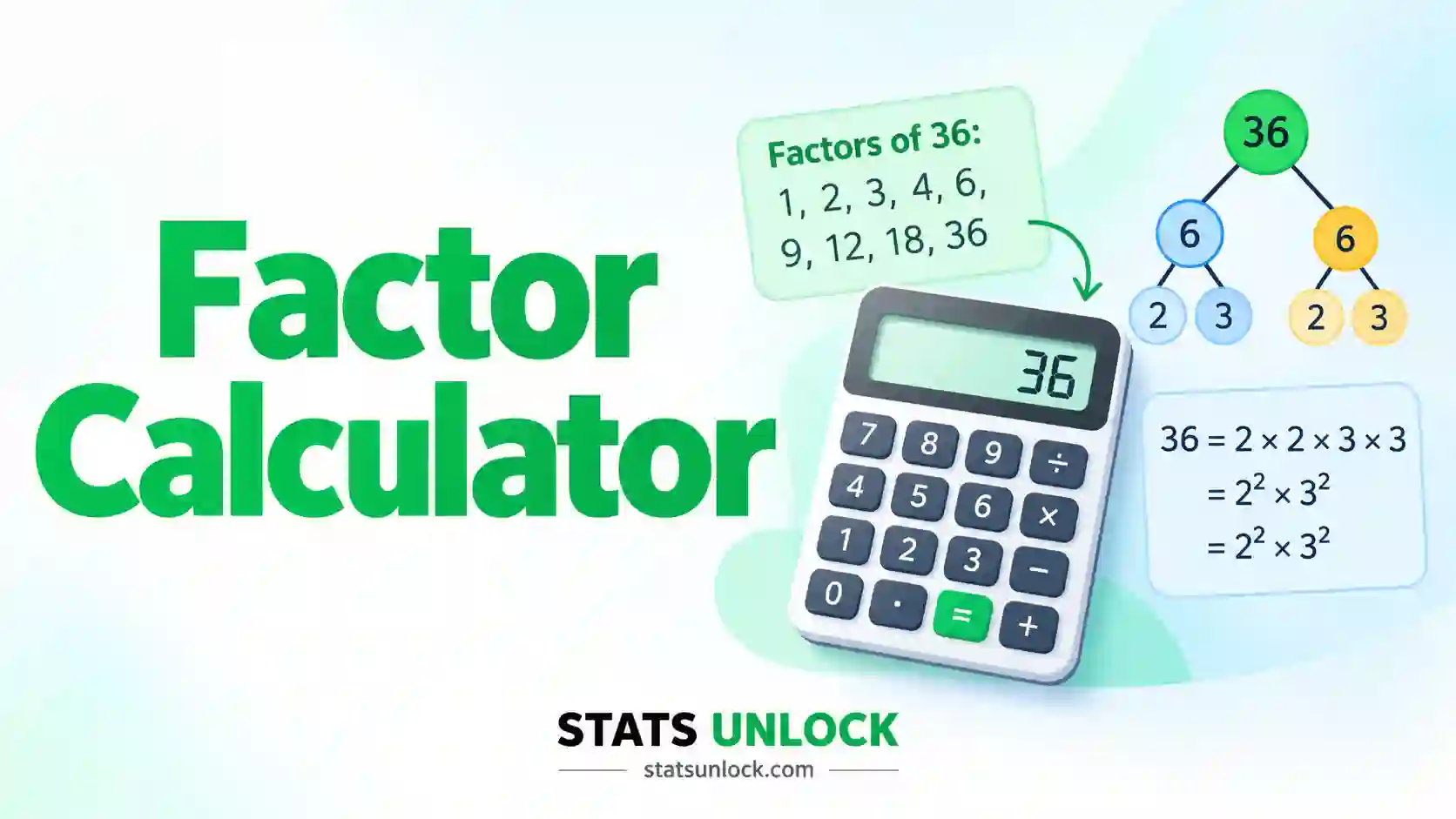

Factor Calculator
Paste comma-separated whole numbers or upload a CSV and this free factor calculator lists every factor, every factor pair and the prime factorization of each number, then finds the greatest common factor and least common multiple of each group.
By the StatsUnlock team · Last updated: 5 October 2026 · Version 1.0 · Exact integer arithmetic up to 1,000,000,000,000
⚡ 0. Quick Answer
A factor calculator finds every whole number that divides a given number exactly, with no remainder. The factors of 48 are 1, 2, 3, 4, 6, 8, 12, 16, 24 and 48.
To find them, test each whole number from 1 up to the square root of the number. Every divisor that works gives you two factors at once: itself and the number divided by it. The count of factors comes straight from the prime factorization, so you never have to list them to know how many there are.
Rule of thumb: a number with exactly 2 factors is prime, a number with an odd count of factors is a perfect square, and if the greatest common factor of a list is 1 the numbers cannot be simplified together.
Key takeaways
- This factor calculator lists all factors, factor pairs and prime factors for up to 200 whole numbers per group, each as large as 1,000,000,000,000.
- You only need to test divisors up to the square root: for 48 that is 1 to 6, which gives all 5 factor pairs.
- The number of factors is the product of each prime exponent plus one, so 48 = 24 × 3 has 5 × 2 = 10 factors.
- For the worked example 52, 48, 55, 61, 47 the greatest common factor is 1 and the least common multiple is 98,395,440.
- Zero, decimals and text have no usable factor list, so the calculator skips them and tells you which entries it left out.
📚 1. What Is a Factor Calculator?
A factor of a whole number is any whole number that divides it exactly. If you can share 12 objects equally among 3 people with nothing left over, then 3 is a factor of 12. A factor calculator does this test for every possible divisor and hands back the complete list, so you do not miss one and you do not have to do the division by hand.
What this calculator reports for every number you enter:
- All factors, in order from 1 up to the number itself.
- Factor pairs, the two numbers that multiply to give your number, such as 6 × 8 = 48.
- Prime factorization, the number written as a product of primes, such as 48 = 24 × 3.
- Number of factors and the sum of factors.
- Type: prime, composite or the unit 1, plus deficient, perfect or abundant, and whether it is a perfect square.
What it reports for every group of numbers: the greatest common factor (GCF), the least common multiple (LCM), the full list of common factors, how many of the numbers are prime, and the mean and median number of factors.
A worked one-liner: 48 ÷ 6 = 8 with no remainder, so 6 and 8 are both factors of 48. Repeat that test for 1, 2, 3, 4, 5 and 6 and you have found every factor: 1, 2, 3, 4, 6, 8, 12, 16, 24, 48. Only 5 fails.
How do you find the factors of a number?
Divide the number by each whole number from 1 up to its square root. Every division that leaves no remainder gives two factors: the divisor and the answer. For 48 you test 1 to 6 and get the pairs 1 and 48, 2 and 24, 3 and 16, 4 and 12, and 6 and 8.
Four methods you can use by hand:
- Division method. Test 1, 2, 3 and so on up to the square root, and keep the divisors that leave no remainder.
- Factor pairs, or the rainbow method. Write each divisor with its partner, starting from 1 and the number itself and working inward until the two meet.
- Factor tree. Split the number into any two factors, then split those again until only primes are left.
- Prime factorization. Use the primes from the tree and combine them in every possible way to build the full factor list.
How many factors does a number have?
Write the number as a product of primes, add 1 to each exponent, and multiply the results. For 48 = 24 × 3 that is (4 + 1) × (1 + 1) = 10 factors. A prime number always has exactly 2 factors, and a perfect square always has an odd number.
What is the difference between factors and multiples?
Factors divide a number exactly, so they are never larger than the number. Multiples are the number times 1, 2, 3 and so on, so they are never smaller. 6 is a factor of 12, and 24 is a multiple of 12. A number has a fixed list of factors and endless multiples.
Who uses a factor calculator: students checking homework on factors, multiples and fractions. Teachers building worksheets. Researchers who need to know how a sample can be split into equal groups: a sample of 48 can be divided into equal blocks of 2, 3, 4, 6, 8, 12, 16 or 24, but a sample of 47 cannot be divided evenly at all. Engineers matching gear teeth or tile sizes. Programmers testing code that handles primes and divisors.
| Idea | What it finds | Example with 12 and 18 | Use it when |
|---|---|---|---|
| Factors | Every whole number that divides one number exactly | 12: 1, 2, 3, 4, 6, 12 | You need every way to split a number evenly |
| Prime factors | Only the prime building blocks | 12 = 22 × 3 | You want the structure of the number |
| Multiples | The number times 1, 2, 3 and so on, without end | 12: 12, 24, 36, 48 | You are lining up repeating cycles |
| Greatest common factor | The largest factor shared by a whole list | GCF = 6 | You are simplifying a fraction or a ratio |
| Least common multiple | The smallest number that every value divides into | LCM = 36 | You are adding fractions or syncing schedules |
Factors and divisors mean the same thing on this page. Factoring a number is different from factoring an algebraic expression such as x2 + 5x + 6, which this tool does not do.
🧮 2. Set Up Your Data
Type one whole number per cell. Each column becomes a cluster, and the name in the header row is editable. Empty cells are ignored.
📊 3. Results
Full results table
Group results: GCF, LCM and common factors
Input quality checks
Visualisations
Four plots: how many factors each number has, which primes build it, where every factor sits, and whether the number is deficient, perfect or abundant.
1. Number of Factors
One bar per number. Paler bars are primes
2. Prime Factor Breakdown
Each colour is one prime, stacked by how often it divides the number
3. Factor Map
Every factor of every number, on a log scale
4. Abundancy Index
Sum of factors divided by the number. Exactly 2 is a perfect number
🧠 4. Interpretation of Results, In Detail
4.1 What a factor list actually tells you
A factor list answers one question completely: in how many ways can this number be split into equal whole parts? Each factor is one answer. The factors of 48 are 1, 2, 3, 4, 6, 8, 12, 16, 24 and 48, so 48 items can be shared equally among 1, 2, 3, 4, 6, 8, 12, 16, 24 or 48 groups and in no other way. Try 5 groups and you have 3 items left over. Try 7 and you have 6 left over.
That makes the list a statement about flexibility. A number with a long factor list is easy to divide, which is why there are 12 items in a dozen, 60 minutes in an hour and 360 degrees in a circle. A number with a short list is rigid. This is the practical reading of the first chart: tall bars are flexible numbers, short bars are stubborn ones.
4.2 Reading the number of factors
The count of factors is the single most useful summary of a number. Read it against these fixed points. A count of 1 happens only for the number 1. A count of 2 means the number is prime. A count of 3 means the number is the square of a prime, such as 4, 9, 25 or 49. A count of 4 means it is either the product of two different primes, such as 55 = 5 × 11, or the cube of a prime, such as 8.
Anything above 4 is an ordinary composite number, and the count climbs as the number picks up more small primes. Size alone does not make the count large. 61 is bigger than 48, yet 61 has 2 factors and 48 has 10. What matters is how many small primes divide the number and how many times each one does.
4.3 Factor pairs and the square root rule
Factors always come in pairs that multiply to give the number. For 48 the pairs are 1 × 48, 2 × 24, 3 × 16, 4 × 12 and 6 × 8. In every pair one factor sits at or below the square root and the other sits at or above it. The square root of 48 is about 6.93, and the small factors are 1, 2, 3, 4 and 6, all below it.
This is why the calculator only tests divisors up to the square root, and why you should do the same by hand. Testing past the square root finds nothing new. It also explains an odd fact: a perfect square has an odd number of factors, because its square root pairs with itself. 36 has the pairs 1 × 36, 2 × 18, 3 × 12, 4 × 9 and 6 × 6, which is nine factors, not ten.
4.4 Prime factorization: the fingerprint of a number
Every whole number above 1 can be written as a product of primes in exactly one way, apart from the order. This is the fundamental theorem of arithmetic. For 48 the product is 2 × 2 × 2 × 2 × 3, written 24 × 3. No other set of primes multiplies to 48.
Everything else in the results follows from that fingerprint. Every factor of 48 is 2 to some power from 0 to 4, times 3 to the power 0 or 1. That gives 5 choices times 2 choices, which is 10 factors. The second chart shows the fingerprint as a stacked bar: one colour per prime, and the height of each colour is the exponent. Two numbers with bars of the same colours share those primes, and that shared part is exactly their greatest common factor.
4.5 Prime, composite and the special case of 1
A prime number has exactly two factors, 1 and itself. A composite number has more than two. The number 1 is neither. It has only one factor, and mathematicians exclude it from the primes on purpose, because otherwise prime factorization would stop being unique: you could write 6 as 2 × 3, or 1 × 2 × 3, or 1 × 1 × 2 × 3.
In the results table a prime is flagged with an amber badge. That is not an error. It is a caution that this number will not simplify with anything except its own multiples. If your list contains a prime, look at the GCF straight away, because a single prime often forces it down to 1.
4.6 What the greatest common factor tells you
The greatest common factor is the largest whole number that divides every number in the group. It tells you how far the whole list can be reduced at once. For 84, 126 and 210 the GCF is 42, so the three numbers are really 2, 3 and 5 scaled up by 42. For 12, 18 and 30 the GCF is 6.
A GCF of 1 is a real result, not a failure. It means the numbers have no shared building block, so a fraction built from them is already in lowest terms and no equal block size larger than 1 fits all of them. Numbers like this are called coprime, or relatively prime. Note that a list can be coprime as a whole even when some pairs inside it share a factor: 6, 10 and 15 have a GCF of 1, although 6 and 10 share 2, 6 and 15 share 3, and 10 and 15 share 5.
The common factors column lists every factor of the GCF. Those are all the numbers that divide the whole group, and there are never any others.
4.7 What the least common multiple tells you
The least common multiple is the smallest whole number that every value in the group divides into exactly. It is the point where repeating cycles line up. If one event repeats every 12 days and another every 18 days, they coincide every 36 days, because 36 is the LCM of 12 and 18. It is also the lowest common denominator when you add fractions.
For two numbers there is a neat link: the GCF times the LCM equals the product of the two numbers. For 12 and 18, 6 × 36 = 216 = 12 × 18. That rule does not extend to three or more numbers, and assuming it does is a common mistake. The LCM also grows very fast when the numbers share few primes. The five worked numbers on this page are all under 62, yet their LCM is 98,395,440.
4.8 Deficient, perfect and abundant numbers
Add up every factor of a number except the number itself. These are the proper factors. If the total is less than the number it is deficient, if it is equal the number is perfect, and if it is more the number is abundant. For 48 the proper factors add to 76, so 48 is abundant. For 52 they add to 46, so 52 is deficient. For 28 they add to exactly 28, so 28 is perfect.
The fourth chart shows the same idea as one ratio, the sum of all factors divided by the number. A value of exactly 2 is perfect, below 2 is deficient and above 2 is abundant. Every prime sits just above 1, because its only factors are 1 and itself. Perfect numbers are very rare: the first four are 6, 28, 496 and 8128. Abundant numbers are common among multiples of 6 and 12, and the smallest odd abundant number is 945.
4.9 Reading the four charts together
Chart 1 ranks your numbers by how divisible they are. Chart 2 explains why, by showing which primes each one is built from. Chart 3 plots every factor of every number on a log scale, so you can see a shared factor as dots sitting at the same height in different columns. Chart 4 shows whether the factors of each number add up to less or more than twice the number.
Used together they answer most questions without reading the table. Tall bar in chart 1 and many colours in chart 2: a flexible number built from several small primes. Short bar and one colour: a prime or a prime power. Dots at the same height across every column in chart 3: a common factor. No shared height above 1: a GCF of 1.
4.10 What a factor list cannot tell you
Factors are exact arithmetic, not statistics. There is no sampling error, no p-value and no confidence interval here. The mean and median factor counts that the calculator reports are descriptive summaries of the numbers you typed, and they say nothing about any wider population of numbers.
A factor list also says nothing about decimals or fractions. 7.5 has no factor list in the sense used here. And the result depends completely on the number being right. If a count was mis-typed as 48 when it was 49, every factor on the page changes, because 48 has ten factors and 49 has three.
4.11 Decision guide
| What you see | What it means | What to do |
|---|---|---|
| Number of factors is 2 | The number is prime | Do not look for a way to split it evenly. Change the number if you need equal groups |
| Number of factors is odd | The number is a perfect square | Its square root is a factor and pairs with itself |
| GCF is 1 | The list is coprime as a whole | The fraction or ratio is already in lowest terms |
| GCF is greater than 1 | Every number shares that factor | Divide each number by the GCF to simplify |
| LCM equals the product of two numbers | The two numbers are coprime | No smaller common multiple exists |
| LCM equals the largest number | Every other number divides the largest one | The largest number is already a common multiple |
| Abundancy index is exactly 2 | A perfect number | Rare. Check the input, then enjoy it |
| An entry is listed as skipped | It was zero, a decimal, text or too large | Fix the entry and press Calculate Factors again |
4.12 Common mistakes this calculator prevents
- Missing a factor. Hand lists usually lose one of the middle factors, such as 16 in the list for 48. The calculator builds factors in pairs so none can be skipped.
- Forgetting 1 and the number itself. Both are always factors, and both are counted.
- Calling 1 a prime. It is labelled as the unit, with one factor.
- Mixing up factors and multiples. Factors are never larger than the number. Multiples are never smaller.
- Using GCF × LCM = product for three or more numbers. The calculator computes the LCM directly, so this shortcut is never needed.
- Silently rounding a decimal. The factors of 8 are not the factors of 7.5. Decimals are skipped and reported, never rounded.
- Losing precision on a large LCM. The LCM is computed with exact integer arithmetic, so every digit shown is correct.
✍ 5. How to Write Your Results in Research
When reporting factor calculator results in a paper, thesis, lab report or lesson plan, say what numbers you factored, how you factored them, and what you used the result for. Factors are exact, so there is no test statistic to report. The five examples below fill in with your own numbers as soon as you run the calculator.
▶ Run the analysis above to auto-fill all five examples with your results.
📌 Key conventions for this style
- Write whole numbers as numerals and use a multiplication sign, not the letter x.
- Say "positive factors" so the reader knows negative factors are not counted.
- Give the prime factorization with exponents, for example 24 × 3.
- No decimals are needed. Factors are exact whole numbers.
📌 Key conventions for this style
- Name the algorithm: trial division for factors, the Euclidean algorithm for the GCF.
- State why the factors matter to your design, for example equal block sizes.
- Report the range of factor counts, with the number each one belongs to.
- Name the software and version used to confirm the values.
📌 Key conventions for this style
- Say "divides exactly" or "divides evenly" in place of "is a factor of".
- Avoid the abbreviations GCF and LCM, or spell them out once.
- Describe a prime as a number that can only be divided by 1 and itself.
- Give one concrete example the reader can check in their head.
📌 Key conventions for this style
- Keep to one Methods line and one Results line.
- Use semicolons between results so the line scans quickly.
- Use a thousands separator in a large LCM so it can be read from a distance.
- Put the full factor lists in a table, not in the abstract.
📌 Key conventions for this style
- List the exact input so anyone can rerun it.
- State how zero, decimals, negatives and duplicates were handled.
- Give outputs that can be checked line by line against a second tool.
- Link or attach the script used for the check.
5.1 Methods wording
One or two sentences are enough. Say that each number was decomposed into primes by trial division up to its square root, that all positive factors were generated from the prime exponents, and that the GCF was found with the Euclidean algorithm. If you used factors to choose a design, say so: "Block sizes were restricted to common factors of the site sample sizes so that every site could be divided into equal blocks."
5.2 The results sentence
Lead with the value the reader needs, then give the evidence. Good: "The site sample sizes (24, 36, 60, 72 and 96) had a greatest common factor of 12, so blocks of 2, 3, 4, 6 or 12 participants divided every site exactly." Weak: "Factors were calculated." Always name the numbers, give the GCF or the factor count, and state the consequence.
5.3 Table and figure conventions
In a table use one row per number with these columns in this order: number, prime factorization, factors, number of factors. Add the GCF and LCM as a footnote or a final row. In a figure, a bar chart of factor counts needs a zero baseline and a whole-number axis, because a count of 2.5 factors has no meaning. Label primes clearly, since readers look for them first.
5.4 The discussion sentence
Say what the factors allowed or prevented. "Because 47 is prime, the pilot sample could not be divided into equal groups, and one participant was assigned by lottery." Or: "A grid of 48 plots was chosen over 50 because 48 has ten factors and allows 4 × 12, 6 × 8 and 3 × 16 layouts." Do not describe a factor result as significant. It is exact, and the word significant will be read as a statistical claim.
5.5 Reporting checklist
- The numbers that were factored are listed in full.
- The word "positive" appears if negative factors were not counted.
- 1 is not described as prime.
- The GCF and LCM are both labelled, never just "common factor".
- The method or software is named.
- Any entry that was removed, such as zero or a decimal, is mentioned.
- Large values use a thousands separator and are written in full, not in scientific notation.
∑ 6. Formulas Used
These are the seven rules behind every number this factor calculator reports, in the order they are applied.
🔀 7. Factor Calculator Calculation Flowchart, Step by Step
This flowchart shows how a factor calculator works, step by step, from a raw list of whole numbers to a checked set of factors, a GCF and an LCM. Every box uses the same worked example as the Excel, R and Python sections: the class worksheet numbers 52, 48, 55, 61 and 47, with 48 worked in full.
Check any box yourself: the Excel sheet in Section 9, the R script in Section 10 and the Python script in Section 11 all return 10 factors for 48, a GCF of 1 and an LCM of 98,395,440 for this dataset.
📝 8. How to Use This Calculator
- Enter your whole numbers. The default tab takes comma-separated whole numbers, exactly as the placeholder shows:
52, 48, 55, 61, 47, .... Spaces, new lines, tabs and semicolons also work, so a column pasted from Excel is fine. - Name each group. The group name above every box is editable. Type something meaningful such as Room A sides (cm) and it flows into the tables, the charts and the downloads.
- Add or remove clusters. Press Add cluster to compare several lists side by side. Every cluster has its own Clear and Remove button, and Remove is disabled on the last one.
- Or upload a file. On the Upload tab choose a CSV or Excel file, then click the column names you want. Every column you click becomes its own cluster, and the preview highlights your choice.
- Try a sample dataset. Ten built-in datasets cover tile planning, fractions, study group sizes, gear teeth, primes, perfect numbers, highly composite numbers and a messy list that shows what gets skipped.
- Choose how negatives and duplicates are handled. Leave the settings on their defaults for standard positive factors, or switch on negative factors and remove repeated numbers.
- Press Calculate Factors. Nothing is computed until you do. Changing any input or setting clears the results, so you never read stale numbers.
- Pick a number to see in detail. The dropdown at the top of the results selects one number. Its factors, factor pairs, formulas and step-by-step working update at once.
- Read the input quality table. It lists every entry that was skipped and why. Check it before you trust the GCF and LCM.
- Check the four charts and export. Chart 2 shows which primes your numbers share. Section 5 fills in five reporting styles, and the two buttons download a text report or a print-ready PDF.
Worked example: load sample 1, press Calculate Factors, and you should see 48 with 10 factors, a GCF of 1 and an LCM of 98,395,440.
📈 9. How to Find Factors in Excel
Excel has built-in functions for the greatest common factor and the least common multiple, but it has no function that lists the factors of a number. You build that list yourself with MOD, which returns a remainder, and SEQUENCE, which generates the divisors to test. This section shows the sheet at each stage, using the same five numbers as the rest of the page: 52, 48, 55, 61 and 47.
=FILTER(SEQUENCE(A3),MOD(A3,SEQUENCE(A3))=0) and press Enter. The factors spill down the column. For 48 you get 1, 2, 3, 4, 6, 8, 12, 16, 24, 48.9.1 The functions you need
| You want | Excel function | Note |
|---|---|---|
| Is d a factor of n? | =MOD(A3,6)=0 | TRUE when the remainder is zero |
| All factors of one number | =FILTER(SEQUENCE(A3),MOD(A3,SEQUENCE(A3))=0) | Excel 365 and Excel 2021. The list spills downward |
| Number of factors | =SUMPRODUCT(--(MOD(A2,SEQUENCE(A2))=0)) | Counts the divisors that leave no remainder |
| Number of factors, older Excel | =SUMPRODUCT(--(MOD(A2,ROW(INDIRECT("1:"&A2)))=0)) | Works in Excel 2007 to 2019 |
| Sum of factors | =SUMPRODUCT(SEQUENCE(A2)*(MOD(A2,SEQUENCE(A2))=0)) | Adds only the divisors that work |
| Prime or composite | =IF(A2=1,"Unit",IF(B2=2,"Prime","Composite")) | B2 holds the number of factors |
| Greatest common factor | =GCD(A2:A6) | Excel calls it GCD, greatest common divisor |
| Least common multiple | =LCM(A2:A6) | Returns #NUM! if the answer is too large |
| Count of numbers | =COUNT(A2:A6) | Use COUNT, not COUNTA, which counts text too |
GCD and LCM are built in from Excel 2007 onward. In Excel 2003 they are part of the Analysis ToolPak, which must be enabled first under Tools, Add-Ins.
GCD and LCM silently cut off the decimal part of any number. =GCD(7.9,14) returns 7, because 7.9 is treated as 7. This page does the opposite: a decimal is skipped and reported, never truncated. If your Excel answer differs from the calculator, look for a decimal first.9.2 Step by step
1 Put your whole numbers in one column
Type a text label in row 1 and the numbers below it. Keep one number per cell, with no units and no commas inside a number.
The five worksheet numbers sit in A2:A6: 52, 48, 55, 61 and 47.
2 List every factor of one number
Click an empty cell with free space below it and enter the spill formula. It tests every whole number from 1 to 48 and keeps the ones with a remainder of zero.
=FILTER(SEQUENCE(A3),MOD(A3,SEQUENCE(A3))=0)The formula in C2 spills the factors of 48 down the column: 1, 2, 3, 4, 6, 8, 12, 16, with 24 and 48 in the two rows below the part shown.
3 Count the factors and add them up
Put the count in column B and the sum in column C, then fill both formulas down to row 6.
=SUMPRODUCT(--(MOD(A2,SEQUENCE(A2))=0))=SUMPRODUCT(SEQUENCE(A2)*(MOD(A2,SEQUENCE(A2))=0))Factor counts are 6, 10, 4, 2, 2 and the sums of factors are 98, 124, 72, 62, 48. The active cell B3 shows that 48 has 10 factors.
4 Flag the primes
A number with exactly two factors is prime. One short IF turns the count into a label.
=IF(A2=1,"Unit",IF(B2=2,"Prime","Composite"))Column D labels 61 and 47 as Prime and 52, 48 and 55 as Composite.
5 Find the GCF and LCM of the whole list
Both functions take the whole range at once, so there is nothing to fill down.
=GCD(A2:A6)=LCM(A2:A6)The greatest common factor is 1 and the least common multiple is 98,395,440, the same values this page and both scripts return.
9.3 The awkward cases
Large numbers. The one-line formula tests every divisor up to the number itself, so it stops working above 1,048,576, the number of rows in a sheet. Test only up to the square root and it reaches about one trillion. This version needs Excel 365:
=LET(n,A3,d,SEQUENCE(INT(SQRT(n))),s,FILTER(d,MOD(n,d)=0),SORT(UNIQUE(VSTACK(s,n/s))))
It finds the small factor of each pair, divides the number by it to get the large one, and sorts the two sets together. UNIQUE removes the repeat when the number is a perfect square.
Factor pairs side by side. With the small factors spilled in C2, type this next to them to get each partner:
=A3/C2#
The # after C2 means "the whole spilled range". The classic mistake is to type =A3/C2 and fill down by hand, which breaks as soon as the number of factors changes.
Common factors of a list. Find the GCF first, then list the factors of the GCF. Every common factor of the list is a factor of the GCF and nothing else is.
=FILTER(SEQUENCE(GCD(A2:A6)),MOD(GCD(A2:A6),SEQUENCE(GCD(A2:A6)))=0)
9.4 Why your Excel answer might differ from R or Python
| Situation | What happens | Fix |
|---|---|---|
| A decimal in the range | GCD and LCM truncate it without warning, so 7.9 is treated as 7 | Check with =A2=INT(A2) before factoring |
| A number stored as text | GCD returns #VALUE!, and COUNT skips the cell so n is one too small | Convert with =VALUE(A2), or use Text to Columns |
| A blank cell inside the range | GCD and LCM ignore it, so the answer is for fewer numbers than you think | Compare COUNT with the number of rows |
| A zero in the range | LCM returns 0, and GCD ignores the zero | Remove zeros. This page skips them and reports them |
| A negative number | GCD and LCM return #NUM! | Wrap the value in ABS(). This page removes the sign and says so |
| A very large LCM | Excel shows 15 significant digits, or #NUM! above 253 | Use Python, where whole numbers have no size limit |
A very large number in MOD | Some Excel versions return #NUM! when the number is huge compared with the divisor | Use =A2-B2*INT(A2/B2) for the remainder |
| Rounding shown, not stored | A cell shows 48 but holds 47.6, so MOD finds no whole factors | Increase the decimals shown, or wrap in ROUND(A2,0) if rounding is right |
9.5 Charting the result in Excel
Select the factor counts in B2:B6 and insert a Clustered Column chart. Then right-click the chart, choose Select Data, and set A2:A6 as the horizontal axis labels. If you select columns A and B together, Excel plots the numbers themselves as a second series, which is wrong.
Two changes make it ready to publish. Set the vertical axis major unit to 1, because a factor count is always a whole number. Then recolour the bars for the primes, so the reader finds them at a glance.
9.6 Excel errors you will probably hit
| Error | Cause | Fix |
|---|---|---|
#SPILL! | The cells below the formula are not empty, so the factor list has nowhere to go | Clear the cells underneath, or move the formula |
#NAME? | SEQUENCE, FILTER or LET does not exist in your Excel version | Use the ROW(INDIRECT()) version from table 9.1 |
#NUM! | A negative number in GCD or LCM, or a result too large to store | Use ABS(), or move to Python for very large values |
#VALUE! | Text in the range, or a number stored as text | Convert the cell with VALUE() |
#DIV/0! | MOD was asked to divide by zero, usually from an empty divisor cell | Start the divisor list at 1, never 0 |
#CALC! | FILTER found nothing to return | Check the number is a positive whole number |
📈 10. How to Find Factors in R
Base R has no factors() function for whole numbers. The word factor in R means a categorical variable, which is a different thing entirely. The script below is complete and runs top to bottom: it lists the factors and prime factors of each number, finds the GCF and LCM, prints a plain-English verdict, and saves one publication-ready figure at 300 dpi. It uses base R only, so there is nothing to install.
Rscript. Change only the x <- c(...) line to use your own numbers.%% and Reduce10.1 The complete script
R, base only, saves factor_plot.png
# ============================================================
# Factors, factor pairs, prime factorization, GCF and LCM
# with a single publication-ready plot
# StatsUnlock - https://statsunlock.com/factor-calculator/
# ============================================================

# ---- 1. Your data: change only this line --------------------
x <- c(52, 48, 55, 61, 47)
# x <- read.csv("numbers.csv")$number

# ---- 2. Clean: keep positive whole numbers only -------------
x <- x[!is.na(x)]
x <- x[x == floor(x) & x > 0]

get_factors <- function(n) {
  d <- seq_len(floor(sqrt(n)))
  small <- d[n %% d == 0]
  sort(unique(c(small, n / small)))
}

prime_factors <- function(n) {
  out <- c()
  p <- 2
  while (p * p <= n) {
    while (n %% p == 0) {
      out <- c(out, p)
      n <- n / p
    }
    p <- p + 1
  }
  if (n > 1) out <- c(out, n)
  out
}

gcd2 <- function(a, b) if (b == 0) a else gcd2(b, a %% b)
lcm2 <- function(a, b) a / gcd2(a, b) * b

# ---- 3. Compute ----------------------------------------------
facs  <- lapply(x, get_factors)
count <- sapply(facs, length)
total <- sapply(facs, sum)
kind  <- ifelse(x == 1, "unit", ifelse(count == 2, "prime", "composite"))
gcf   <- Reduce(gcd2, x)
lcm   <- Reduce(lcm2, x)

# ---- 4. Print the summary -------------------------------------
cat("Numbers analysed:", length(x), "\n")
for (i in seq_along(x)) {
  pf <- paste(prime_factors(x[i]), collapse = " x ")
  cat(sprintf("%s = %s | %d factors: %s | sum %s | %s\n",
              x[i], pf, count[i], paste(facs[[i]], collapse = ", "),
              total[i], kind[i]))
}
cat("Greatest common factor (GCF):", gcf, "\n")
cat("Least common multiple (LCM): ",
    format(lcm, big.mark = ",", scientific = FALSE), "\n")
cat(sprintf("Mean factors per number: %.2f\n", mean(count)))
best <- x[which.max(count)]
if (gcf == 1) {
  cat(sprintf("Verdict: the numbers share no factor above 1, so they cannot be simplified together. %s has the most factors (%d).\n",
              best, max(count)))
} else {
  cat(sprintf("Verdict: every number divides exactly by %s. %s has the most factors (%d).\n",
              gcf, best, max(count)))
}

# ---- 5. One 300 dpi figure ------------------------------------
# Nothing here is random, so the figure is identical on every run.
png("factor_plot.png", width = 2100, height = 1900, res = 300)
layout(matrix(c(1, 2)), heights = c(1, 1))
par(mar = c(4, 4.5, 2.5, 1))
cols <- ifelse(kind == "prime", "#f59e0b", "#16a34a")
bp <- barplot(count, names.arg = x, col = cols, border = NA,
              ylim = c(0, max(count) * 1.25),
              xlab = "Number", ylab = "Number of factors",
              main = "How many factors each number has")
text(bp, count, labels = count, pos = 3, cex = 0.9)
legend("topright", legend = c("Composite", "Prime"),
       fill = c("#16a34a", "#f59e0b"), border = NA, bty = "n")

plot(NA, xlim = c(0.5, length(x) + 0.5), ylim = c(1, max(x)), log = "y",
     xaxt = "n", xlab = "Number", ylab = "Factor (log scale)",
     main = "Every factor of every number")
axis(1, at = seq_along(x), labels = x)
for (i in seq_along(x)) {
  points(rep(i, count[i]), facs[[i]], pch = 19, col = "#2563eb")
}
dev.off()
cat("\nSaved factor_plot.png\n")
Run it with Rscript factor_plot.R from a terminal, or paste it into the RStudio console. For the worked example it prints 10 factors for 48, a GCF of 1 and an LCM of 98,395,440. The figure appears as factor_plot.png in your working directory, which you can check with getwd().
10.2 What each part does
| Line or function | What it does, and why it is there |
|---|---|
| x <- c(...) | Builds the numeric vector. Swap in read.csv("numbers.csv")$number to load a file. |
| x[!is.na(x)] | Drops missing values. Without it, %% returns NA and every later result is NA too. |
| x == floor(x) & x > 0 | Keeps positive whole numbers only. This matches the rule on this page: decimals and zero are removed, never rounded. |
| seq_len(floor(sqrt(n))) | The divisors to test, from 1 to the square root. Testing further finds nothing new. |
| n %% d == 0 | %% is the remainder operator. A remainder of zero means d is a factor. |
| c(small, n / small) | Adds the partner of each small factor, so every factor pair is complete. |
| sort(unique(...)) | unique removes the repeat when n is a perfect square, such as 6 and 6 for 36. |
| prime_factors() | Divides out 2, then 3, then 4 and so on. Composite divisors never succeed, because their primes are already gone. |
| gcd2() | The Euclidean algorithm, written recursively. Base R has no built-in GCD function. |
| Reduce(gcd2, x) | Applies the two-number function across the whole vector, left to right. |
| a / gcd2(a, b) * b | Divides before multiplying, which keeps the middle value small and delays overflow. |
| format(big.mark = ",") | Prints the LCM in full with separators. Without scientific = FALSE R may print 9.839544e+07. |
| png(..., res = 300) | Opens a file device at print quality. The default 72 dpi looks blurred in a document. |
| layout(matrix(c(1, 2))) | Splits the figure into two stacked panels of equal height. |
| log = "y" | Puts the factor axis on a log scale, so 1, 2 and 3 are not crushed against the axis by 61. |
| dev.off() | Closes the device and writes the file. Forgetting this leaves an empty PNG. |
10.3 What the figure shows
The upper panel is a bar chart of how many factors each number has, with composite numbers in green and primes in amber. For the worked example the bar for 48 stands at 10, well above the rest, and the two amber bars for 61 and 47 stand at 2.
The lower panel plots every factor of every number as a dot, on a log scale. Each column always has a dot at 1 and a dot at the number itself. A factor shared by the whole list would show as dots at the same height in every column. Here the only height shared by all five columns is 1, which is the picture of a GCF of 1.
10.4 Common R problems and fixes
| Symptom | Cause | Fix |
|---|---|---|
factor(48) returns "Levels: 48" | In R, factor() creates a categorical variable | Use the get_factors() function from the script |
Results are all NA | The vector contains a missing value | Clean first with x <- x[!is.na(x)] |
| Wrong factors for a huge number | R stores numbers as doubles, exact only up to 253 | Use the gmp package and as.bigz() above about 9 × 10¹⁵ |
| The LCM prints as 9.839544e+07 | R switched to scientific notation | Use format(lcm, scientific = FALSE, big.mark = ",") |
| "probable complete loss of accuracy in modulus" | %% was used on a number too large for a double | Switch to gmp::as.bigz() |
| "expression nested too deeply" | Very rare: the recursive gcd2() went too deep | Rewrite it as a while loop |
| The PNG is empty or zero bytes | dev.off() was never called | Close the device. If unsure, run while (dev.cur() > 1) dev.off() |
| The script is slow | A prime near 1012 needs about a million tests | Normal. It still finishes in well under a second |
10.5 Useful one-liners
| You want | R code |
|---|---|
| Factors of one number, the simple way | which(48 %% 1:48 == 0) |
| Number of factors | sum(48 %% 1:48 == 0) |
| Is it prime? | sum(61 %% 1:61 == 0) == 2 |
| Factor pairs as a table | d <- which(48 %% 1:6 == 0); cbind(d, 48 / d) |
| Common factors of a list | get_factors(Reduce(gcd2, c(12, 18, 30))) |
| Prime factors with a package | gmp::factorize(48) |
| GCF and LCM with a package | pracma::gcd(12, 18); pracma::Lcm(12, 18) |
| Factor count for every row of a column | sapply(df$number, function(n) length(get_factors(n))) |
| Write the results to a file | write.csv(data.frame(x, count, total, kind), "factors.csv", row.names = FALSE) |
📈 11. How to Find Factors in Python
Python is the best of the three tools for this job, because its whole numbers have no size limit and the standard library already contains math.gcd and math.isqrt. The script below is complete and runnable: it lists every factor and the prime factorization of each number, finds the GCF and LCM, prints a verdict, and saves one 300 dpi figure.
x = [...] line.Install with pip install matplotlib if you do not already have it. Add pandas only if you use the commented CSV line.
11.1 The complete script
Python 3, saves factor_plot.png
# ============================================================
# Factors, factor pairs, prime factorization, GCF and LCM
# with a single publication-ready plot
# StatsUnlock - https://statsunlock.com/factor-calculator/
# ============================================================
import math
from functools import reduce
import matplotlib
matplotlib.use("Agg")                 # write to file, no window needed
import matplotlib.pyplot as plt

# ---- 1. Your data: change only this line --------------------
x = [52, 48, 55, 61, 47]
# import pandas as pd
# x = pd.read_csv("numbers.csv")["number"].dropna().astype(int).tolist()

# ---- 2. Clean: keep positive whole numbers only -------------
x = [int(v) for v in x if v is not None and float(v) == int(v) and int(v) > 0]


def get_factors(n):
    """Every positive factor of n, by trial division up to the square root."""
    small = [d for d in range(1, math.isqrt(n) + 1) if n % d == 0]
    return sorted(set(small + [n // d for d in small]))


def prime_factors(n):
    """Prime factorization as a dict, for example 48 -> {2: 4, 3: 1}."""
    out, p = {}, 2
    while p * p <= n:
        while n % p == 0:
            out[p] = out.get(p, 0) + 1
            n //= p
        p += 1
    if n > 1:
        out[n] = out.get(n, 0) + 1
    return out


def lcm2(a, b):
    return a // math.gcd(a, b) * b


# ---- 3. Compute ----------------------------------------------
facs = [get_factors(n) for n in x]
count = [len(f) for f in facs]
total = [sum(f) for f in facs]
kind = ["unit" if n == 1 else ("prime" if c == 2 else "composite")
        for n, c in zip(x, count)]
gcf = reduce(math.gcd, x)
lcm = reduce(lcm2, x)

# ---- 4. Print the summary -------------------------------------
print(f"Numbers analysed: {len(x)}")
for n, f, c, t, k in zip(x, facs, count, total, kind):
    pf = " x ".join(f"{p}^{e}" if e > 1 else f"{p}" for p, e in prime_factors(n).items())
    print(f"{n} = {pf or '1'} | {c} factors: {f} | sum {t} | {k}")
print(f"Greatest common factor (GCF): {gcf}")
print(f"Least common multiple (LCM):  {lcm:,}")
print(f"Mean factors per number: {sum(count) / len(count):.2f}")
best = x[count.index(max(count))]
if gcf == 1:
    print(f"Verdict: the numbers share no factor above 1, so they cannot be "
          f"simplified together. {best} has the most factors ({max(count)}).")
else:
    print(f"Verdict: every number divides exactly by {gcf}. "
          f"{best} has the most factors ({max(count)}).")

# ---- 5. One 300 dpi figure ------------------------------------
# Nothing here is random, so the figure is identical on every run.
fig, (ax1, ax2) = plt.subplots(2, 1, figsize=(7, 6.4),
                               gridspec_kw={"hspace": 0.45})
pos = list(range(1, len(x) + 1))
cols = ["#f59e0b" if k == "prime" else "#16a34a" for k in kind]
bars = ax1.bar(pos, count, color=cols, zorder=2)
for b, c in zip(bars, count):
    ax1.text(b.get_x() + b.get_width() / 2, c + 0.15, str(c),
             ha="center", va="bottom", fontsize=10)
ax1.set_xticks(pos)
ax1.set_xticklabels([str(n) for n in x])
ax1.set_ylim(0, max(count) * 1.25)
ax1.set_ylabel("Number of factors")
ax1.set_title("How many factors each number has", fontweight="bold")
ax1.grid(axis="y", color="#e5e7eb", zorder=1)
ax1.legend(handles=[plt.Rectangle((0, 0), 1, 1, color="#16a34a"),
                    plt.Rectangle((0, 0), 1, 1, color="#f59e0b")],
           labels=["Composite", "Prime"], frameon=False, loc="upper right")

for i, f in zip(pos, facs):
    ax2.scatter([i] * len(f), f, color="#2563eb", s=30, zorder=2)
ax2.set_yscale("log")
ax2.set_xticks(pos)
ax2.set_xticklabels([str(n) for n in x])
ax2.set_xlim(0.5, len(x) + 0.5)
ax2.set_xlabel("Number")
ax2.set_ylabel("Factor (log scale)")
ax2.set_title("Every factor of every number", fontweight="bold")
ax2.grid(axis="y", color="#e5e7eb", zorder=1)

for ax in (ax1, ax2):
    ax.spines[["top", "right"]].set_visible(False)
fig.savefig("factor_plot.png", dpi=300, bbox_inches="tight")
print("\nSaved factor_plot.png")
This script was run while building this page. For the worked example it prints 10 factors for 48, a GCF of 1, an LCM of 98,395,440 and a mean of 4.80 factors per number, the same values as the calculator above.
11.2 What each part does
| Line or function | What it does, and why it is there |
|---|---|
| matplotlib.use("Agg") | Selects a backend that writes to a file. The script then runs on a server with no screen. |
| x = [...] | The data, as a plain list. The commented pd.read_csv() line loads a column from a file, and .dropna() removes missing values. |
| float(v) == int(v) and int(v) > 0 | Keeps positive whole numbers only. Decimals and zero are removed, never rounded. |
| math.isqrt(n) | The exact whole-number square root. int(math.sqrt(n)) can be off by one for very large n, because sqrt works in floating point. |
| n % d == 0 | % is the remainder operator. Zero means d is a factor. |
| n // d | Whole-number division. A single slash would turn the factor into a float, such as 8.0. |
| sorted(set(...)) | set removes the repeat when n is a perfect square. |
| prime_factors() | Returns a dictionary of prime to exponent, so 48 gives {2: 4, 3: 1}. |
| reduce(math.gcd, x) | Applies the two-number GCD across the list. From Python 3.9 you can also write math.gcd(*x). |
| a // math.gcd(a, b) * b | The LCM of two numbers, dividing first to keep the middle value small. From Python 3.9, math.lcm(*x) does the same. |
| f"{lcm:,}" | An f-string with a thousands separator, so 98395440 prints as 98,395,440. |
| plt.subplots(2, 1) | One figure with two stacked panels. |
| ax2.set_yscale("log") | A log scale for the factor axis, so small factors are not crushed by large ones. |
| zorder | Draw order. Bars and dots sit above the grid lines. |
| savefig(dpi=300, bbox_inches="tight") | Writes the file at print resolution and trims the white border. |
11.3 What the figure shows
The same figure as the R script, drawn by a different engine. The upper panel shows the number of factors of each number, with primes in amber. The lower panel shows every factor as a dot on a log scale, one column per number.
Read the lower panel across, not down. If a row of dots lines up at the same height in every column, that height is a common factor, and the highest such row is the GCF. For 52, 48, 55, 61 and 47 only the bottom row at 1 lines up.
11.4 Common Python problems and fixes
| Symptom | Cause | Fix |
|---|---|---|
| Factors print as 8.0, 12.0 | A single slash was used for division | Use // for whole-number division |
TypeError: 'float' object cannot be interpreted as an integer | range() or math.gcd was given a float | Convert with int(v) after checking the value is whole |
AttributeError: module 'math' has no attribute 'lcm' | Python older than 3.9 | Use the lcm2() function from the script |
AttributeError: ... 'isqrt' | Python older than 3.8 | Upgrade, or use int(n ** 0.5) for numbers below about 1015 |
| NumPy gives a wrong or negative LCM | np.lcm uses 64-bit integers and overflows silently | Use plain Python integers for large values |
| The loop is slow for huge numbers | Trial division needs about √n steps | Use sympy.divisors(n), which uses faster methods |
| Nothing appears on screen | The Agg backend writes to a file only | Open factor_plot.png, or remove the matplotlib.use line and add plt.show() |
| Values from a CSV are strings | The column contains text or blanks | Use pd.to_numeric(col, errors="coerce").dropna() |
11.5 Useful one-liners
| You want | Python code |
|---|---|
| Factors of one number, the simple way | [d for d in range(1, 49) if 48 % d == 0] |
| Number of factors | sum(48 % d == 0 for d in range(1, 49)) |
| Factor pairs | [(d, 48 // d) for d in range(1, math.isqrt(48) + 1) if 48 % d == 0] |
| GCF of a list, Python 3.9 and later | math.gcd(52, 48, 55, 61, 47) |
| LCM of a list, Python 3.9 and later | math.lcm(52, 48, 55, 61, 47) |
| All factors with SymPy | sympy.divisors(48) |
| Prime factorization with SymPy | sympy.factorint(48) |
| Is it prime, with SymPy | sympy.isprime(61) |
| Factor count for a pandas column | df["number"].map(lambda n: len(get_factors(n))) |
Run the script with python factor_plot.py from a terminal. In Jupyter, remove the matplotlib.use("Agg") line and add plt.show() at the end to see the figure inline.
📋 12. Reference Tables
Eight lookup tables for checking a factor list by eye. Every value was computed, not copied, and matches what the factor calculator above returns.
12.1 Factors of every number from 1 to 36
| Number | Factors | Count | Prime factorization | Type |
|---|---|---|---|---|
| 1 | 1 | 1 | 1 | Unit |
| 2 | 1, 2 | 2 | 2 | Prime |
| 3 | 1, 3 | 2 | 3 | Prime |
| 4 | 1, 2, 4 | 3 | 22 | Composite |
| 5 | 1, 5 | 2 | 5 | Prime |
| 6 | 1, 2, 3, 6 | 4 | 2 × 3 | Composite |
| 7 | 1, 7 | 2 | 7 | Prime |
| 8 | 1, 2, 4, 8 | 4 | 23 | Composite |
| 9 | 1, 3, 9 | 3 | 32 | Composite |
| 10 | 1, 2, 5, 10 | 4 | 2 × 5 | Composite |
| 11 | 1, 11 | 2 | 11 | Prime |
| 12 | 1, 2, 3, 4, 6, 12 | 6 | 22 × 3 | Composite |
| 13 | 1, 13 | 2 | 13 | Prime |
| 14 | 1, 2, 7, 14 | 4 | 2 × 7 | Composite |
| 15 | 1, 3, 5, 15 | 4 | 3 × 5 | Composite |
| 16 | 1, 2, 4, 8, 16 | 5 | 24 | Composite |
| 17 | 1, 17 | 2 | 17 | Prime |
| 18 | 1, 2, 3, 6, 9, 18 | 6 | 2 × 32 | Composite |
| 19 | 1, 19 | 2 | 19 | Prime |
| 20 | 1, 2, 4, 5, 10, 20 | 6 | 22 × 5 | Composite |
| 21 | 1, 3, 7, 21 | 4 | 3 × 7 | Composite |
| 22 | 1, 2, 11, 22 | 4 | 2 × 11 | Composite |
| 23 | 1, 23 | 2 | 23 | Prime |
| 24 | 1, 2, 3, 4, 6, 8, 12, 24 | 8 | 23 × 3 | Composite |
| 25 | 1, 5, 25 | 3 | 52 | Composite |
| 26 | 1, 2, 13, 26 | 4 | 2 × 13 | Composite |
| 27 | 1, 3, 9, 27 | 4 | 33 | Composite |
| 28 | 1, 2, 4, 7, 14, 28 | 6 | 22 × 7 | Composite |
| 29 | 1, 29 | 2 | 29 | Prime |
| 30 | 1, 2, 3, 5, 6, 10, 15, 30 | 8 | 2 × 3 × 5 | Composite |
| 31 | 1, 31 | 2 | 31 | Prime |
| 32 | 1, 2, 4, 8, 16, 32 | 6 | 25 | Composite |
| 33 | 1, 3, 11, 33 | 4 | 3 × 11 | Composite |
| 34 | 1, 2, 17, 34 | 4 | 2 × 17 | Composite |
| 35 | 1, 5, 7, 35 | 4 | 5 × 7 | Composite |
| 36 | 1, 2, 3, 4, 6, 9, 12, 18, 36 | 9 | 22 × 32 | Composite |
What to conclude: the count column never follows the size of the number. 36 has nine factors and 31 has two. Look your number up here to check a hand calculation.
12.2 Divisibility rules for 2 to 12
| Divisor | The number is divisible when | Example |
|---|---|---|
| 2 | The last digit is 0, 2, 4, 6 or 8 | 48 ends in 8 |
| 3 | The digits add up to a multiple of 3 | 48: 4 + 8 = 12 |
| 4 | The last two digits form a multiple of 4 | 1,348: 48 = 4 × 12 |
| 5 | The last digit is 0 or 5 | 55 ends in 5 |
| 6 | It passes the tests for both 2 and 3 | 48 passes both |
| 7 | Double the last digit, subtract it from the rest, and the result is a multiple of 7 | 203: 20 − 6 = 14 |
| 8 | The last three digits form a multiple of 8 | 5,048: 048 = 8 × 6 |
| 9 | The digits add up to a multiple of 9 | 117: 1 + 1 + 7 = 9 |
| 10 | The last digit is 0 | 120 ends in 0 |
| 11 | The alternating sum of the digits is 0 or a multiple of 11 | 121: 1 − 2 + 1 = 0 |
| 12 | It passes the tests for both 3 and 4 | 48 passes both |
What to conclude: use these rules to find the small factors in your head before you reach for a calculator. If a number passes none of the rules for 2, 3, 5, 7 and 11, and it is below 169, it is prime.
12.3 Prime numbers below 200
| Range | Prime numbers | How many |
|---|---|---|
| 1 to 25 | 2, 3, 5, 7, 11, 13, 17, 19, 23 | 9 |
| 26 to 50 | 29, 31, 37, 41, 43, 47 | 6 |
| 51 to 75 | 53, 59, 61, 67, 71, 73 | 6 |
| 76 to 100 | 79, 83, 89, 97 | 4 |
| 101 to 125 | 101, 103, 107, 109, 113 | 5 |
| 126 to 150 | 127, 131, 137, 139, 149 | 5 |
| 151 to 175 | 151, 157, 163, 167, 173 | 5 |
| 176 to 200 | 179, 181, 191, 193, 197, 199 | 6 |
What to conclude: there are 46 primes below 200. If your number is in this table it has exactly two factors, 1 and itself, and no factor calculator will find more.
12.4 How many factors: reading the count from the prime exponents
| Shape of the number | Factor count formula | Count | Example | Factors of the example |
|---|---|---|---|---|
| p | (1 + 1) | 2 | 7 = 7 | 1, 7 |
| p2 | (2 + 1) | 3 | 49 = 72 | 1, 7, 49 |
| p × q | (1 + 1) × (1 + 1) | 4 | 55 = 5 × 11 | 1, 5, 11, 55 |
| p3 | (3 + 1) | 4 | 8 = 23 | 1, 2, 4, 8 |
| p2 × q | (2 + 1) × (1 + 1) | 6 | 52 = 22 × 13 | 1, 2, 4, 13, 26, 52 |
| p × q × r | (1 + 1) × (1 + 1) × (1 + 1) | 8 | 30 = 2 × 3 × 5 | 1, 2, 3, 5, 6, 10, 15, 30 |
| p4 × q | (4 + 1) × (1 + 1) | 10 | 48 = 24 × 3 | 1, 2, 3, 4, 6, 8, 12, 16, 24, 48 |
| p2 × q2 | (2 + 1) × (2 + 1) | 9 | 36 = 22 × 32 | 1, 2, 3, 4, 6, 9, 12, 18, 36 |
| p3 × q2 × r | (3 + 1) × (2 + 1) × (1 + 1) | 24 | 360 = 23 × 32 × 5 | 24 factors, from 1 to 360 |
What to conclude: add 1 to each exponent and multiply. You can state the number of factors of any number from its prime factorization alone, without listing a single one.
12.5 Highly composite numbers up to 5,040
| Highly composite number | Prime factorization | Number of factors |
|---|---|---|
| 1 | 1 | 1 |
| 2 | 2 | 2 |
| 4 | 22 | 3 |
| 6 | 2 × 3 | 4 |
| 12 | 22 × 3 | 6 |
| 24 | 23 × 3 | 8 |
| 36 | 22 × 32 | 9 |
| 48 | 24 × 3 | 10 |
| 60 | 22 × 3 × 5 | 12 |
| 120 | 23 × 3 × 5 | 16 |
| 180 | 22 × 32 × 5 | 18 |
| 240 | 24 × 3 × 5 | 20 |
| 360 | 23 × 32 × 5 | 24 |
| 720 | 24 × 32 × 5 | 30 |
| 840 | 23 × 3 × 5 × 7 | 32 |
| 1,260 | 22 × 32 × 5 × 7 | 36 |
| 1,680 | 24 × 3 × 5 × 7 | 40 |
| 2,520 | 23 × 32 × 5 × 7 | 48 |
| 5,040 | 24 × 32 × 5 × 7 | 60 |
What to conclude: each number here has more factors than every smaller number. This is why 12, 24, 60 and 360 are used for time, angles and packaging. The idea was first studied in depth by Ramanujan (1915), listed in Section 23.
12.6 Deficient, perfect and abundant numbers
| Number | Sum of all factors | Sum of proper factors | Sum ÷ number | Class |
|---|---|---|---|---|
| 1 | 1 | 0 | 1.000 | Deficient |
| 6 | 12 | 6 | 2.000 | Perfect |
| 8 | 15 | 7 | 1.875 | Deficient |
| 12 | 28 | 16 | 2.333 | Abundant |
| 15 | 24 | 9 | 1.600 | Deficient |
| 20 | 42 | 22 | 2.100 | Abundant |
| 28 | 56 | 28 | 2.000 | Perfect |
| 36 | 91 | 55 | 2.528 | Abundant |
| 60 | 168 | 108 | 2.800 | Abundant |
| 97 | 98 | 1 | 1.010 | Deficient |
| 120 | 360 | 240 | 3.000 | Abundant |
| 496 | 992 | 496 | 2.000 | Perfect |
| 945 | 1,920 | 975 | 2.032 | Abundant |
| 8,128 | 16,256 | 8,128 | 2.000 | Perfect |
What to conclude: compare the sum of proper factors with the number. Equal means perfect, which is rare: 6, 28, 496 and 8,128 are the only perfect numbers below 10,000. The ratio in the fourth column is what chart 4 plots.
12.7 GCF and LCM of common pairs
| Numbers | GCF | LCM | GCF × LCM | Product of the two numbers |
|---|---|---|---|---|
| 12 and 18 | 6 | 36 | 216 | 216 |
| 8 and 12 | 4 | 24 | 96 | 96 |
| 15 and 25 | 5 | 75 | 375 | 375 |
| 21 and 28 | 7 | 84 | 588 | 588 |
| 9 and 16 | 1 | 144 | 144 | 144 |
| 48 and 60 | 12 | 240 | 2,880 | 2,880 |
| 84 and 126 | 42 | 252 | 10,584 | 10,584 |
| 100 and 75 | 25 | 300 | 7,500 | 7,500 |
| 13 and 17 | 1 | 221 | 221 | 221 |
| 120 and 180 | 60 | 360 | 21,600 | 21,600 |
What to conclude: the last two columns are always equal. For two numbers, GCF × LCM is the product of the numbers. This shortcut does not work for three or more numbers.
12.8 Factors of commonly searched numbers
| Number | Factors | Count | Prime factorization |
|---|---|---|---|
| 40 | 1, 2, 4, 5, 8, 10, 20, 40 | 8 | 23 × 5 |
| 42 | 1, 2, 3, 6, 7, 14, 21, 42 | 8 | 2 × 3 × 7 |
| 45 | 1, 3, 5, 9, 15, 45 | 6 | 32 × 5 |
| 50 | 1, 2, 5, 10, 25, 50 | 6 | 2 × 52 |
| 54 | 1, 2, 3, 6, 9, 18, 27, 54 | 8 | 2 × 33 |
| 56 | 1, 2, 4, 7, 8, 14, 28, 56 | 8 | 23 × 7 |
| 60 | 1, 2, 3, 4, 5, 6, 10, 12, 15, 20, 30, 60 | 12 | 22 × 3 × 5 |
| 64 | 1, 2, 4, 8, 16, 32, 64 | 7 | 26 |
| 72 | 1, 2, 3, 4, 6, 8, 9, 12, 18, 24, 36, 72 | 12 | 23 × 32 |
| 75 | 1, 3, 5, 15, 25, 75 | 6 | 3 × 52 |
| 80 | 1, 2, 4, 5, 8, 10, 16, 20, 40, 80 | 10 | 24 × 5 |
| 81 | 1, 3, 9, 27, 81 | 5 | 34 |
| 84 | 1, 2, 3, 4, 6, 7, 12, 14, 21, 28, 42, 84 | 12 | 22 × 3 × 7 |
| 90 | 1, 2, 3, 5, 6, 9, 10, 15, 18, 30, 45, 90 | 12 | 2 × 32 × 5 |
| 96 | 1, 2, 3, 4, 6, 8, 12, 16, 24, 32, 48, 96 | 12 | 25 × 3 |
| 100 | 1, 2, 4, 5, 10, 20, 25, 50, 100 | 9 | 22 × 52 |
| 108 | 1, 2, 3, 4, 6, 9, 12, 18, 27, 36, 54, 108 | 12 | 22 × 33 |
| 120 | 1, 2, 3, 4, 5, 6, 8, 10, 12, 15, 20, 24, 30, 40, 60, 120 | 16 | 23 × 3 × 5 |
| 125 | 1, 5, 25, 125 | 4 | 53 |
| 144 | 1, 2, 3, 4, 6, 8, 9, 12, 16, 18, 24, 36, 48, 72, 144 | 15 | 24 × 32 |
| 150 | 1, 2, 3, 5, 6, 10, 15, 25, 30, 50, 75, 150 | 12 | 2 × 3 × 52 |
| 180 | 1, 2, 3, 4, 5, 6, 9, 10, 12, 15, 18, 20, 30, 36, 45, 60, 90, 180 | 18 | 22 × 32 × 5 |
| 200 | 1, 2, 4, 5, 8, 10, 20, 25, 40, 50, 100, 200 | 12 | 23 × 52 |
| 225 | 1, 3, 5, 9, 15, 25, 45, 75, 225 | 9 | 32 × 52 |
| 240 | 1, 2, 3, 4, 5, 6, 8, 10, 12, 15, 16, 20, 24, 30, 40, 48, 60, 80, 120, 240 | 20 | 24 × 3 × 5 |
| 250 | 1, 2, 5, 10, 25, 50, 125, 250 | 8 | 2 × 53 |
| 300 | 1, 2, 3, 4, 5, 6, 10, 12, 15, 20, 25, 30, 50, 60, 75, 100, 150, 300 | 18 | 22 × 3 × 52 |
| 360 | 1, 2, 3, 4, 5, 6, 8, 9, 10, 12, 15, 18, 20, 24, 30, 36, 40, 45, 60, 72, 90, 120, 180, 360 | 24 | 23 × 32 × 5 |
| 500 | 1, 2, 4, 5, 10, 20, 25, 50, 100, 125, 250, 500 | 12 | 22 × 53 |
| 1,000 | 1, 2, 4, 5, 8, 10, 20, 25, 40, 50, 100, 125, 200, 250, 500, 1000 | 16 | 23 × 53 |
What to conclude: these are the numbers people look up most often, from the factors of 60 and 72 to the factors of 100, 144 and 360. Any number not listed here can be typed into the calculator above.
📈 13. Example Results
Eight worked cases, from the plain textbook number to the inputs that break a factor list. Each one shows the figure, the numbers, what they mean and how to write them up.
The factors of 48 on a class worksheet
The clean case, and the worked example used across this page.
A worksheet asks for every factor of 48 and the number of factor pairs.
| Statistic | Value | Note |
|---|---|---|
| Number | 48 | The whole number being factored |
| Prime factorization | 24 × 3 | Product of primes |
| Factors | 1, 2, 3, 4, 6, 8, 12, 16, 24, 48 | Every exact divisor |
| Number of factors | 10 | Add 1 to each exponent and multiply |
| Factor pairs | 5 | Pairs that multiply to the number |
| Sum of factors | 124 | All factors added |
| Sum of proper factors | 76 | Abundant |
| Type | Composite | Prime, composite or unit |
What it means: 48 can be shared equally among 1, 2, 3, 4, 6, 8, 12, 16, 24 or 48 groups. It is abundant, because its proper factors add up to 76.
How to write it: The number 48 has ten positive factors (1, 2, 3, 4, 6, 8, 12, 16, 24 and 48) and the prime factorization 24 × 3.
Why a circle has 360 degrees
A number chosen because it divides in so many ways.
A geometry class asks why 360 was picked for a full turn.
| Statistic | Value | Note |
|---|---|---|
| Number | 360 | The whole number being factored |
| Prime factorization | 23 × 32 × 5 | Product of primes |
| Factors | 1, 2, 3, 4, 5, 6, 8, 9, 10, 12, 15, 18, 20, 24, 30, 36, 40, 45, 60, 72, 90, 120, 180, 360 | Every exact divisor |
| Number of factors | 24 | Add 1 to each exponent and multiply |
| Factor pairs | 12 | Pairs that multiply to the number |
| Sum of factors | 1,170 | All factors added |
| Sum of proper factors | 810 | Abundant |
| Type | Composite | Prime, composite or unit |
What it means: 360 has 24 factors, more than any smaller number. A full turn can be cut into halves, thirds, quarters, fifths, sixths, eighths, ninths, tenths and twelfths with no fractions of a degree.
How to write it: The value 360 is highly composite, with 24 positive factors (23 × 32 × 5).
36, a perfect square with an odd count
The case where the pairing rule seems to break.
A student lists the factors of 36 and gets nine, not an even number, and suspects a mistake.
| Statistic | Value | Note |
|---|---|---|
| Number | 36 | The whole number being factored |
| Prime factorization | 22 × 32 | Product of primes |
| Factors | 1, 2, 3, 4, 6, 9, 12, 18, 36 | Every exact divisor |
| Number of factors | 9 | Add 1 to each exponent and multiply |
| Factor pairs | 5 | Pairs that multiply to the number |
| Sum of factors | 91 | All factors added |
| Sum of proper factors | 55 | Abundant |
| Type | Composite | Prime, composite or unit |
What it means: Nothing is wrong. 6 × 6 = 36, so 6 is its own partner and is counted once. An odd number of factors is the mark of a perfect square.
How to write it: Because 36 is a perfect square, it has an odd number of positive factors (nine), with 6 paired with itself.
61, a prime number
The case where the factor calculator finds nothing new.
A researcher has 61 participants and wants to split them into equal groups.
| Statistic | Value | Note |
|---|---|---|
| Number | 61 | The whole number being factored |
| Prime factorization | 61 | Product of primes |
| Factors | 1, 61 | Every exact divisor |
| Number of factors | 2 | Add 1 to each exponent and multiply |
| Factor pairs | 1 | Pairs that multiply to the number |
| Sum of factors | 62 | All factors added |
| Sum of proper factors | 1 | Deficient |
| Type | Prime | Prime, composite or unit |
What it means: 61 is prime. It cannot be divided into equal whole groups of any size except 1 or 61. Recruit one fewer or three more, since 60 and 64 both divide well.
How to write it: The sample size of 61 is prime, so participants could not be allocated to groups of equal size.
The number 1
The special case that is neither prime nor composite.
A worksheet asks if 1 is a prime number.
| Statistic | Value | Note |
|---|---|---|
| Number | 1 | The whole number being factored |
| Prime factorization | 1 | Product of primes |
| Factors | 1 | Every exact divisor |
| Number of factors | 1 | Add 1 to each exponent and multiply |
| Factor pairs | 1 | Pairs that multiply to the number |
| Sum of factors | 1 | All factors added |
| Sum of proper factors | 0 | Deficient (1 is deficient by convention) |
| Type | Unit | Prime, composite or unit |
What it means: 1 has one factor, so it fails the definition of a prime, which needs exactly two. It is called a unit. Leaving 1 out of the primes is what keeps prime factorization unique.
How to write it: The number 1 has a single positive factor and is neither prime nor composite.
100,160,063, a big number with only four factors
Size does not create factors.
A programmer tests a large number and expects a long factor list.
| Statistic | Value | Note |
|---|---|---|
| Number | 100,160,063 | The whole number being factored |
| Prime factorization | 10007 × 10009 | Product of primes |
| Factors | 1, 10007, 10009, 100160063 | Every exact divisor |
| Number of factors | 4 | Add 1 to each exponent and multiply |
| Factor pairs | 2 | Pairs that multiply to the number |
| Sum of factors | 100,180,080 | All factors added |
| Sum of proper factors | 20,017 | Deficient |
| Type | Composite | Prime, composite or unit |
What it means: This number is the product of two primes, 10,007 and 10,009, so it has only four factors. 48 is two million times smaller and has ten. Numbers like this, built from two large primes, are the basis of RSA encryption.
How to write it: The integer 100,160,063 is a semiprime (10,007 × 10,009) with four positive factors.
A messy list: 36, 0, -12, 7.5, abc, 36, 1, 97
What a bad input looks like, and what the calculator does about it.
A column is pasted straight from a spreadsheet with a zero, a negative, a decimal and a stray text cell.
| Statistic | Value | Note |
|---|---|---|
| Entries typed | 8 | Everything between the commas |
| Usable numbers | 36, 12, 36, 1, 97 | After cleaning |
| Skipped | 0, 7.5, abc | Zero, a decimal and text |
| Sign removed | -12 | Factored as 12 |
| GCF | 1 | The 1 and the prime 97 force it to 1 |
| LCM | 3,492 | 36 × 97 |
What it means: Three entries could not be factored and were left out, not rounded or guessed. Always read the input quality table before you use the GCF or LCM.
How to write it: Of eight entries, three were excluded before factoring (one zero, one non-integer and one non-numeric value); the negative value was analysed as its absolute value.
Square tiles for sides of 120, 180, 240 and 300 cm
Using the GCF to solve a real layout problem.
A floor has sides of 120, 180, 240 and 300 cm. What is the largest square tile that fits every side with no cutting?
| Statistic | Value | Note |
|---|---|---|
| Numbers | 120, 180, 240, 300 | Side lengths in cm |
| GCF | 60 | Largest tile that fits every side |
| LCM | 3,600 | Smallest length all four sides divide into |
| Common factors | 1, 2, 3, 4, 5, 6, 10, 12, 15, 20, 30, 60 | Every tile size that works |
| 120 ÷ 60, 180 ÷ 60, 240 ÷ 60, 300 ÷ 60 | 2, 3, 4, 5 | Tiles along each side |
What it means: A 60 cm tile is the largest that fits. Any factor of 60 also works, so 30, 20, 15, 12 or 10 cm tiles fit every side too.
How to write it: The side lengths (120, 180, 240 and 300 cm) had a greatest common factor of 60, so 60 cm square tiles covered each side exactly.
🧪 14. Data Collection Protocol
Study design: a factor calculator assumes a list of exact, positive whole numbers. These are usually counts: participants, plots, items, teeth, tiles or days. A measured quantity such as 12.4 cm is not a count and has no factor list.
- Decide what question the factors will answer. Equal group sizes need the factors of one number. Simplifying a ratio needs the GCF of two or more. Lining up cycles needs the LCM. Write the question down first.
- Collect counts, not measurements, for the factor calculator. Count whole units. If a value has a decimal part, it belongs in a different analysis.
- Record each number exactly as counted. Do not round 47 to 48 because 48 is easier to divide. The factors of 48 say nothing about 47.
- Keep units out of the cells. Type 120, not 120 cm. Put the unit in the group name, where it is safe.
- Write large numbers without separators. Type 98395440, not 98,395,440. A comma inside a number is read as a break between two numbers.
- Record missing values as blanks. A blank is ignored. A zero typed in place of a missing value is reported as a skipped entry and cannot be factored.
- Group numbers that belong together. The GCF and LCM are calculated per group, so put the numbers you want compared in the same column.
- Prepare a GCF and LCM list with one column per group, exactly as the layout below shows, ready to paste or upload here.
- Check the count of entries before you calculate factors. The results table should have the same number of rows as your list. If it has fewer, an entry was skipped.
- Confirm one result by hand. Pick the smallest number, list its factor pairs yourself, and compare. One check catches most typing errors.
| Room A sides (cm) | Room B sides (cm) | Site sample sizes |
|---|---|---|
| 120 | 150 | 24 |
| 180 | 225 | 36 |
| 240 | 375 | 60 |
One column per group, one row per number, whole numbers only below the header row. Blank cells are ignored, so unequal group sizes are fine.
Minimum sample: one number is enough for a factor list. You need at least two numbers in a group for the GCF and LCM to say anything, and the calculator accepts up to 200 per group.
Pre-registration: if factors decide a design choice, such as block size, record the rule before you look at the numbers: "blocks will be the largest common factor of the site sample sizes that is not above 8". Then the choice cannot drift toward a convenient answer.
Common collection mistakes:
- Typing a thousands separator, which splits one number into two.
- Rounding a count to a friendlier number before factoring it.
- Recording missing values as zero.
- Mixing numbers from unrelated sources in one group, which forces the GCF to 1.
- Pasting measurements with decimals and expecting factors.
🎯 15. When to Use This Calculator
This free factor calculator is designed for exact questions about whole numbers. It is the right tool more often than people expect, and the wrong tool in a few clear cases.
Use it when:
- ✓ You need every factor or every factor pair of a whole number.
- ✓ You want to know if a number is prime or composite.
- ✓ You are simplifying a fraction or a ratio and need the GCF.
- ✓ You are adding fractions or syncing repeating events and need the LCM.
- ✓ You need to split a sample, a class or a field into equal groups.
- ✓ You want to compare several lists of numbers side by side.
Do not use it when:
- ✗ Your values are decimals or measurements. Factors apply to whole numbers only.
- ✗ You need to factor an algebraic expression such as x2 + 5x + 6. That is polynomial factoring, a different task.
- ✗ You want factor analysis, the statistical method that finds hidden variables behind survey items. The name is similar and the method is unrelated.
- ✗ You need a Bayes factor, a variance inflation factor or a conversion factor. Those are statistics and units, not divisors.
- ✗ Your number is above 1,000,000,000,000. Use SymPy in Python, which uses faster methods.
Real-world examples:
- Research design. A trial has 48 participants. The factors show it can be run with equal arms of 24, 16, 12, 8, 6, 4, 3 or 2 people.
- Field ecology. A 120 m by 180 m plot is to be divided into equal square quadrats. The GCF is 60, so squares of 60, 30, 20, 15, 12, 10 m and smaller all fit exactly.
- Teaching. A class of 30 can be put in equal groups of 2, 3, 5, 6, 10 or 15. A class of 29 cannot be grouped equally at all.
- Scheduling. One sensor logs every 12 minutes and another every 18. They log together every 36 minutes, the LCM.
Study design guidance: if you can choose your sample size, choose one with many factors. 48 or 60 gives far more ways to form equal groups than 50 or 47.
Decision tree: one whole number and you want its divisors: use this calculator. Two or more whole numbers and you want what they share: use the GCF from this calculator. Decimals: stop, factors do not apply. An expression with letters in it: use a polynomial factoring tool. Survey items and hidden variables: use exploratory factor analysis.
🔧 16. Troubleshooting and Common Errors
| Symptom | Likely cause | Fix |
|---|---|---|
| "No usable numbers found" | Every entry was text, a decimal or zero | Type positive whole numbers separated by commas, for example 52, 48, 55 |
| A number is missing from the results table | It was skipped as a decimal, zero, text or a value above the limit | Read the input quality table in Section 3, correct the entry, press Calculate Factors again |
| One large number became two small ones | A thousands separator was typed, so 1,200 was read as 1 and 200 | Type 1200 with no comma |
| The GCF is 1 and you expected more | One number in the group shares nothing with the rest, often a prime or a typing error | Check chart 2. The number with different colours from the others is the cause |
| The LCM is enormous | The numbers share few primes, so the LCM is close to their product | This is correct. Remove unrelated numbers from the group if they do not belong |
| Only two factors are shown | The number is prime | Nothing to fix. Check the number against table 12.3 |
| The factor count is odd | The number is a perfect square | Correct. The square root pairs with itself |
| A negative number shows positive factors | The sign is removed before factoring | Set Negative factors to "Also count negative factors" to double the count |
| Answer differs from Excel | Excel's GCD and LCM cut the decimal part off silently | Look for a decimal in your range. Section 9.4 lists every difference |
| Answer differs from R for a huge number | R stores numbers as doubles, exact only up to 253 | This page uses exact integer arithmetic for the LCM. Trust it, or check in Python |
| The results vanished | You changed an input or a setting, which clears stale results on purpose | Press Calculate Factors again |
| Charts do not render | The Chart.js library was blocked by a network filter | The tables, the working and both downloads still work without it |
⚖ 17. Assumptions and Limitations
Assumptions
- Every value is a whole number. Check that no entry has a decimal part. If one slips through after rounding, the factors belong to a different number, and the error can go either way: rounding 47.6 to 48 turns a number with no factor list into one with ten factors.
- Every value is positive. Check for minus signs. A negative number is factored as its positive value, so the list is right but the sign is lost. Counting negative factors doubles the count.
- No value is zero. Check for zeros used as missing-value codes. Every whole number divides zero, so its factor list has no end. Left in, a zero would force the LCM to 0.
- The number is recorded exactly. Check counts at the source. An error of one changes everything: 48 has ten factors and 49 has three. The factor count is biased in no fixed direction, which is what makes this error hard to spot.
- Numbers in a group belong together. Check that each group answers one question. One unrelated number pulls the GCF down toward 1 and pushes the LCM up, often by a large multiple.
- Each value is at or below 1,000,000,000,000. Check the size of your largest number. Larger values are skipped, so the group results would describe fewer numbers than you entered.
Limitations
- The method is trial division. It is exact and fast up to one trillion, but it is not suitable for the very large numbers used in cryptography. Use SymPy or the
gmppackage in R, which use Pollard rho and elliptic curve methods. - It handles whole numbers only. For algebraic expressions use a polynomial factoring tool.
- It is not factor analysis. For latent variables behind survey data, use exploratory or confirmatory factor analysis in R or Python.
- The mean and median factor counts describe only the numbers you typed. They carry no uncertainty and support no inference about other numbers.
- A group is limited to 200 numbers and the page to eight groups. For longer lists use the R or Python script.
- Factor lists longer than 120 values are shortened on screen. The complete list is always in the Download Doc file.
- The charts show the first 40 numbers only. The tables and downloads include all of them.
🏁 18. Conclusion
▶ Run the calculator above to fill this block with your own numbers: GCF ___, LCM ___, most factors ___.
A factor calculator answers a simple question exactly: which whole numbers divide this one with nothing left over? The arithmetic is easy. The value is in getting the complete list every time, and in seeing what the list means.
What was found on this page. Every factor comes with a partner, and the pair always straddles the square root. That is why you only test divisors up to the square root, and why a perfect square has an odd number of factors. The prime factorization is the fingerprint behind everything else: add 1 to each exponent and multiply, and you have the number of factors without listing one. For 48 that is 5 × 2 = 10.
What it means in practice. A long factor list means flexibility. A sample of 48 can be divided into equal groups in eight useful ways, while a sample of 47 cannot be divided at all. For a list of numbers, the greatest common factor tells you how far the whole list can be reduced, and the least common multiple tells you where repeating cycles meet. A GCF of 1 is a genuine answer, meaning the numbers share nothing.
Cautions. Factors belong to exact whole numbers. A decimal has no factor list, zero has an endless one, and a count that is wrong by one gives a completely different result. The number 1 is not prime. And the shortcut GCF × LCM = product is true for two numbers only. Factor results are exact, so do not describe them with statistical words such as significant.
Next steps. Paste your numbers into the calculator, read the input quality table first so you know nothing was skipped, and look at chart 2 to see which primes your numbers share. Copy a sentence from Section 5 for your report, and confirm the values with the Excel, R or Python steps in Sections 9 to 11. Come back to this factor calculator whenever you need to split, simplify or line up whole numbers.
❓ 19. Frequently Asked Questions
Q1. What is a factor calculator?
A factor calculator is a tool that finds every whole number that divides a given number exactly, with no remainder. For 48 it returns 1, 2, 3, 4, 6, 8, 12, 16, 24 and 48. This one also gives the factor pairs, the prime factorization, and the greatest common factor and least common multiple of a list.
Q2. How do you find all the factors of a number?
Test each whole number from 1 up to the square root of the number. Every divisor that leaves no remainder is a factor, and so is the number divided by it. For 48 you test 1 to 6 and find the pairs 1 and 48, 2 and 24, 3 and 16, 4 and 12, 6 and 8.
Q3. What are the factors of 48?
The factors of 48 are 1, 2, 3, 4, 6, 8, 12, 16, 24 and 48. There are ten of them, in five factor pairs. The prime factorization is 2 to the power 4 times 3, and the factors add up to 124.
Q4. What is a factor pair?
A factor pair is two whole numbers that multiply together to give your number. The factor pairs of 12 are 1 and 12, 2 and 6, and 3 and 4. One number in each pair is at or below the square root and the other is at or above it.
Q5. What is the difference between a factor and a multiple?
A factor divides a number exactly, so it is never larger than the number. A multiple is the number times a whole number, so it is never smaller. 6 is a factor of 12, and 24 is a multiple of 12. A number has a fixed list of factors but endless multiples.
Q6. What is the difference between factors and prime factors?
Factors are all the whole numbers that divide a number. Prime factors are only the ones that are prime. The factors of 12 are 1, 2, 3, 4, 6 and 12, but its prime factors are just 2 and 3, because 12 equals 2 times 2 times 3.
Q7. How do I find the greatest common factor of a list of numbers?
Find the GCF of the first two numbers, then the GCF of that result and the third number, and carry on down the list. For 12, 18 and 30: the GCF of 12 and 18 is 6, and the GCF of 6 and 30 is 6. Paste the list above and the calculator does this for you.
Q8. How many factors does a number have?
Write the number as a product of primes, add 1 to each exponent, and multiply the results. 48 is 2 to the power 4 times 3 to the power 1, so it has 5 times 2, which is 10 factors. A prime always has exactly 2 factors.
Q9. Why do perfect squares have an odd number of factors?
Factors come in pairs, which normally gives an even count. In a perfect square the square root pairs with itself, so it is counted once. 36 has the pairs 1 and 36, 2 and 18, 3 and 12, 4 and 9, and 6 with 6, which makes nine factors.
Q10. Is 1 a factor of every number, and is 1 prime?
Yes, 1 is a factor of every whole number, because every number divided by 1 leaves no remainder. But 1 is not a prime number. A prime needs exactly two different factors, and 1 has only one. Mathematicians call 1 a unit.
Q11. Can factors be negative?
Yes. Minus 6 times minus 8 is 48, so minus 6 and minus 8 are factors of 48 as well. By convention, the factors of a number means the positive ones unless stated. This calculator lists positive factors by default and can count the negative ones too, which doubles the total.
Q12. What are the factors of a prime number?
A prime number has exactly two factors: 1 and itself. The factors of 61 are 1 and 61, and nothing else divides it exactly. That is the definition of a prime, and it is why a prime cannot be split into equal whole groups.
Q13. Does zero have factors?
Every whole number divides zero exactly, because zero divided by anything is zero with no remainder. That means zero has an endless list of factors, so no finite list can be given. This calculator skips zero and tells you it did.
Q14. How do you find the factors of a number in Excel?
In Excel 365, with the number in A3, enter =FILTER(SEQUENCE(A3),MOD(A3,SEQUENCE(A3))=0) and the factors spill down the column. Use =GCD(A2:A6) for the greatest common factor and =LCM(A2:A6) for the least common multiple. Section 9 shows the sheet at every step.
Q15. How do you find the factors of a number in R?
Use which(48 %% 1:48 == 0), which returns every number from 1 to 48 that divides 48 with no remainder. Note that the R function factor() does something else: it makes a categorical variable. Section 10 has a full script with factor pairs, GCF, LCM and a figure.
Q16. How do you find the factors of a number in Python?
Use the list comprehension [d for d in range(1, 49) if 48 % d == 0]. For the greatest common factor use math.gcd, and from Python 3.9 use math.lcm for the least common multiple. The SymPy library offers sympy.divisors(48) for very large numbers. Section 11 has a full script.
Q17. What is the fastest way to find the factors of a large number?
Divide out small primes first. Check 2, then 3, then 5, and keep dividing while each one works. What is left is much smaller, so the remaining tests are quick. This calculator handles numbers up to one trillion this way. Beyond that, use SymPy.
Q18. What is a perfect, abundant or deficient number?
Add all the factors of a number except the number itself. If the total equals the number it is perfect, like 6, since 1 plus 2 plus 3 is 6. If the total is larger the number is abundant, like 12. If it is smaller the number is deficient, like 8.
Q19. How is the LCM related to the GCF?
For two numbers, the GCF times the LCM equals the product of the numbers. For 12 and 18, 6 times 36 equals 216, which is 12 times 18. So the LCM is the product divided by the GCF. This rule works for two numbers only, not for three or more.
Q20. Can I use this factor calculator for homework or research?
Yes. It is free and suitable for homework checks, teaching and planning equal groups in a study. For formal work, confirm the values with the R or Python script on this page and cite the software. You can cite this tool as StatsUnlock. (2026). Factor calculator. https://statsunlock.com/factor-calculator/
📑 20. Cite This Tool
StatsUnlock. (2026). Factor calculator [Interactive statistical tool]. https://statsunlock.com/factor-calculator/@misc{statsunlock_factor_2026, title={Factor Calculator}, author={{StatsUnlock}}, year={2026}, note={Interactive statistical tool}, url={https://statsunlock.com/factor-calculator/}}Factors were computed using the StatsUnlock Factor Calculator (2026). Each whole number was decomposed into primes by trial division up to its square root, and all positive factors were generated from the prime exponents. The greatest common factor was obtained with the Euclidean algorithm and the least common multiple with exact integer arithmetic. Run the calculator to add your own numbers to this paragraph.🔗 21. Related Tools
Use the GCF from this page to simplify fractions and mixed numbers.
Open the tool →Solve ratios and proportions once the numbers are in lowest terms.
Open the tool →Summarise a list of counts with every key statistic at once.
Open the tool →Find the average of your numbers, with the median and mode beside it.
Open the tool →Find the middle value of a list, the safer centre for skewed data.
Open the tool →Find the most frequent value in a list of whole numbers.
Open the tool →See the spread of a list with quartiles and a box plot.
Open the tool →Measure how far your numbers sit from their mean.
Open the tool →📖 22. Glossary of Terms
| Term | Plain-English meaning |
|---|---|
| Abundant number | A number whose proper factors add up to more than the number itself. 12 is abundant, because 1 + 2 + 3 + 4 + 6 = 16. |
| Common factor | A whole number that divides every number in a list exactly. |
| Composite number | A whole number above 1 that has more than two factors. |
| Coprime | Two or more numbers whose greatest common factor is 1. Also called relatively prime. |
| Deficient number | A number whose proper factors add up to less than the number itself. 8 is deficient, because 1 + 2 + 4 = 7. |
| Divisor | Another word for factor. |
| Euclidean algorithm | A fast method for the greatest common factor: replace the larger number with the remainder until the remainder is zero. |
| Exponent | The small raised number that says how many times a prime is multiplied. In 24 the exponent is 4. |
| Factor | A whole number that divides another whole number exactly, leaving no remainder. |
| Factor pair | Two factors that multiply together to give the number, such as 6 and 8 for 48. |
| Greatest common factor (GCF) | The largest whole number that divides every number in a list. Also called GCD or HCF. |
| Highly composite number | A number with more factors than any smaller number, such as 12, 60 or 360. |
| Least common multiple (LCM) | The smallest positive whole number that every number in a list divides into exactly. |
| Multiple | A number times any whole number. The multiples of 12 are 12, 24, 36 and so on. |
| Perfect number | A number whose proper factors add up to exactly the number. 6 and 28 are the first two. |
| Perfect square | A whole number times itself, such as 36 = 6 × 6. It has an odd number of factors. |
| Prime factorization | A number written as a product of prime numbers, such as 48 = 24 × 3. |
| Prime number | A whole number above 1 with exactly two factors, 1 and itself. |
| Proper factor | Any factor of a number except the number itself. |
| Remainder | What is left over after a division. A remainder of zero means the divisor is a factor. |
| Trial division | Finding factors by testing each possible divisor in turn, up to the square root. |
| Unit | The number 1. It has one factor and is neither prime nor composite. |
📚 23. References
The following peer-reviewed journal articles support the methods used in this factor calculator, covering trial division and faster factoring methods, primality testing, the greatest common factor, highly composite numbers, and how learners understand divisibility.
- Rivest, R. L., Shamir, A., & Adleman, L. (1978). A method for obtaining digital signatures and public-key cryptosystems. Communications of the ACM, 21(2), 120–126. https://doi.org/10.1145/359340.359342
- Pollard, J. M. (1974). Theorems on factorization and primality testing. Mathematical Proceedings of the Cambridge Philosophical Society, 76(3), 521–528. https://doi.org/10.1017/S0305004100049252
- Pollard, J. M. (1975). A Monte Carlo method for factorization. BIT Numerical Mathematics, 15(3), 331–334. https://doi.org/10.1007/BF01933667
- Brent, R. P. (1980). An improved Monte Carlo factorization algorithm. BIT Numerical Mathematics, 20(2), 176–184. https://doi.org/10.1007/BF01933190
- Lenstra, H. W., Jr. (1987). Factoring integers with elliptic curves. Annals of Mathematics, 126(3), 649–673. https://doi.org/10.2307/1971363
- Agrawal, M., Kayal, N., & Saxena, N. (2004). PRIMES is in P. Annals of Mathematics, 160(2), 781–793. https://doi.org/10.4007/annals.2004.160.781
- Shor, P. W. (1997). Polynomial-time algorithms for prime factorization and discrete logarithms on a quantum computer. SIAM Journal on Computing, 26(5), 1484–1509. https://doi.org/10.1137/S0097539795293172
- Miller, G. L. (1976). Riemann’s hypothesis and tests for primality. Journal of Computer and System Sciences, 13(3), 300–317. https://doi.org/10.1016/S0022-0000(76)80043-8
- Rabin, M. O. (1980). Probabilistic algorithm for testing primality. Journal of Number Theory, 12(1), 128–138. https://doi.org/10.1016/0022-314X(80)90084-0
- Solovay, R., & Strassen, V. (1977). A fast Monte-Carlo test for primality. SIAM Journal on Computing, 6(1), 84–85. https://doi.org/10.1137/0206006
- Adleman, L. M., Pomerance, C., & Rumely, R. S. (1983). On distinguishing prime numbers from composite numbers. Annals of Mathematics, 117(1), 173–206. https://doi.org/10.2307/2006975
- Dixon, J. D. (1981). Asymptotically fast factorization of integers. Mathematics of Computation, 36(153), 255–260. https://doi.org/10.1090/S0025-5718-1981-0595059-1
- Morrison, M. A., & Brillhart, J. (1975). A method of factoring and the factorization of F7. Mathematics of Computation, 29(129), 183–205. https://doi.org/10.1090/S0025-5718-1975-0371800-5
- Montgomery, P. L. (1987). Speeding the Pollard and elliptic curve methods of factorization. Mathematics of Computation, 48(177), 243–264. https://doi.org/10.1090/S0025-5718-1987-0866113-7
- Knuth, D. E., & Trabb Pardo, L. (1976). Analysis of a simple factorization algorithm. Theoretical Computer Science, 3(3), 321–348. https://doi.org/10.1016/0304-3975(76)90050-5
- Ramanujan, S. (1915). Highly composite numbers. Proceedings of the London Mathematical Society, s2-14(1), 347–409. https://doi.org/10.1112/plms/s2_14.1.347
- Stein, J. (1967). Computational problems associated with Racah algebra. Journal of Computational Physics, 1(3), 397–405. https://doi.org/10.1016/0021-9991(67)90047-2
- Diffie, W., & Hellman, M. (1976). New directions in cryptography. IEEE Transactions on Information Theory, 22(6), 644–654. https://doi.org/10.1109/TIT.1976.1055638
- Zazkis, R., & Campbell, S. (1996). Divisibility and multiplicative structure of natural numbers: Preservice teachers’ understanding. Journal for Research in Mathematics Education, 27(5), 540–563. https://doi.org/10.2307/749847
- Meurer, A., Smith, C. P., Paprocki, M., Čertík, O., Kirpichev, S. B., Rocklin, M., Kumar, A., Ivanov, S., Moore, J. K., Singh, S., Rathnayake, T., Vig, S., Granger, B. E., Muller, R. P., Bonazzi, F., Gupta, H., Vats, S., Johansson, F., Pedregosa, F., … Scopatz, A. (2017). SymPy: Symbolic computing in Python. PeerJ Computer Science, 3, e103. https://doi.org/10.7717/peerj-cs.103