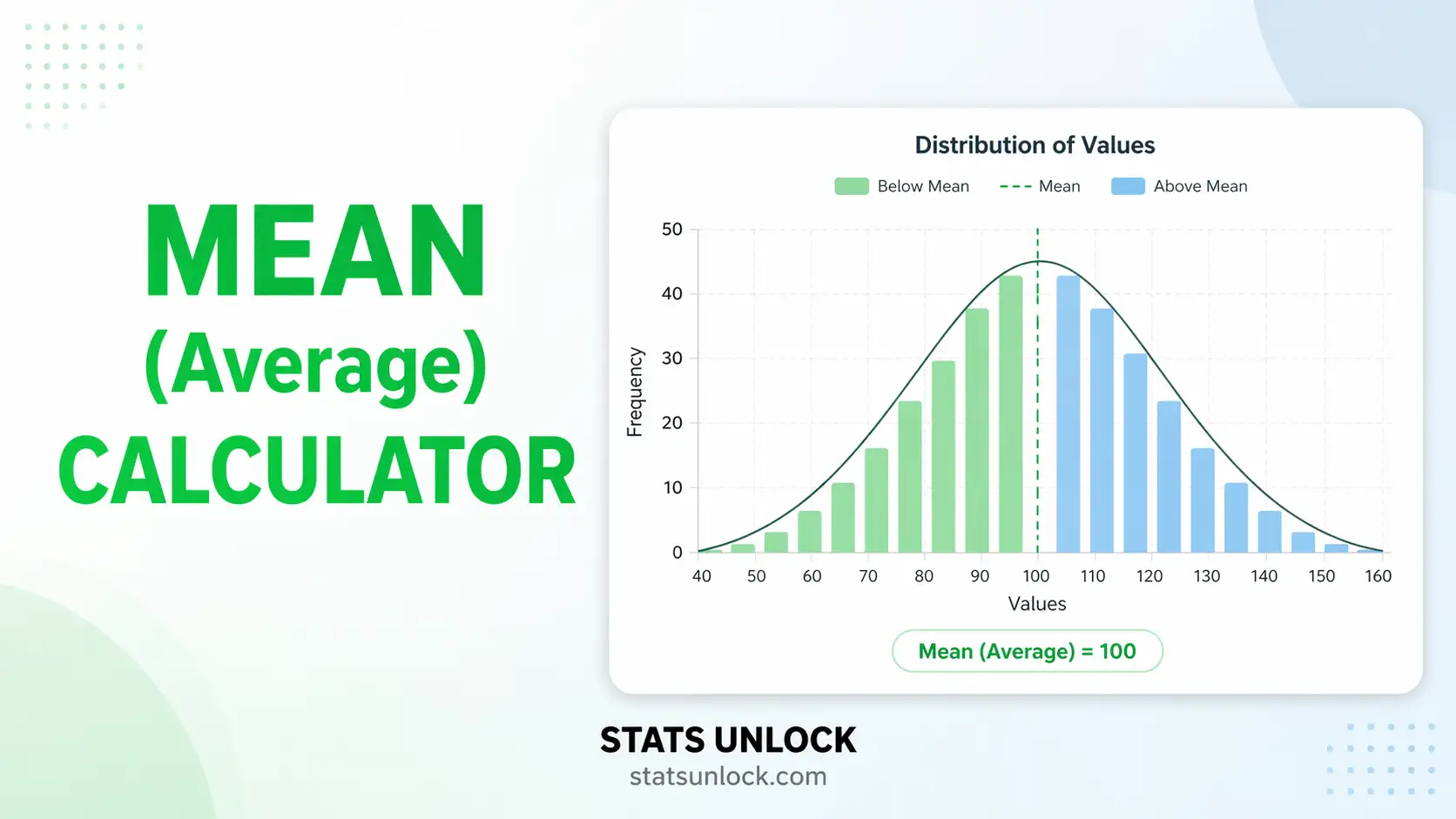
Mean Calculator
Paste comma-separated numbers or upload a CSV and get the arithmetic mean instantly, together with the median, mode, geometric mean, harmonic mean, weighted mean and trimmed mean, plus outlier detection and clear guidance on which average your data actually needs.
⚡ 0. Quick Answer
The mean is the arithmetic average: add all the values together and divide by how many there are.
It is the balance point of your data, the value each observation would take if the total were shared out equally. The mean uses every number in the dataset, which makes it efficient and the basis of most statistical tests, but it also means a single extreme value can drag it a long way from the typical observation. When that happens, the median is usually the better summary.
Rule of thumb: use the mean when the data are roughly symmetric with no extreme values. If the mean and median differ by more than about 10%, the data are skewed and you should report the median instead.
Key takeaways
- Mean = sum ÷ count, the balance point of the data and the most widely used average.
- The mean is not robust. One extreme value can move it substantially, which is why skewed data such as income and waiting times are reported with the median.
- Compare the mean with the median to detect skew instantly: if they are far apart, the data are lopsided and the mean is misleading on its own.
- Not every average is arithmetic. Use the geometric mean for growth rates and the harmonic mean for speeds and rates, or your answer will be wrong.
- Always report the mean with n and a measure of spread, such as the standard deviation, because the mean alone tells you nothing about how variable the data are.
📚 1. What Is the Mean?
The mean is what most people call the average. You add up every value and divide by how many values there are. Physically it is the balance point of the data: if you placed each observation as an equal weight along a ruler, the mean is where the ruler would balance. That is also why it is so sensitive to extremes, because a weight placed far out on one end shifts the balance point a long way.
The seven averages this calculator reports:
- Arithmetic mean, the ordinary average, sum divided by count.
- Median, the middle value once sorted. Unaffected by extremes.
- Mode, the most frequent value. The only average that works for categories.
- Geometric mean, the nth root of the product. Correct for growth rates, ratios and returns.
- Harmonic mean, n divided by the sum of reciprocals. Correct for speeds, rates and averaging ratios with a fixed numerator.
- Weighted mean, where some values count more than others, as in a grade with coursework and exam components.
- Trimmed mean, the arithmetic mean after removing a percentage from each tail. A compromise between mean and median.
It also gives the midrange, sum, count, minimum, maximum, range, standard deviation, standard error and coefficient of variation, flags any outliers using Tukey fences, and tells you which average best suits the shape of your data.
A worked one-liner: for the five values 4, 7, 9, 10 and 20, the sum is 50 and the count is 5, so the mean is 10. Notice the median is 9, and only one value is above the mean, which is the signature of right skew.
Who uses which: physicists and engineers use the arithmetic mean because measurement error is usually symmetric. Economists report median income because the arithmetic mean is pulled up by a handful of very high earners. Finance uses the geometric mean for compound returns, since averaging percentage growth arithmetically overstates performance. Physics and transport use the harmonic mean for average speed. Education uses the weighted mean for final grades.
| Average | What it finds | Use it when |
|---|---|---|
| Arithmetic mean | The balance point | Data are roughly symmetric with no extreme values |
| Median | The middle value | Data are skewed or contain outliers |
| Mode | The most common value | Data are categorical, or you want the typical case |
| Geometric mean | The average multiplier | Growth rates, ratios, returns, anything compounding |
| Harmonic mean | The average rate | Speeds, rates, price-earnings ratios |
🧮 2. Set Up Your Data
Type one value per cell. Each column becomes a cluster. Empty cells are ignored.
📊 3. Results
🧠 4. Interpretation of Results, In Detail
4.1 What the mean actually tells you
The mean is the value every observation would take if the total were shared out equally. That is a genuinely useful idea when the data are reasonably symmetric, because it summarises the whole dataset in one number and uses every observation to do it. No information is discarded. This efficiency is why the mean sits at the centre of nearly every statistical test you will meet, from the t-test to regression.
But that same property is its weakness. Because every value contributes, every value can move it, including one that does not belong. If one person in a room of ten earns a million, the mean income describes nobody in that room. The mean is a statement about the total, not about the typical person, and confusing the two is the most consequential mistake in applied statistics.
4.2 The mean versus median gap, your skew detector
Comparing the mean with the median is the fastest diagnostic you have, and it takes two seconds. If they are close, the data are roughly symmetric and the mean is a fair summary. If the mean is clearly higher than the median, the data are right skewed, meaning a tail of large values is pulling the mean upward. If the mean is lower, the data are left skewed.
As a working rule, a gap of more than about 10% of the median is worth investigating, and a gap of more than 20% usually means you should lead with the median. This is exactly why national statistics agencies report median household income rather than mean, and why hospital length of stay, insurance claims and response times are almost always reported as medians. The calculator computes this gap for you and states which average it recommends.
4.3 What the mode adds, and when it fails
The mode is the most frequently occurring value, and it is the only average that works on categorical data: you can find the modal eye colour but not the mean eye colour. On continuous measurements it is often unhelpful, because with enough decimal places no two values repeat and every observation is its own mode.
Where the mode earns its place is in spotting a distribution with two peaks. If the calculator reports two or more modes far apart, that is a strong hint your data are actually two different populations mixed together, and no single average will describe them honestly. Splitting the data is usually the right response.
4.4 When the arithmetic mean is simply the wrong tool
This is the part most calculators skip entirely. For some kinds of data the arithmetic mean does not merely mislead, it gives a numerically wrong answer.
Growth rates and returns need the geometric mean. If an investment gains 50% in year one and loses 50% in year two, the arithmetic mean says 0% and you broke even. You did not: 100 became 150, then 75. The geometric mean correctly reports a loss of about 13.4% per year. Any time percentages compound, the arithmetic mean overstates performance.
Speeds and rates need the harmonic mean. Drive 60 km/h out and 40 km/h back over the same distance and your average speed is not 50. You spend longer at the slower speed, so the true average is the harmonic mean, 48 km/h. The same applies to averaging price-to-earnings ratios and any rate with a fixed numerator.
The calculator computes both alongside the arithmetic mean so you can see the difference immediately. When they diverge noticeably, that divergence is telling you something about the structure of your data.
4.5 The relationship between the three means
For any set of positive numbers, the harmonic mean is never larger than the geometric mean, which is never larger than the arithmetic mean. They are equal only when every value is identical. The more spread out the data, the wider the gaps between them.
That makes the spacing itself informative. If the three means are almost identical, your data are tightly clustered. If the arithmetic mean sits well above the geometric mean, the data have a long right tail. This is the same information the mean-median gap gives you, arrived at from a different direction, and the two should agree.
4.6 The trimmed mean as a middle path
A trimmed mean removes a fixed percentage of the data from each end and averages what remains. A 10% trimmed mean discards the lowest and highest tenth. It keeps most of the efficiency of the arithmetic mean while resisting extreme values, which makes it a sensible compromise when you suspect a few bad observations but do not want to fall back to the median.
Trimming is common in sports judging, where the highest and lowest scores are dropped, and in economics for constructing inflation measures. If you use one, always state the trimming percentage, because a 5% and a 25% trimmed mean can differ substantially and the reader cannot tell which you used.
4.7 Weighted means and where they go wrong
A weighted mean lets some observations count more than others. A grade might be 30% coursework and 70% exam, or a national average might weight each region by its population. The formula multiplies each value by its weight, sums those, and divides by the total weight.
Two mistakes are common. The first is forgetting to divide by the sum of the weights, which gives a number that is not an average at all. The second is applying weights that do not reflect the question being asked, which quietly produces a defensible-looking answer to the wrong question. If you weight by population you get the average person; if you weight by region you get the average region. Those are different numbers and both are correct answers to different questions.
4.8 Why the mean needs a measure of spread beside it
A mean on its own is close to meaningless. Two datasets can share a mean of 50 while one runs from 49 to 51 and the other from 0 to 100. Reporting the mean without the standard deviation, or without n, hides that difference entirely.
The convention is mean plus or minus standard deviation when describing the data, and mean with a standard error or confidence interval when describing how precisely the mean itself has been estimated. These answer different questions and are not interchangeable. The calculator gives both, along with the coefficient of variation for comparing variability across different scales.
4.9 What the mean cannot tell you
The mean says nothing about distribution shape, so symmetric and skewed data can share one. It says nothing about sample size, so a mean from five observations looks identical in form to one from five thousand and deserves far less trust. It hides bimodality completely. And it is purely descriptive, offering no test, no interval and no statement about whether two means genuinely differ.
It also cannot rescue bad data. A precisely calculated mean of a biased sample is precisely wrong, and no amount of decimal places fixes that.
4.10 Practical judgement
Compute the mean, then immediately check it against the median. If they agree, report the mean with its standard deviation and n and move on. If they disagree, ask why: an outlier, a genuine skew, or two populations mixed together each call for a different response. And before you compute anything, ask whether your data are additive at all, because growth rates and speeds need a different mean entirely and no amount of care with the arithmetic version will fix that choice.
✍ 5. How to Write Your Results in Research
▶ Run the analysis above to auto-fill all five examples with your results.
📌 Key conventions for this style
- APA uses italic M for the mean and SD for the standard deviation.
- Never report a mean without n and a spread measure.
- Match decimal places to your measurement precision, usually two.
- If the data are skewed, report the median and IQR instead and say why.
📌 Key conventions for this style
- Justify your choice of average; reviewers ask when data look skewed.
- State whether the SD is the sample or population version.
- Report how outliers were identified and whether they were retained.
- Name the software and version used.
📌 Key conventions for this style
- Say "on average" for the mean and "typical value" for the median.
- Never write M, SD, n or any symbol.
- If mean and median differ, mention both and explain the gap plainly.
- Give units every time a number appears.
📌 Key conventions for this style
- Declare the format once in the methods line and keep every row consistent.
- Do not mix mean (SD) and median (IQR) rows without marking which is which.
- Keep decimal places consistent down each column.
- Footnote the SD version used.
📌 Key conventions for this style
- State the evidence for skew: the mean-median gap, or a skewness statistic.
- Report both averages so the reader can judge for themselves.
- If outliers drove the skew, say how many and whether they were genuine.
- Do not silently switch from mean to median between sections of a paper.
∑ 6. Formulas Used
📝 7. How to Use This Calculator
- Enter your data. The default tab takes comma-separated numbers, exactly as the placeholder shows:
52, 48, 55, 61, 47, .... Newlines, tabs, semicolons and spaces all work, so a column pasted straight from Excel is fine. - Name each cluster. The group name field above every textarea is editable. Type something meaningful such as Site A, north slope and it flows into the results table, all four charts and the exported report.
- Add or remove clusters. Press Add cluster to compare group means side by side. Every column has its own Clear and Remove button, and Remove is disabled on the last remaining column.
- Or upload a file. On the Upload tab, choose a CSV or Excel file and click the column names you want. Every column you click becomes its own cluster with its own set of averages.
- Try a sample dataset. Ten built-in datasets cover the cases that matter: symmetric data where the mean works, skewed income where it does not, growth rates needing the geometric mean, speeds needing the harmonic mean, and a bimodal set where no single average is honest.
- Switch on weights if you need them. Set the weighted mean dropdown to On and enter one weight per value. Weights do not need to sum to 1, since the calculator divides by their total.
- Set the trimming percentage for the trimmed mean, and choose sample or population standard deviation to match whatever you are checking against.
- Press Calculate Mean. Nothing is computed until you do, and changing any input or setting clears the results so you never read stale numbers.
- Read the recommendation panel first. The calculator compares the mean with the median, checks for outliers and skew, and tells you plainly which average suits your data before you commit to reporting one.
- Check the four charts and export. Chart 1 shows all three centres on your actual data, which is usually the figure you want. Section 5 auto-fills five reporting styles, and the buttons export a text report or a print-ready PDF.
📈 8. How to Calculate the Mean in Excel
Excel has a direct function for the arithmetic mean, which makes this the easiest calculation in the whole descriptive-statistics toolkit. What trips people up is everything around it: averaging only the rows that meet a condition, handling blanks and text, weighted averages, and the fact that Excel has no built-in geometric or harmonic function on a range of growth rates without a little care. This section covers all of it with the spreadsheet shown at each stage.
=AVERAGE(A2:A17) and press Enter. That is the arithmetic mean.8.1 The functions you need
| You want | Excel function | Note |
|---|---|---|
| Arithmetic mean | =AVERAGE(A2:A17) | Ignores blanks and text automatically |
| Median | =MEDIAN(A2:A17) | Compare with the mean to detect skew |
| Mode | =MODE.SNGL(A2:A17) | Returns #N/A if no value repeats |
| All modes | =MODE.MULT(A2:A17) | Array formula, returns every tied mode |
| Geometric mean | =GEOMEAN(A2:A17) | All values must be positive |
| Harmonic mean | =HARMEAN(A2:A17) | All values must be positive and non-zero |
| Trimmed mean | =TRIMMEAN(A2:A17,0.2) | 0.2 removes 10% from each tail, not 20% |
| Weighted mean | =SUMPRODUCT(A2:A17,B2:B17)/SUM(B2:B17) | Values in A, weights in B |
| Count of numbers | =COUNT(A2:A17) | Use COUNT, not COUNTA, which counts text too |
=TRIMMEAN(range, 0.2) removes 10% from the bottom and 10% from the top, giving what statisticians call a 10% trimmed mean. If you want a 20% trimmed mean in the statistical sense, pass 0.4. This page uses the statistical convention, so set the trim dropdown to 10% to match TRIMMEAN(range, 0.2).8.2 Step by step
1 Put your numbers in one column
Paste the values down a single column with a text label in row 1. AVERAGE ignores the header automatically, so you never need to adjust the range for it.
The 16 measurements sit in A2:A17. Only the first eight rows are shown here.
2 Calculate the mean, then immediately the median
Do not stop at the mean. Putting the median directly beneath it turns a one-number answer into a skew check that costs you nothing.
=AVERAGE(A2:A17)=MEDIAN(A2:A17)Mean 52.4375 and median 52 are within one percent of each other, so these data are close to symmetric and the mean is a fair summary.
3 Add the spread, because a mean alone says nothing
=STDEV.S(A2:A17)=COUNT(A2:A17)Those three numbers, mean, standard deviation and count, are the minimum any journal or marker expects.
The finished summary block. Row 6 is the form you would paste into a paper: mean with the standard deviation in brackets.
4 Conditional averages, the part people search for most
Averaging only the rows that meet a condition is where AVERAGE stops being enough.
=AVERAGEIF(B2:B50,"Site A",A2:A50)=AVERAGEIFS(A2:A50,B2:B50,"Site A",C2:C50,">10")Note the argument order differs between the two. AVERAGEIF takes the condition range first; AVERAGEIFS takes the range to average first. Getting these the wrong way round is the single most common Excel error in this area.
=AVERAGEIF(A2:A50,"<>0")That last one averages everything except zeros, which matters because AVERAGE counts a zero as a real value while it ignores a blank cell entirely. A column of blanks and a column of zeros give very different means.
8.3 Weighted, geometric and harmonic means in Excel
The weighted mean has no dedicated function, so it is built from SUMPRODUCT.
=SUMPRODUCT(A2:A17,B2:B17)/SUM(B2:B17)
With grades of 90, 80 and 70 weighted 50%, 30% and 20%, that returns 83. Dividing by SUM(B2:B17) is essential; leaving it out is the classic mistake and gives a number that is not an average at all.
For growth rates, remember that GEOMEAN needs growth factors, not percentages. A 5% gain is 1.05, not 5 or 0.05.
=GEOMEAN(A2:A11)-1
Store returns as 1.05, 0.90, 1.12 and so on, take GEOMEAN, then subtract 1 to get back to a percentage. Feeding raw percentages into GEOMEAN produces a meaningless answer, and feeding it a negative return makes it fail outright.
8.4 Why your Excel answer might differ from R or Python
| Situation | What happens | Fix |
|---|---|---|
| Blank cells in the range | Excel ignores them, so n is smaller than you expect | Check COUNT returns the number you intended |
| Zeros in the range | Excel counts them as real values, pulling the mean down | Use AVERAGEIF(range,"<>0") if zeros mean "no data" |
| Numbers stored as text | Silently skipped, so the mean is computed on fewer values | Look for green triangles, then Convert to Number |
Used COUNTA for n | The header row gets counted | Use COUNT |
| TRIMMEAN disagrees with this page | Excel takes the total trimmed, this page takes the amount per tail | Excel 0.2 equals this page's 10% |
| SD differs from Python | NumPy defaults to the population formula, ddof = 0 | Use np.std(x, ddof=1) to match STDEV.S |
| Tool | Arithmetic mean | Median | Geometric mean |
|---|---|---|---|
| Excel | =AVERAGE(rng) | =MEDIAN(rng) | =GEOMEAN(rng) |
| Google Sheets | =AVERAGE(rng) | =MEDIAN(rng) | =GEOMEAN(rng) |
| R | mean(x) | median(x) | exp(mean(log(x))) |
| Python NumPy | np.mean(x) | np.median(x) | scipy.stats.gmean(x) |
| Python Pandas | df['c'].mean() | df['c'].median() | scipy.stats.gmean(df['c']) |
| SPSS | Analyze → Descriptive Statistics → Descriptives, or Frequencies for the mode | ||
8.5 Charting the mean in Excel
- Select your group names and their means.
- Insert → Charts → Clustered Column.
- To add error bars, click the chart, press the + button, tick Error Bars, then More Options → Custom → Specify Value and point at your standard deviation or standard error cells.
- State in the caption which one the bars represent. An unlabelled error bar is grounds for revision at most journals.
- To draw the mean as a line across a scatter of raw data, add a second series holding the mean repeated for every row, then change its chart type to Line via Change Chart Type → Combo.
Chart 1 in section 3 of this page draws the raw data with the mean, median and mode all marked automatically, which is usually quicker than rebuilding it in Excel.
8.6 Excel errors you will probably hit
| Excel shows | Why | Fix |
|---|---|---|
#DIV/0! | The range contains no numeric values at all | Check the range address and that numbers are not stored as text |
#N/A from MODE.SNGL | No value repeats, so there is no mode | Not an error. Continuous data often has no meaningful mode |
#NUM! from GEOMEAN | A zero or negative value is in the range | The geometric mean needs strictly positive values |
#NUM! from HARMEAN | A zero or negative value is in the range | The harmonic mean needs positive non-zero values |
#VALUE! | Text or a currency symbol typed into a cell | Strip units into a separate column |
| Mean looks too low | Zeros are being counted as real observations | Decide whether a zero means "none" or "not measured", then use AVERAGEIF if needed |
| Mean differs from a colleague | Different ranges, or blanks treated differently | Compare COUNT values first; that usually finds it immediately |
| Green triangles in cell corners | Numbers stored as text and being skipped | Select the column, click the warning icon, Convert to Number |
📈 9. How to Calculate the Mean in R
R gives you the mean in one word, mean(x), but a bare mean is rarely what you actually want to report. The code below is a complete, copy-and-run script that computes the mean, median, mode, standard deviation and standard error, prints a plain-English verdict on whether the mean is safe to use, and saves one publication-ready figure at 300 dpi. It uses base R only, so there is nothing to install.
Rscript. Change only the x <- c(...) line to use your own data.9.1 The complete script
R, base only, saves mean_plot.png
# ============================================================
# Mean, median and mode with a single publication-ready plot
# StatsUnlock - https://statsunlock.com/mean-calculator/
# Base R only. No packages to install.
# ============================================================

# ---- 1. Your data ------------------------------------------
# Replace with your own values, or read a CSV:
#   x <- read.csv("data.csv")$column_name
#   x <- x[!is.na(x)]
x <- c(52, 48, 55, 61, 47, 50, 58, 53,
       49, 56, 51, 54, 46, 57, 50, 52)

label <- "Site A - north slope"
units <- "mm"

# ---- 2. The averages ---------------------------------------
mean_x   <- mean(x)
median_x <- median(x)

# Base R has no mode() for statistics, so define one.
# It returns every tied value, and nothing if no value repeats.
get_mode <- function(v) {
  tab <- table(v)
  if (max(tab) < 2) return(numeric(0))
  as.numeric(names(tab)[tab == max(tab)])
}
modes_x <- get_mode(x)

sd_x <- sd(x)                      # sd() always uses n - 1
se_x <- sd_x / sqrt(length(x))
gap  <- abs(mean_x - median_x) / median_x * 100

cat(sprintf("n       = %d\n", length(x)))
cat(sprintf("mean    = %.4f\n", mean_x))
cat(sprintf("median  = %.4f\n", median_x))
cat(sprintf("mode    = %s\n",
    if (length(modes_x)) paste(modes_x, collapse = ", ") else "none (no value repeats)"))
cat(sprintf("SD      = %.4f   SE = %.4f\n", sd_x, se_x))
cat(sprintf("mean vs median gap = %.1f%% -> %s\n", gap,
    if (gap < 10) "symmetric, the mean is fine" else "skewed, prefer the median"))

# ---- 3. One figure, two stacked panels ---------------------
png("mean_plot.png", width = 2700, height = 1950, res = 300)

layout(matrix(c(1, 2), nrow = 2), heights = c(3, 1))
par(mar = c(0.6, 5, 5, 2), family = "sans")

bins  <- max(5, ceiling(sqrt(length(x))))
brks  <- pretty(range(x), n = bins)
h     <- hist(x, breaks = brks, plot = FALSE)

plot(h, col = "#bbf7d0", border = "#16a34a", lwd = 1.6,
     main = "", xlab = "", ylab = "Frequency",
     xaxt = "n", cex.lab = 1.05, las = 1)

# mean +/- 1 SD shaded band, drawn first so it sits behind
rect(mean_x - sd_x, 0, mean_x + sd_x, max(h$counts) * 1.15,
     col = adjustcolor("#c2410c", alpha.f = 0.07), border = NA)

abline(v = mean_x,   col = "#c2410c", lwd = 2.6, lty = 2)
abline(v = median_x, col = "#9333ea", lwd = 2.6, lty = 4)
if (length(modes_x)) abline(v = modes_x, col = "#0891b2", lwd = 1.9, lty = 3)

title(main = sprintf("%s: distribution with mean, median and mode", label),
      adj = 0, cex.main = 1.15, font.main = 2, line = 3)
title(main = sprintf("n = %d   mean = %.2f %s   median = %.2f %s   SD = %.2f",
                     length(x), mean_x, units, median_x, units, sd_x),
      adj = 0, cex.main = 0.95, font.main = 1, line = 1.6)

legend("topright", bty = "n", cex = 0.92,
       lwd = c(2.6, 2.6, 1.9, 8),
       lty = c(2, 4, 3, 1),
       col = c("#c2410c", "#9333ea", "#0891b2",
               adjustcolor("#c2410c", alpha.f = 0.12)),
       legend = c(sprintf("Mean = %.2f",   mean_x),
                  sprintf("Median = %.2f", median_x),
                  if (length(modes_x))
                    sprintf("Mode = %s", paste(modes_x, collapse = ", "))
                  else "Mode = none",
                  sprintf("Mean +/- 1 SD (%.2f)", sd_x)))

# lower panel: every raw value, jittered so ties are visible
par(mar = c(4.6, 5, 0.6, 2))
set.seed(42)                       # seed = reproducible jitter
plot(x, runif(length(x), -0.32, 0.32),
     ylim = c(-1, 1), yaxt = "n", bty = "n",
     xlab = sprintf("Value (%s)", units), ylab = "",
     pch = 21, cex = 1.5, bg = adjustcolor("#16a34a", alpha.f = 0.75),
     col = "white", lwd = 1.1, cex.lab = 1.05,
     xlim = range(brks))
mtext("Raw\ndata", side = 2, line = 1.6, las = 1, cex = 0.8)
abline(v = mean_x,   col = "#c2410c", lwd = 2.2, lty = 2)
abline(v = median_x, col = "#9333ea", lwd = 2.2, lty = 4)

dev.off()
cat("\nSaved mean_plot.png\n")
Run it with Rscript mean_plot.R from a terminal, or paste it straight into the RStudio console. The figure appears as mean_plot.png in your working directory, which you can check with getwd().
9.2 What each part does
| Line or function | What it does, and why it is there |
|---|---|
| x <- c(...) | Builds the numeric vector. c() means combine. Swap in read.csv("data.csv")$col to load a real file, and drop missing values with x[!is.na(x)] because mean() returns NA if even one value is missing. |
| mean(x) | The arithmetic mean. If your data contain NA, use mean(x, na.rm = TRUE), but be aware this silently changes your sample size. |
| median(x) | The median. Computing it here costs nothing and gives you the skew check in the next step. |
| get_mode() | A custom function, because base R's mode() returns the storage type of an object ("numeric"), not the statistical mode. This is the single most common source of confusion for people moving to R. The function returns every tied mode, and an empty vector when nothing repeats. |
| table(v) | Counts how many times each value appears. max(tab) finds the highest count, and names(tab)[tab == max(tab)] pulls out every value achieving it. |
| sd(x) | The sample standard deviation. R's sd() always divides by n − 1, so it matches Excel's STDEV.S and this page's default. There is no population option; for that, multiply by sqrt((n-1)/n). |
| gap | The percentage difference between mean and median, the fastest skew detector available. Under about 10% the mean is a fair summary; above it the median is more honest. |
| sprintf() | Formats numbers to a fixed number of decimals. %.4f means four decimal places, %d means a whole number, and %% prints a literal percent sign. |
| png(..., res = 300) | Opens a graphics device writing to file. Setting res = 300 gives print quality; without it you get a blurry 72 dpi image that journals reject. |
| layout(matrix(c(1,2))) | Splits the figure into two stacked panels with heights = c(3, 1), so the histogram gets three quarters of the height and the raw-data strip gets one quarter. |
| par(mar = ...) | Sets the margins in text lines, ordered bottom, left, top, right. The top panel has almost no bottom margin so the two panels sit flush against each other. |
| pretty(range(x)) | Chooses sensible round-number bin edges rather than arbitrary ones. Passing this to hist(breaks = ...) is what makes the x-axis readable. |
| rect(...) | Draws the shaded mean ± 1 SD band. Drawn immediately after the histogram so it sits behind the vertical lines. |
| adjustcolor(..., alpha.f) | Adds transparency to a colour. alpha.f = 0.07 is 7% opaque, enough to tint without obscuring the bars. |
| abline(v = ...) | Draws vertical lines at the mean, median and every mode. lty sets the dash pattern: 2 is dashed, 3 dotted, 4 dot-dash, so the three lines stay distinguishable in greyscale print. |
| set.seed(42) | Fixes the random jitter used in the lower panel so the figure is byte-for-byte reproducible. Always seed anything random that ends up in a publication. |
| runif(n, -0.32, 0.32) | Generates the vertical jitter. Without it, tied values would overplot and you could not see that 50 and 52 each appear twice. |
| dev.off() | Closes the device and finalises the file. Forgetting this leaves a zero-byte or locked PNG, which is the most common R plotting error. |
9.3 What the figure shows
The upper panel is a histogram with three vertical reference lines: a dashed orange line at the mean, a dot-dash purple line at the median, and dotted cyan lines at every mode. The shaded band spans one standard deviation either side of the mean. The lower panel plots every individual observation with a little vertical jitter, so you can see the actual data rather than just the binned summary, and the same mean and median lines carry through so the two panels line up.
Reading it takes two seconds. If the orange and purple lines sit almost on top of each other, the data are symmetric and the mean is a fair summary. If they separate, the data are skewed and the mean is being pulled away from the typical value. If the lower panel shows two distinct clumps with a gap between them, you have two populations mixed together and no single average is honest, a case the mean-median comparison alone cannot detect.
9.4 Common R problems and fixes
| Symptom | Cause | Fix |
|---|---|---|
mean(x) returns NA | The vector contains at least one missing value | Use mean(x, na.rm = TRUE), or clean first with x <- x[!is.na(x)] so you know the real n |
mode(x) returns "numeric" | Base R's mode() reports the storage type, not the statistical mode | Use the get_mode() function in the script above |
| The PNG is empty or zero bytes | dev.off() was never called | Always close the device. If in doubt, run while (dev.cur() > 1) dev.off() |
| The image looks blurry | res was not set, so the default 72 dpi was used | Add res = 300 and scale width and height up accordingly |
| Text is huge or tiny | Raising res without raising width and height | At res = 300 use pixel dimensions roughly 3 times the inch size you want |
sd(x) differs from Python | R divides by n − 1; NumPy defaults to n | In Python use np.std(x, ddof=1) |
| The legend overlaps the bars | The plot region is too short for the legend | Move it with legend("topleft", ...), or raise the y limit with ylim |
| Only one panel appears | layout() was reset by a later par() call | Call layout() once, immediately after opening the device |
9.5 Useful one-liners
| You want | R code |
|---|---|
| Everything at once | summary(x) |
| Mean ignoring missing values | mean(x, na.rm = TRUE) |
| Trimmed mean, 10% each tail | mean(x, trim = 0.10) |
| Weighted mean | weighted.mean(x, w) |
| Geometric mean | exp(mean(log(x))) |
| Harmonic mean | 1 / mean(1 / x) |
| Standard error | sd(x) / sqrt(length(x)) |
| Coefficient of variation, % | sd(x) / mean(x) * 100 |
| Mean by group | tapply(df$value, df$group, mean) |
| Mean of every numeric column | colMeans(df[sapply(df, is.numeric)]) |
📈 10. How to Calculate the Mean in Python
Python's np.mean(x) is as short as R's, and carries the same risk of being reported alone when it should not be. The script below is complete and runnable: it computes every statistic you need, prints a verdict on whether the mean is trustworthy for your data, and saves one 300 dpi figure ready to drop into a paper or a slide deck.
x = np.array([...]) line.Install with pip install numpy matplotlib if you do not already have them.
10.1 The complete script
Python 3, saves mean_plot.png
# ============================================================
# Mean, median and mode with a single publication-ready plot
# StatsUnlock - https://statsunlock.com/mean-calculator/
# ============================================================

import numpy as np
import matplotlib.pyplot as plt
from collections import Counter

# ---- 1. Your data ------------------------------------------
# Replace this list with your own values, or read a CSV:
#   import pandas as pd
#   x = pd.read_csv("data.csv")["column_name"].dropna().to_numpy()
x = np.array([52, 48, 55, 61, 47, 50, 58, 53,
              49, 56, 51, 54, 46, 57, 50, 52], dtype=float)

label = "Site A - north slope"
units = "mm"

# ---- 2. The averages ---------------------------------------
mean_x   = np.mean(x)
median_x = np.median(x)

counts   = Counter(x)
top      = max(counts.values())
modes    = sorted(float(v) for v, c in counts.items() if c == top) if top > 1 else []

sd_x = np.std(x, ddof=1)          # ddof=1 -> sample SD, matches Excel STDEV.S
se_x = sd_x / np.sqrt(x.size)
gap  = abs(mean_x - median_x) / median_x * 100

print(f"n       = {x.size}")
print(f"mean    = {mean_x:.4f}")
print(f"median  = {median_x:.4f}")
mode_txt = ", ".join(f"{m:g}" for m in modes) if modes else "none (no value repeats)"
print(f"mode    = {mode_txt}")
print(f"SD      = {sd_x:.4f}   SE = {se_x:.4f}")
print(f"mean vs median gap = {gap:.1f}%  ->",
      "symmetric, the mean is fine" if gap < 10 else "skewed, prefer the median")

# ---- 3. One figure, two stacked panels ---------------------
fig, (ax_hist, ax_dot) = plt.subplots(
    2, 1, figsize=(9, 6.5), sharex=True,
    gridspec_kw={"height_ratios": [3, 1], "hspace": 0.08})

bins = max(5, int(np.ceil(np.sqrt(x.size))))
ax_hist.hist(x, bins=bins, color="#bbf7d0", edgecolor="#16a34a",
             linewidth=1.4, zorder=2)

ax_hist.axvline(mean_x,   color="#c2410c", lw=2.4, ls="--", zorder=4,
                label=f"Mean = {mean_x:.2f}")
ax_hist.axvline(median_x, color="#9333ea", lw=2.4, ls="-.", zorder=4,
                label=f"Median = {median_x:.2f}")
for i, m in enumerate(modes):
    ax_hist.axvline(m, color="#0891b2", lw=1.8, ls=":", zorder=3,
                    label=f"Mode = {mode_txt}" if i == 0 else None)

ax_hist.axvspan(mean_x - sd_x, mean_x + sd_x, color="#c2410c",
                alpha=0.07, zorder=1, label=f"Mean ± 1 SD ({sd_x:.2f})")

ax_hist.set_ylabel("Frequency", fontsize=11)
ax_hist.set_title(f"{label}: distribution with mean, median and mode\n"
                  f"n = {x.size}   mean = {mean_x:.2f} {units}   "
                  f"median = {median_x:.2f} {units}   SD = {sd_x:.2f}",
                  fontsize=12, fontweight="bold", loc="left")
ax_hist.legend(frameon=False, fontsize=9.5)
ax_hist.grid(axis="y", alpha=0.25, zorder=0)
ax_hist.spines[["top", "right"]].set_visible(False)

rng = np.random.default_rng(42)                    # seed = reproducible jitter
ax_dot.scatter(x, rng.uniform(-0.32, 0.32, x.size),
               s=52, color="#16a34a", alpha=0.75,
               edgecolor="white", linewidth=0.9, zorder=3)
ax_dot.axvline(mean_x,   color="#c2410c", lw=2.0, ls="--", zorder=2)
ax_dot.axvline(median_x, color="#9333ea", lw=2.0, ls="-.", zorder=2)
ax_dot.set_ylim(-1, 1)
ax_dot.set_yticks([])
ax_dot.set_xlabel(f"Value ({units})", fontsize=11)
ax_dot.set_ylabel("Raw\ndata", fontsize=9, rotation=0,
                  ha="right", va="center")
ax_dot.grid(axis="x", alpha=0.25, zorder=0)
ax_dot.spines[["top", "right", "left"]].set_visible(False)

fig.savefig("mean_plot.png", dpi=300, bbox_inches="tight")
print("\nSaved mean_plot.png")
Run it with python mean_plot.py. In Jupyter, delete the savefig line and add plt.show() instead, or keep both to display and save at once.
10.2 What each part does
| Line or function | What it does, and why it is there |
|---|---|
| np.array([...], dtype=float) | Builds the data array. Forcing dtype=float avoids integer division surprises and keeps the median exact when it falls between two whole numbers. |
| np.mean(x) | The arithmetic mean. If your data contain NaN, this returns NaN; use np.nanmean(x) to skip them, but check how many you skipped. |
| np.median(x) | The median. Computed here so the skew check below costs nothing. |
| Counter(x) | Counts occurrences of each value. NumPy has no mode function, and scipy.stats.mode returns only the smallest tied value, so Counter is the cleanest way to get every mode. |
| if top > 1 else [] | Returns no mode when nothing repeats, which is the honest answer for continuous data. Reporting "the mode is 4.12" when every value appears once is meaningless. |
| np.std(x, ddof=1) | The single most important argument on this page. NumPy defaults to ddof=0, the population formula dividing by n. Excel, R and this calculator all use the sample formula dividing by n − 1. Omitting ddof=1 is why Python answers often disagree with a spreadsheet. |
| gap | The mean-to-median difference as a percentage, the fastest way to detect skew before you commit to reporting a mean. |
| f"{value:.4f}" | An f-string with format spec. .4f gives four decimals, :g strips trailing zeros, and {x.size} inserts the count. |
| plt.subplots(2, 1, ...) | Creates one figure with two stacked axes. sharex=True locks their x-axes together so the mean line in the top panel lines up exactly with the one below. |
| gridspec_kw height_ratios | Gives the histogram three times the height of the raw-data strip, and hspace=0.08 pulls the two panels close together. |
| int(np.ceil(np.sqrt(x.size))) | The square-root rule for bin count, a reasonable default. Too few bins hide structure, too many turn the histogram into noise. |
| ax.axvline(...) | Draws each vertical reference line. Line styles differ deliberately: -- for the mean, -. for the median, : for modes, so they remain distinguishable when printed in greyscale. |
| ax.axvspan(...) | Shades the mean ± 1 SD band. alpha=0.07 keeps it faint, and zorder=1 puts it behind the bars. |
| zorder | Controls draw order. Higher numbers sit on top. Without it Matplotlib may hide your reference lines behind the histogram bars. |
| rng = np.random.default_rng(42) | The modern NumPy random generator, seeded so the jitter is identical every run. Never publish a figure containing unseeded randomness. |
| ax.scatter(x, jitter) | Plots every raw observation with a small vertical offset so that tied values do not overlap and disappear. |
| spines[[...]].set_visible(False) | Removes the top and right box lines. A small change that makes a Matplotlib figure look far less like a default Matplotlib figure. |
| savefig(dpi=300, bbox_inches="tight") | Writes the file at print resolution and trims surrounding whitespace. Most journals require 300 dpi minimum; the default 100 will be rejected. |
10.3 What the figure shows
Exactly the same figure as the R script produces, drawn by a different engine. The upper panel is the histogram with the mean, median and every mode marked, plus a shaded one-standard-deviation band. The lower panel shows every raw observation with jitter, sharing the same x-axis so the reference lines carry straight through.
The point of showing both panels is that the histogram tells you the shape while the strip tells you the truth. Binning can conceal ties, gaps and small clusters that are obvious in the raw values. When a distribution turns out to be bimodal, it is almost always the lower panel that reveals it, not the summary statistics.
10.4 Common Python problems and fixes
| Symptom | Cause | Fix |
|---|---|---|
| SD differs from Excel or R | NumPy defaults to ddof=0, the population formula | Always pass np.std(x, ddof=1) for a sample |
Mean returns nan | The array contains a NaN | Use np.nanmean(x), or filter with x = x[~np.isnan(x)] so you know the real n |
scipy.stats.mode returns one value | By design it returns only the smallest tied mode | Use Counter as in the script to get every mode |
| Nothing appears when run | A non-interactive backend, common on servers | The script saves to file, so this is fine. To display, add plt.show() |
| Figure is blurry in a document | Saved at the default 100 dpi | Pass dpi=300, or save as .pdf or .svg for infinite resolution |
| Labels are cut off at the edges | The default bounding box clips overhanging text | Use bbox_inches="tight", already included above |
| Reference lines hidden behind bars | Draw order not specified | Give the lines a higher zorder than the histogram |
| Jitter changes on every run | The random generator was not seeded | Use np.random.default_rng(42) as shown |
Modes print as np.float64(50.0) | NumPy scalar repr leaking into output | Cast with float(v), as the script does |
10.5 Useful one-liners
| You want | Python code |
|---|---|
| Everything at once | pd.Series(x).describe() |
| Mean ignoring missing values | np.nanmean(x) |
| Sample standard deviation | np.std(x, ddof=1) |
| Standard error | np.std(x, ddof=1) / np.sqrt(len(x)) |
| Trimmed mean, 10% each tail | scipy.stats.trim_mean(x, 0.10) |
| Weighted mean | np.average(x, weights=w) |
| Geometric mean | np.exp(np.mean(np.log(x))) |
| Harmonic mean | len(x) / np.sum(1 / x) |
| Coefficient of variation, % | np.std(x, ddof=1) / np.mean(x) * 100 |
| Mean by group | df.groupby("group")["value"].mean() |
ddof=1 in Python.📋 11. Reference Tables
11.1 Which average should you use?
| Your data | Use | Why |
|---|---|---|
| Roughly symmetric, no extreme values | Arithmetic mean | Uses every observation and is the basis of most statistical tests |
| Skewed, or contains outliers | Median | A single extreme value cannot move it |
| Categories with no order | Mode | The only average that works on non-numeric data |
| Growth rates, returns, ratios | Geometric mean | Percentages compound; the arithmetic mean overstates them |
| Speeds, rates, P/E ratios | Harmonic mean | More time is spent at the slower rate |
| Some values matter more | Weighted mean | Reflects the true contribution of each observation |
| A few suspect values, but mostly clean | Trimmed mean | Keeps most of the efficiency while resisting extremes |
| Two clear peaks in the data | None, split the data | No single average describes two populations honestly |
Conclusion: the choice is driven by the shape of your data and by what the numbers represent, never by which is easiest to compute.
11.2 How one outlier moves the mean but not the median
| Dataset | Mean | Median | Gap | Verdict |
|---|---|---|---|---|
| 8, 9, 10, 11, 12 | 10.000 | 10.00 | 0.0% | Symmetric, use the mean |
| 8, 9, 10, 11, 60 | 19.600 | 10.00 | 96.0% | Outlier, use the median |
| 22, 26, 31, 39, 210 | 65.600 | 31.00 | 111.6% | Strong skew, use the median |
Conclusion: changing one value from 12 to 60 nearly doubled the mean and left the median untouched. That is the whole argument for the median in one line.
11.3 Growth rates: why the arithmetic mean is wrong
| Yearly returns | Arithmetic mean | Geometric mean | What really happened |
|---|---|---|---|
| +50%, then −50% | 0.00% | −13.40% | 100 → 150 → 75, a 25% loss |
| +10%, +5%, −10%, +20% | 6.25% | 5.68% | Total growth 24.74% over 4 years |
Conclusion: compounding the geometric mean over four years reproduces the true 24.74% growth exactly, while the arithmetic mean would predict 27.4%. The arithmetic mean always overstates compound growth unless every return is identical.
11.4 Speeds: why the harmonic mean is right
| Journey, equal distances | Arithmetic mean | Harmonic mean (correct) | Error if you use the mean |
|---|---|---|---|
| 60 km/h out, 40 km/h back | 50.00 | 48.00 | Overstates by 4.2% |
| 30 km/h out, 60 km/h back | 45.00 | 40.00 | Overstates by 12.5% |
| 100 km/h out, 50 km/h back | 75.00 | 66.67 | Overstates by 12.5% |
Conclusion: you spend more time travelling at the slower speed, so it deserves more weight. The arithmetic mean always overstates average speed over equal distances.
11.5 The three means and how spread pulls them apart
| Data | Harmonic | Geometric | Arithmetic | Spread of the data |
|---|---|---|---|---|
| 10, 10, 10 | 10.0000 | 10.0000 | 10.0000 | None, all three identical |
| 8, 10, 12 | 9.7297 | 9.8648 | 10.0000 | Narrow |
| 5, 10, 20 | 8.5714 | 10.0000 | 11.6667 | Wide |
| 1, 10, 100 | 2.7027 | 10.0000 | 37.0000 | Extreme |
Conclusion: harmonic never exceeds geometric, which never exceeds arithmetic, and they are equal only when every value is the same. The wider the gap between them, the more spread out your data are.
11.6 Weighted mean worked two ways
Grades of 90, 80 and 70 with coursework, midterm and participation weightings.
| Component | Score | Weight as a proportion | Weight as a whole number | Contribution |
|---|---|---|---|---|
| Coursework | 90 | 0.5 | 5 | 45.0 |
| Midterm | 80 | 0.3 | 3 | 24.0 |
| Participation | 70 | 0.2 | 2 | 14.0 |
| Total | - | 1.0 | 10 | 83.0 |
Conclusion: weights of 0.5, 0.3, 0.2 and weights of 5, 3, 2 give exactly the same answer, because the formula divides by the total weight. The unweighted mean of those three scores would be 80, so the weighting is worth three marks here.
📈 12. Example Results
Leaf length in a botany practical
The clean case where the mean is exactly the right summary.
Sixteen leaves were measured to the nearest millimetre. The class wants a single number describing typical leaf size.
| Statistic | Value | Note |
|---|---|---|
| n | 16 | Number of values |
| Sum | 839.00 | Total of all values |
| Arithmetic mean | 52.4375 | Sum divided by n |
| Median | 52.0000 | Middle value once sorted |
| Mode | 52.00, 50.00 | Most frequent value |
| Geometric mean | 52.2822 | Correct for growth and ratios |
| Harmonic mean | 52.1290 | Correct for rates and speeds |
| 10% trimmed mean | 52.2857 | Mean after cutting each tail |
| Standard deviation | 4.1947 | Spread of the data |
| Mean minus median gap | 0.8% | Skew detector |
What it means: The mean is 52.44 mm and the median is 52.00 mm, a gap of well under one percent. That agreement says the data are close to symmetric, so the mean is a fair summary and there is no reason to reach for the median. Notice the geometric and harmonic means are also very close, which is the same message arriving from a different direction.
How to write it: "Leaf length averaged 52.44 mm (SD = 4.19, n = 16)."
One salary wrecks the average
Why the mean stops describing anybody.
Twelve staff salaries in thousands. Eleven cluster in the thirties and forties, and one director earns 180.
| Statistic | Value | Note |
|---|---|---|
| n | 12 | Number of values |
| Sum | 601.00 | Total of all values |
| Arithmetic mean | 50.0833 | Sum divided by n |
| Median | 38.5000 | Middle value once sorted |
| Mode | none | Most frequent value |
| Geometric mean | 43.2698 | Correct for growth and ratios |
| Harmonic mean | 40.4100 | Correct for rates and speeds |
| 10% trimmed mean | 39.0000 | Mean after cutting each tail |
| Standard deviation | 41.1570 | Spread of the data |
| Mean minus median gap | 30.1% | Skew detector |
What it means: The mean of 50.08 sits above every single one of the eleven ordinary salaries except the director's, so it describes nobody in the room. The median of 38.50 sits comfortably among the actual staff. The 10% trimmed mean lands at 39.00, close to the median, confirming that one value is doing all the damage.
How to write it: "Salary was reported as a median of 38.5 thousand, because one extreme value lifted the mean to 50.1 and made it unrepresentative."
Household income
The classic case where every statistics agency reports the median.
Fifteen household incomes in thousands, with the long right tail typical of income data everywhere.
| Statistic | Value | Note |
|---|---|---|
| n | 15 | Number of values |
| Sum | 877.00 | Total of all values |
| Arithmetic mean | 58.4667 | Sum divided by n |
| Median | 42.0000 | Middle value once sorted |
| Mode | none | Most frequent value |
| Geometric mean | 48.0158 | Correct for growth and ratios |
| Harmonic mean | 41.9258 | Correct for rates and speeds |
| 10% trimmed mean | 49.6154 | Mean after cutting each tail |
| Standard deviation | 47.6233 | Spread of the data |
| Mean minus median gap | 39.2% | Skew detector |
What it means: The mean of 58.47 is higher than the median of 42.00 by 39.2%, a large gap that immediately signals right skew. Two thirds of these households earn less than the mean, which is why quoting it as "the average household" would be misleading. This is precisely why national statistics offices report median income.
How to write it: "Household income had a median of 42.0 thousand (range 22 to 210); the mean of 58.5 is reported for completeness but is inflated by the right tail."
Investment returns as growth factors
Where the arithmetic mean gives a numerically wrong answer.
Four years of returns entered as growth factors: 1.10 means a 10% gain, 0.90 means a 10% loss. Entering them this way is what makes the geometric mean meaningful.
| Statistic | Value | Note |
|---|---|---|
| n | 4 | Number of values |
| Sum | 4.25 | Total of all values |
| Arithmetic mean | 1.0625 | Sum divided by n |
| Median | 1.0750 | Middle value once sorted |
| Mode | none | Most frequent value |
| Geometric mean | 1.0568 | Correct for growth and ratios |
| Harmonic mean | 1.0510 | Correct for rates and speeds |
| 10% trimmed mean | 1.0625 | Mean after cutting each tail |
| Standard deviation | 0.1250 | Spread of the data |
| Mean minus median gap | 1.2% | Skew detector |
What it means: The arithmetic mean of these factors is 1.0625, suggesting 6.25% per year. The geometric mean is 1.0568, giving 5.68% per year, and only that figure reproduces reality: compounding 5.68% over four years gives the true 24.74% total growth, whereas 6.25% would predict 27.4%. For anything that compounds, the arithmetic mean always overstates.
How to write it: "Average annual return was 5.68% (geometric mean over four years); the arithmetic mean of 6.25% would overstate compound growth."
Average speed over equal distances
Where the harmonic mean is the only correct answer.
A delivery van drives the same route at 60 km/h outbound and 40 km/h on the return leg. What was the average speed?
| Statistic | Value | Note |
|---|---|---|
| n | 2 | Number of values |
| Sum | 100.00 | Total of all values |
| Arithmetic mean | 50.0000 | Sum divided by n |
| Median | 50.0000 | Middle value once sorted |
| Mode | none | Most frequent value |
| Geometric mean | 48.9898 | Correct for growth and ratios |
| Harmonic mean | 48.0000 | Correct for rates and speeds |
| 10% trimmed mean | 50.0000 | Mean after cutting each tail |
| Standard deviation | 14.1421 | Spread of the data |
| Mean minus median gap | 0.0% | Skew detector |
What it means: The arithmetic mean says 50 km/h, and it is wrong. The van spends more time on the slower leg, so that speed deserves more weight. The harmonic mean of 48 km/h is correct, and you can verify it: over 120 km each way, the trip takes 2 hours out and 3 hours back, so 240 km in 5 hours is exactly 48 km/h.
How to write it: "Average speed over the round trip was 48 km/h (harmonic mean of 60 and 40 km/h over equal distances)."
Continuous measurements with no repeats
Why the mode is often useless on continuous data.
Ten precise laboratory readings, each recorded to two decimal places. No two values are identical.
| Statistic | Value | Note |
|---|---|---|
| n | 10 | Number of values |
| Sum | 41.40 | Total of all values |
| Arithmetic mean | 4.1400 | Sum divided by n |
| Median | 4.1400 | Middle value once sorted |
| Mode | none | Most frequent value |
| Geometric mean | 4.1398 | Correct for growth and ratios |
| Harmonic mean | 4.1395 | Correct for rates and speeds |
| 10% trimmed mean | 4.1400 | Mean after cutting each tail |
| Standard deviation | 0.0459 | Spread of the data |
| Mean minus median gap | 0.0% | Skew detector |
What it means: There is no mode at all, because no value repeats. That is not an error, it is what almost always happens with continuous measurements recorded precisely. The mean and median are nearly identical at 4.14, so these data are symmetric and the mean is the right summary. If you need a modal value from continuous data, bin it into a histogram first and report the modal class instead.
How to write it: "Readings averaged 4.14 (SD = 0.05, n = 10); no modal value exists as all measurements were distinct."
Two populations mixed together
The case where no single average is honest.
Heights in centimetres from a mixed group, recorded without noting which subgroup each measurement came from.
| Statistic | Value | Note |
|---|---|---|
| n | 12 | Number of values |
| Sum | 2010.00 | Total of all values |
| Arithmetic mean | 167.5000 | Sum divided by n |
| Median | 167.5000 | Middle value once sorted |
| Mode | none | Most frequent value |
| Geometric mean | 166.9859 | Correct for growth and ratios |
| Harmonic mean | 166.4732 | Correct for rates and speeds |
| 10% trimmed mean | 167.5000 | Mean after cutting each tail |
| Standard deviation | 13.6947 | Spread of the data |
| Mean minus median gap | 0.0% | Skew detector |
What it means: The mean and the median are both exactly 167.50, agreeing perfectly, which would normally signal clean symmetric data. But look at the plot: there is nothing at all near 167. The data form two tight clusters around 155 and 180, and the "average" falls in the empty gap between them where no observation exists. This is the failure mode that a mean-median check cannot detect, and it is why you must always plot your data.
How to write it: "Height showed a bimodal distribution with clusters near 155 cm and 180 cm; a single mean was not reported as it falls between the two groups."
Three field sites compared
Comparing means across groups, and what that does not prove.
Tree diameter in centimetres at site A. Sites B and C were measured with different effort and are compared in the calculator above.
| Statistic | Value | Note |
|---|---|---|
| n | 14 | Number of values |
| Sum | 519.00 | Total of all values |
| Arithmetic mean | 37.0714 | Sum divided by n |
| Median | 34.5000 | Middle value once sorted |
| Mode | none | Most frequent value |
| Geometric mean | 34.6312 | Correct for growth and ratios |
| Harmonic mean | 32.3737 | Correct for rates and speeds |
| 10% trimmed mean | 36.1667 | Mean after cutting each tail |
| Standard deviation | 14.3337 | Spread of the data |
| Mean minus median gap | 7.5% | Skew detector |
What it means: Site A has a mean diameter of 37.07 cm against a median of 34.50, a gap of about 7.5%, indicating mild right skew from a few larger trees. The mean is still usable here, but reporting both is honest. When comparing several sites, remember that different means do not establish a real difference: you need a formal test, and you need to check that each site's mean is not itself distorted by skew.
How to write it: "Diameter at breast height averaged 37.07 cm (SD = 14.33, median 34.5, n = 14) at site A."
🧪 13. Data Collection Protocol
Study design: the arithmetic mean assumes a set of independent measurements of one quantity on an interval or ratio scale, where the values are meaningfully additive.
- Check the values are additive before you collect anything. Lengths, masses, counts, times and money add up sensibly. Growth rates and speeds do not, and averaging them arithmetically gives a numerically wrong answer. Decide now whether you need the geometric or harmonic mean instead.
- Define the population and the unit of observation precisely. Be explicit about whether a measurement is one specimen, one repeat reading of the same specimen, or an average of several. Mixing these inflates n and makes the mean look more precise than it is.
- Randomise the selection. The mean of a convenience sample is a precise summary of the wrong group. No amount of care with the arithmetic fixes a biased sampling frame.
- Fix the instrument, units and resolution and record them in the protocol. Changing instruments mid-study shifts the mean for procedural reasons that have nothing to do with the subject.
- Decide how zeros will be recorded. A genuine zero and a missing measurement are different things, and if both end up as 0 in the spreadsheet the mean will be pulled down. Use a blank or a code for missing data, never a zero.
- Write the outlier policy in advance. Because the mean is not robust, one bad value can dominate it. State how outliers will be identified and whether they will be excluded, before you see the data.
- Plan the sample size. Aim for at least 15 to 20 per group for a stable mean, and 30 or more if the data are skewed. Below about 10 the mean moves noticeably when a single value changes.
- Record whether weights apply. If some observations represent more units than others, capture the weight as its own column at collection time. Reconstructing weights afterwards is guesswork.
- Record raw data in one column per group, exactly as the layout below shows, ready to paste or upload here.
| Site A (cm) | Site B (cm) | Site C (cm) |
|---|---|---|
| 18 | 22 | 15 |
| 21 | 25 | 17 |
| 24 | 27 | 20 |
One column per group, one row per unit, numbers only below the header row. Blank cells are ignored, so unequal group sizes are fine.
Pre-registration: record which average you will report, the outlier rule, and whether the standard deviation will be the sample or population version, before looking at the data. Switching from the mean to the median after seeing that the mean was inconvenient is a real and common form of unintentional bias.
Common collection mistakes:
- Recording missing values as zero, which drags the mean down without warning.
- Averaging percentages or rates arithmetically when they should compound.
- Treating repeat readings of one specimen as independent observations.
- Rounding aggressively at collection, which shifts the mean and manufactures a false mode.
- Pooling two genuinely different populations into one column, giving a mean that describes neither.
🎯 14. When to Use the Mean
The mean is the default average for good reasons, but it has a narrower valid range than most people assume.
Use the arithmetic mean when:
- ✓ The data are roughly symmetric with no extreme values.
- ✓ The values are genuinely additive, so their total means something.
- ✓ The scale is interval or ratio, not ordinal or categorical.
- ✓ You intend to run a t-test, ANOVA or regression, all of which are built on means.
- ✓ You need every observation to contribute to the summary.
Use a different average when:
- ✗ The data are skewed or contain outliers, where the median is more honest.
- ✗ The values are growth rates, returns or ratios, where you need the geometric mean.
- ✗ The values are speeds or rates over equal distances, where you need the harmonic mean.
- ✗ The data are categorical, where only the mode applies.
- ✗ The data are ordinal, such as Likert ratings, where the median is safer.
- ✗ The distribution has two peaks, where no single average is honest and you should split the data.
Real-world examples:
- Laboratory measurement, averaging replicate readings where error is symmetric. The mean is ideal.
- Ecology, mean body mass or tree diameter per plot, usually mildly right skewed but still workable.
- Economics, household income, where the median is reported precisely because the mean misleads.
- Finance, annual returns, which need the geometric mean because they compound.
- Transport, average speed over a route, which needs the harmonic mean.
- Education, final grades from weighted components, which need the weighted mean.
- Clinical research, hospital length of stay, always reported as a median because of the long right tail.
Decision rule: check the values are additive, compute the mean, then compare it with the median. If they agree, report the mean with its standard deviation and n. If they disagree, find out why before choosing.
🔧 15. Troubleshooting and Common Errors
| Symptom | Likely cause | Fix |
|---|---|---|
| Result shows a dash or blank | Text, currency symbols or thousands separators in the pasted values | Strip non-numeric characters, use a full stop as the decimal separator, press Calculate again |
| The mean seems far from most of the data | One or more outliers, or genuine skew | Check the mean-median gap and chart 1. Report the median instead if the gap is large |
| Mean is lower than expected | Missing values were recorded as zeros | Blank cells are ignored; zeros are counted. Recode missing data as blank |
| Geometric mean says undefined | A zero or negative value is present | The geometric mean needs strictly positive values. For returns, enter growth factors like 1.05, not percentages |
| Harmonic mean says undefined | A zero or negative value is present | The harmonic mean needs positive non-zero values |
| Geometric mean looks slightly above the arithmetic mean | All values are identical, and floating-point rounding in the logarithm | The calculator detects this and reports all three means as equal, which is mathematically correct |
| No mode reported | No value repeats | Normal for continuous data. Bin into a histogram and report the modal class if you need one |
| Several modes reported far apart | The data may be two populations mixed together | Check chart 3. If there are two clear peaks, split the data and summarise each separately |
| Mean and median agree but the plot looks wrong | Bimodal data, where the mean lands in the empty gap between two clusters | The mean-median check cannot detect this. Always look at chart 1 and chart 3 |
| Weighted mean is rejected | The number of weights does not match the number of values | Enter exactly one weight per value in the first cluster |
| Answer differs from Excel | Different range, blanks handled differently, or STDEV.P versus STDEV.S | Compare the n first; that finds most mismatches immediately |
| Trimmed mean differs from Excel TRIMMEAN | Excel's argument is the total trimmed, this page uses the amount per tail | Excel's 0.2 equals this page's 10% |
| Charts do not render | The CDN script was blocked, or the calculator has not been run | Allow the Chart.js CDN and press Calculate; tables and working still work without it |
⚖ 16. Assumptions and Limitations
Assumptions
- The data are additive. Check what the values represent. Growth rates and speeds are not additive, and their arithmetic mean is simply wrong rather than merely imprecise.
- The scale is interval or ratio. Check the measurement scale. Averaging ordinal codes such as Likert responses produces a computable but questionable number.
- Observations are independent. Check the design. Repeated readings of the same unit are not independent and make the mean look more precise than it is.
- The distribution is roughly symmetric. Check the mean-median gap and chart 1. Under skew the mean stops representing a typical value.
- No dominant outliers. Check the outlier flags. The mean has a breakdown point of zero, meaning a single arbitrary value can move it anywhere.
- The sample is large enough. Check n. Below about 10 observations the mean shifts noticeably when any single value changes.
- The data come from one population. Check chart 3 for two peaks. A bimodal dataset produces a mean that describes neither group.
Limitations
- The mean is not robust. Its breakdown point is zero, the worst possible: one bad value out of a million can move it arbitrarily far. Use the median or a trimmed mean when that is a concern.
- It reveals nothing about distribution shape, and cannot detect bimodality even when the mean-median check passes.
- It carries no measure of uncertainty by itself. Report the standard deviation to describe the data and the standard error or a confidence interval to describe the estimate.
- It is purely descriptive. Two different means are not thereby significantly different; that requires a t-test, ANOVA or an equivalent.
- The geometric mean requires strictly positive values and the harmonic mean requires positive non-zero values. Both are reported as undefined otherwise rather than silently returning a wrong number.
- The weighted mean is only as good as the weights. Weights that do not reflect the question produce a defensible-looking answer to the wrong question.
- This tool assumes a simple unweighted sample unless you supply weights. Stratified, clustered and survey designs need design-consistent estimators.
- It does not compute a confidence interval for the median, or run any hypothesis test. Those live in other tools.
🏁 17. Conclusion
A mean calculator does something almost trivially simple, adding up numbers and dividing by how many there are, and yet the mean is the statistic most often reported when it should not be. The arithmetic is never the hard part. The hard part is deciding whether the arithmetic mean is the right average for your data at all, and that decision takes about ten seconds if you know what to look for.
The single most useful habit is to compute the median at the same time and compare the two. When they sit close together the data are roughly symmetric, the mean is a fair summary, and you can report it with confidence. When they pull apart, something is going on: an outlier, a genuine skew, or two populations mixed together. Each of those calls for a different response, but all of them start with noticing the gap, and noticing costs you nothing.
The second habit is to ask whether your numbers are additive before you average them. This is where the mean does not merely mislead but gives an answer that is numerically wrong. Averaging growth rates arithmetically overstates compound returns, as anyone who has gained 50% and then lost 50% and found themselves down 25% can confirm. Averaging speeds arithmetically overstates how fast you actually travelled. Neither error is subtle once you know to check, and neither is detectable by looking at the answer.
Finally, never let a mean travel alone. On its own it tells you nothing about how variable the data are, how many observations produced it, or what shape they took. Mean, standard deviation and n together are the minimum any reader needs to judge what you found, and adding the median costs one extra number while making your reporting substantially more honest.
Paste your numbers into the calculator above, read the recommendation panel before you read the answer, and check chart 1 to see where the mean sits relative to your actual data. Then come back to this mean calculator whenever you meet an unfamiliar dataset, because knowing which average to reach for matters far more than being able to compute any of them.
❓ 18. Frequently Asked Questions
Q1. What is the mean?
The mean is the arithmetic average: add every value together and divide by how many there are. It is the balance point of the data, the value each observation would take if the total were shared out equally.
Q2. What is the formula for the mean?
The mean is x̄ = Σx / n, where Σx is the sum of all the values and n is how many there are. The sample mean is written x̄ and the population mean is written μ, but the calculation is identical.
Q3. What is the difference between mean, median and mode?
The mean is the arithmetic average, the median is the middle value once sorted, and the mode is the most frequent value. The mean uses every observation and can be dragged by extremes; the median cannot. The mode is the only one that works on categories.
Q4. Should I use the mean or the median?
Use the mean when the data are roughly symmetric with no extreme values, and the median when they are skewed or contain outliers. The quickest test is to compute both: if they differ by more than about 10% of the median, the data are skewed and the median is the more honest summary.
Q5. How do you calculate the mean in Excel?
Use =AVERAGE(A2:A17). Add =MEDIAN(A2:A17) directly beneath it so you get a skew check for free. Section 8 of this page covers conditional averages, weighted means and the geometric mean with spreadsheet screenshots.
Q6. What is a weighted mean?
A weighted mean lets some values count more than others. Multiply each value by its weight, add those up, then divide by the total weight. A grade of 90 coursework and 80 exam weighted 30% and 70% gives (90 × 0.3 + 80 × 0.7) = 83, not 85.
Q7. What is the geometric mean and when do I need it?
The geometric mean is the nth root of the product of all values, and it is the correct average for anything that compounds: growth rates, investment returns, ratios and index numbers. If you gain 50% then lose 50%, the arithmetic mean says you broke even, but you are down 25%. The geometric mean gets this right.
Q8. What is the harmonic mean and when do I need it?
The harmonic mean is n divided by the sum of the reciprocals, and it is the correct average for rates over equal distances. Driving 60 km/h out and 40 km/h back gives an average speed of 48 km/h, not 50, because you spend longer travelling at the slower speed.
Q9. Why is the mean sensitive to outliers?
Because every value contributes to the total. The mean has what statisticians call a breakdown point of zero, meaning a single arbitrarily large value can move it arbitrarily far. The median has a breakdown point of 50%, so you would have to corrupt half the data before it moved comparably.
Q10. Can the mean be a value that does not appear in the data?
Yes, and usually it is. The mean of 1, 2 and 4 is 2.33, which is not one of the values. This is normal and not an error, though it does become a problem with bimodal data where the mean can fall in an empty gap between two clusters and describe nothing at all.
Q11. What is a trimmed mean?
A trimmed mean removes a fixed percentage from each end of the sorted data and averages what remains. A 10% trimmed mean discards the lowest and highest tenth. It keeps most of the efficiency of the mean while resisting extreme values, and it is used in sports judging and inflation measures.
Q12. How many values do I need for a reliable mean?
At least 15 to 20 for a stable estimate, and 30 or more if the data are skewed. Below about 10 observations the mean shifts noticeably whenever any single value changes, so treat it as indicative only and show the raw numbers alongside.
Q13. What should I report alongside the mean?
Always the sample size and a measure of spread. Report mean plus or minus standard deviation to describe the data, or mean with a standard error or confidence interval to describe how precisely the mean itself is known. A mean with neither is uninterpretable.
Q14. Can I calculate the mean of percentages?
Only if each percentage is based on the same denominator. If 40% of 10 people and 60% of 1000 people agreed, the overall percentage is not 50%, it is about 59.8%, because the groups are different sizes. Use a weighted mean with the group sizes as weights.
Q15. Why does the mean of my growth rates look too high?
Because growth compounds and the arithmetic mean assumes it does not. The arithmetic mean of a set of returns always equals or exceeds the geometric mean, and the gap widens as the returns become more variable. Use the geometric mean, entering returns as growth factors like 1.05 rather than percentages.
Q16. What is the relationship between the arithmetic, geometric and harmonic means?
For any set of positive numbers, the harmonic mean is never larger than the geometric mean, which is never larger than the arithmetic mean. They are all equal only when every value is identical, and the gaps between them widen as the data become more spread out.
Q17. What if my data have no mode?
That is normal for continuous measurements, where no two values repeat once you record enough decimal places. It is not an error. If you need a modal value, group the data into bins first and report the modal class instead.
Q18. What does it mean if my data have two modes?
Two modes far apart usually means you have two different populations mixed together, such as heights from two age groups. In that case no single average is honest, because the mean can land in the empty gap between the two clusters. Split the data and summarise each group separately.
Q19. Is the mean the same as the average?
In everyday speech yes, but "average" is really an umbrella term covering the mean, median and mode. When precision matters, say which one you used, because "the average income" means something quite different depending on whether it is the mean or the median.
Q20. Can I use this calculator for my thesis or published research?
Yes for exploratory work, teaching and checking hand calculations. For formal submission, reproduce the numbers in R, Python, SPSS or SAS and cite that software. You can cite this tool as StatsUnlock. (2026). Mean calculator. https://statsunlock.com/mean-calculator/
📑 19. Cite This Tool
StatsUnlock. (2026). Mean calculator [Interactive statistical tool]. https://statsunlock.com/mean-calculator/@misc{statsunlock_mean_2026, title={Mean Calculator}, author={{StatsUnlock}}, year={2026}, note={Interactive statistical tool}, url={https://statsunlock.com/mean-calculator/}}Central tendency was computed using the StatsUnlock Mean Calculator (2026). For each group we report the arithmetic mean, the median, the sample standard deviation using the n minus 1 denominator, and the sample size. The mean and median were compared to assess distributional skew, and outliers were identified using Tukey fences at 1.5 times the interquartile range.🔗 20. Related Tools
Once you have the mean, find out how precisely it has been estimated and build a confidence interval around it.
Open the tool →If the mean and median disagree, switch to quartiles and a box plot to see the shape properly.
Open the tool →Compare how variable two groups are relative to their own means, even when the units differ.
Open the tool →The spread measure that belongs beside every mean you report.
Open the tool →Cards marked Coming soon are not yet published, so they are shown without a link. Wire them up once each page goes live.
📖 21. Glossary of Terms
| Term | Plain-English meaning |
|---|---|
| Arithmetic mean | The ordinary average: add everything up and divide by how many there are. |
| Average | An umbrella word covering the mean, median and mode. Always say which one you mean. |
| Bimodal | Having two peaks, usually because two different populations have been mixed together. |
| Breakdown point | How much of the data can be corrupted before a statistic becomes useless. Zero for the mean, 50% for the median. |
| Central tendency | The general idea of a typical or central value in a dataset. |
| Geometric mean | The nth root of the product of all values. The right average for growth rates and ratios. |
| Harmonic mean | n divided by the sum of the reciprocals. The right average for speeds and rates. |
| Median | The middle value once the data are sorted. Half the values lie below it. |
| Midrange | The average of the smallest and largest values. Simple, but extremely sensitive to outliers. |
| Mode | The most frequently occurring value. The only average that works for categories. |
| Outlier | A value far from the rest of the data, which can move the mean substantially. |
| Population mean | The mean of every member of a group, written μ. Usually unknown. |
| Robust statistic | One that barely changes when a few extreme values change. The median is robust; the mean is not. |
| Sample mean | The mean of the units you actually measured, written x̄. |
| Skew | Asymmetry in a distribution. Right skew pulls the mean above the median. |
| Standard deviation | How far a typical value sits from the mean, in the original units. |
| Standard error | How much the mean itself would vary across repeated samples. Not the same as the standard deviation. |
| Sum | The total of all values, the numerator of the mean. |
| Trimmed mean | The mean after removing a set percentage from each end of the sorted data. |
| Weighted mean | An average where some values count more than others, according to assigned weights. |
📚 22. References
The following peer-reviewed references support the methods used in this mean calculator, covering central tendency, robust alternatives to the mean, the correct use of geometric and harmonic means, and best practice in reporting.
- Altman, D. G., & Bland, J. M. (2005). Standard deviations and standard errors. BMJ, 331(7521), 903. https://doi.org/10.1136/bmj.331.7521.903
- Altman, D. G., & Bland, J. M. (1996). Statistics notes: Presentation of numerical data. BMJ, 312(7030), 572. https://doi.org/10.1136/bmj.312.7030.572
- Wilcox, R. R., & Keselman, H. J. (2003). Modern robust data analysis methods: Measures of central tendency. Psychological Methods, 8(3), 254–274. https://doi.org/10.1037/1082-989X.8.3.254
- Wilcox, R. R. (2016). Introduction to robust estimation and hypothesis testing (4th ed.). Academic Press. https://doi.org/10.1016/C2010-0-67044-1
- Huber, P. J., & Ronchetti, E. M. (2009). Robust statistics (2nd ed.). Wiley. https://doi.org/10.1002/9780470434697
- Leys, C., Ley, C., Klein, O., Bernard, P., & Licata, L. (2013). Detecting outliers: Do not use standard deviation around the mean, use absolute deviation around the median. Journal of Experimental Social Psychology, 49(4), 764–766. https://doi.org/10.1016/j.jesp.2013.03.013
- Fleming, P. J., & Wallace, J. J. (1986). How not to lie with statistics: The correct way to summarize benchmark results. Communications of the ACM, 29(3), 218–221. https://doi.org/10.1145/5666.5673
- Spizman, L., & Weinstein, M. A. (2008). A note on utilizing the geometric mean: When, why and how the forensic economist should employ the geometric mean. Journal of Legal Economics, 15(1), 43–55. https://ssrn.com/abstract=1518803
- Vogel, R. M. (2022). The geometric mean? Communications in Statistics: Theory and Methods, 51(1), 82–94. https://doi.org/10.1080/03610926.2020.1743313
- Ferger, W. F. (1931). The nature and use of the harmonic mean. Journal of the American Statistical Association, 26(173), 36–40. https://doi.org/10.1080/01621459.1931.10503148
- Manikandan, S. (2011). Measures of central tendency: The mean. Journal of Pharmacology and Pharmacotherapeutics, 2(2), 140–142. https://doi.org/10.4103/0976-500X.81920
- Manikandan, S. (2011). Measures of central tendency: Median and mode. Journal of Pharmacology and Pharmacotherapeutics, 2(3), 214–215. https://doi.org/10.4103/0976-500X.83300
- Weissgerber, T. L., Milic, N. M., Winham, S. J., & Garovic, V. D. (2015). Beyond bar and line graphs: Time for a new data presentation paradigm. PLOS Biology, 13(4), e1002128. https://doi.org/10.1371/journal.pbio.1002128
- Cumming, G., Fidler, F., & Vaux, D. L. (2007). Error bars in experimental biology. Journal of Cell Biology, 177(1), 7–11. https://doi.org/10.1083/jcb.200611141
- Wan, X., Wang, W., Liu, J., & Tong, T. (2014). Estimating the sample mean and standard deviation from the sample size, median, range and/or interquartile range. BMC Medical Research Methodology, 14, 135. https://doi.org/10.1186/1471-2288-14-135
- Tukey, J. W. (1977). Exploratory data analysis. Addison-Wesley. https://search.worldcat.org/title/3058187
- Weisstein, E. W. (n.d.). Arithmetic mean. MathWorld, A Wolfram Web Resource. https://mathworld.wolfram.com/ArithmeticMean.html
- American Psychological Association. (2020). Publication manual of the American Psychological Association (7th ed.). https://doi.org/10.1037/0000165-000
- NIST/SEMATECH. (2013). e-Handbook of statistical methods. National Institute of Standards and Technology. https://www.itl.nist.gov/div898/handbook/
- R Core Team. (2024). R: A language and environment for statistical computing. R Foundation for Statistical Computing. https://www.R-project.org/