


Exploratory Factor Analysis Calculator
Identify latent factors from survey or multivariate data. Get KMO, Bartlett's test, factor loadings, Varimax & Oblimin rotation, scree plot, and APA write-up — all free online.
Enter each variable's observations as comma-separated values. Each variable/column becomes one row below. Rows represent items/variables; columns represent participants.
Enter values cell by cell. Each column is one participant; each row is one variable/item.
🔢 Technical Notes — Formulas Used ▼
- Prepare your data. Each variable (survey item, test score, or measurement) should be a row. Each participant or observation is a column. Minimum recommended: 5 participants per variable, with at least 100–200 total observations.
- Enter your data. Use "Type / Paste" for quick entry (comma-separated values per variable), upload a CSV or Excel file, or use the Manual Grid for small datasets. Variable names are editable — click the name field above each row.
- Load a sample dataset from the dropdown if you want to explore the tool before entering your own data. Five real-world-inspired datasets are available.
- Choose the number of factors. Select "Auto" to let the Kaiser criterion (eigenvalues ≥ 1) decide, or specify a fixed number based on theory or a prior scree plot inspection.
- Select a rotation method. Varimax is best when you expect factors to be independent. Oblimin is better when factors are likely correlated (common in personality, attitude, and clinical research).
- Choose extraction method. Principal Axis Factoring (PAF) is preferred for factor analysis of latent constructs. Principal Components extracts from total variance (less common in pure EFA).
- Set the loading cutoff. A cutoff of 0.40 is standard. Use 0.32 for exploratory purposes, or 0.50 for a more conservative, publication-ready solution.
- Click "Run Exploratory Factor Analysis." Results appear immediately below. Check the KMO value first — if it's below 0.50, your data may not be suitable for EFA.
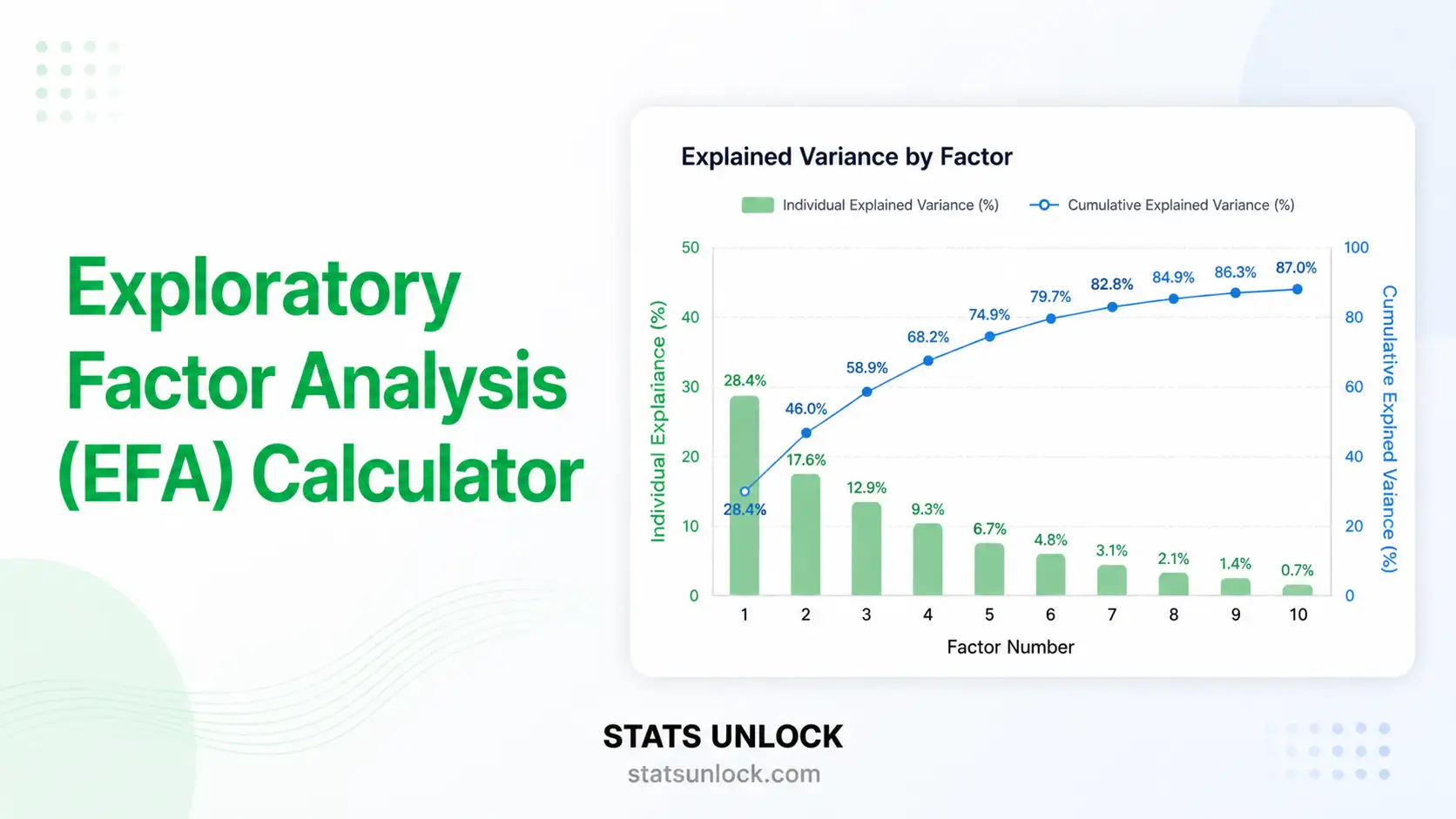
- Inspect the scree plot. Look for the "elbow" — the point where the curve flattens. Factors to the left of the elbow are typically retained. Compare with the eigenvalue table (Kaiser's rule: retain λ ≥ 1).
- Review factor loadings. Each variable should load strongly (≥ cutoff) on at least one factor. Variables with no strong loadings or cross-loadings on multiple factors should be reviewed, reworded, or removed.
📌 Conclusion — What EFA Reveals and Why It Matters
Exploratory Factor Analysis is one of the most widely used techniques in social science, psychology, education, and health research. Its primary purpose is to reduce a large set of observed variables — such as questionnaire items, test scores, or behavioral measures — into a smaller, more interpretable set of latent constructs called factors.
Unlike PCA (Principal Component Analysis), which simply summarizes variance, EFA specifically models the common variance among variables. This makes it the preferred method when the goal is to understand the underlying psychological, social, or biological constructs that drive responses.
Key decisions in EFA determine the quality of your results:
- Number of factors: Too few factors under-represent the data; too many produce uninterpretable noise. Use Kaiser's criterion (λ ≥ 1), the scree plot elbow, and parallel analysis together for the best decision.
- Rotation method: Varimax rotation produces the clearest simple structure when factors are theoretically independent. Oblimin is more realistic for constructs in the social sciences, where overlap between latent variables is the norm.
- Communalities: Items with communalities below 0.30 are poorly represented by the factor model and should be considered for removal in scale development contexts.
- Cross-loadings: Variables that load similarly (≥ 0.32) on two or more factors are ambiguous. Consider revising item wording, splitting items, or theoretically justifying the cross-loading before proceeding.
- Sample adequacy: The KMO statistic and Bartlett's test tell you whether the correlation structure in your data is strong enough for factor analysis to be meaningful. Always report both.
When EFA is performed rigorously and reported transparently — including rotation method, extraction criterion, factor retention decision, variance explained, and a full loadings table — it becomes a powerful tool for construct validity, scale development, and measurement refinement. This calculator automates every computation step and provides APA-ready write-ups to help researchers communicate their findings clearly and professionally.
What is Exploratory Factor Analysis (EFA)?
When should I use EFA instead of CFA?
What is a good KMO value for factor analysis?
What factor loading value is considered significant?
What is the difference between Varimax and Oblimin rotation?
How many factors should I retain?
What is Bartlett's Test of Sphericity?
What sample size is needed for EFA?
What is communality in EFA and what values are acceptable?
How do I report EFA results in APA format?
What is cross-loading and how should I handle it?
Can EFA be used with Likert scale data?
What is the difference between EFA and PCA?
How do I interpret negative factor loadings?
What does total variance explained mean in EFA?
What happens if my data has missing values?
✅ Use EFA When:
- Developing or validating a new questionnaire or scale
- You have no prior hypothesis about factor structure
- You want to reduce many variables into latent constructs
- Conducting preliminary analysis before CFA
- Investigating underlying dimensions of psychological traits
- Testing construct validity of a measurement tool
❌ Avoid EFA When:
- You already have a theoretically specified model (use CFA instead)
- Sample size is very small (< 50 participants)
- KMO < 0.50 or Bartlett's test is not significant
- Variables are purely categorical with few categories
- You want to predict a specific outcome variable (use regression)
- All variables are already expected to load on one factor
💡 Real-World EFA Examples
- Psychology: Identifying Big Five personality factors from 50 self-report items
- Marketing: Finding consumer attitude dimensions from a 20-item brand perception survey
- Education: Uncovering learning style dimensions from classroom behavior ratings
- Healthcare: Determining quality-of-life subscales from a patient-reported outcomes instrument
- Organizational: Extracting employee engagement constructs from workplace survey items
📚 References — Exploratory Factor Analysis, factor loadings calculator, and latent variable analysis
- Fabrigar, L. R., Wegener, D. T., MacCallum, R. C., & Strahan, E. J. (1999). Evaluating the use of exploratory factor analysis in psychological research. Psychological Methods, 4(3), 272–299. https://doi.org/10.1037/1082-989X.4.3.272
- Kaiser, H. F. (1958). The varimax criterion for analytic rotation in factor analysis. Psychometrika, 23(3), 187–200. https://doi.org/10.1007/BF02289233
- Kaiser, H. F. (1970). A second generation Little Jiffy. Psychometrika, 35(4), 401–415. https://doi.org/10.1007/BF02291817
- Bartlett, M. S. (1950). Tests of significance in factor analysis. British Journal of Statistical Psychology, 3(2), 77–85. https://doi.org/10.1111/j.2044-8317.1950.tb00285.x
- Comrey, A. L., & Lee, H. B. (1992). A first course in factor analysis (2nd ed.). Lawrence Erlbaum Associates. https://doi.org/10.4324/9781315827506
- MacCallum, R. C., Widaman, K. F., Zhang, S., & Hong, S. (1999). Sample size in factor analysis. Psychological Methods, 4(1), 84–99. https://doi.org/10.1037/1082-989X.4.1.84
- Costello, A. B., & Osborne, J. W. (2005). Best practices in exploratory factor analysis: Four recommendations for getting the most from your analysis. Practical Assessment, Research & Evaluation, 10(7), 1–9. https://doi.org/10.7275/jyj1-4868
- Floyd, F. J., & Widaman, K. F. (1995). Factor analysis in the development and refinement of clinical assessment instruments. Psychological Assessment, 7(3), 286–299. https://doi.org/10.1037/1040-3590.7.3.286
- Cattell, R. B. (1966). The scree test for the number of factors. Multivariate Behavioral Research, 1(2), 245–276. https://doi.org/10.1207/s15327906mbr0102_10
- Hair, J. F., Black, W. C., Babin, B. J., & Anderson, R. E. (2019). Multivariate data analysis (8th ed.). Cengage Learning. https://doi.org/10.1002/9781119409137
- Brown, T. A. (2015). Confirmatory factor analysis for applied research (2nd ed.). Guilford Press. https://doi.org/10.4324/9781315827414
- Preacher, K. J., & MacCallum, R. C. (2003). Repairing Tom Swift's electric factor analysis machine. Understanding Statistics, 2(1), 13–43. https://doi.org/10.1207/S15328031US0201_02
- Watkins, M. W. (2018). Exploratory factor analysis: A guide to best practice. Journal of Black Psychology, 44(3), 219–246. https://doi.org/10.1177/0095798418771807
- Velicer, W. F., & Jackson, D. N. (1990). Component analysis versus common factor analysis: Some issues in selecting an appropriate procedure. Multivariate Behavioral Research, 25(1), 1–28. https://doi.org/10.1207/s15327906mbr2501_1
- Reise, S. P., Waller, N. G., & Comrey, A. L. (2000). Factor analysis and scale revision. Psychological Assessment, 12(3), 287–297. https://doi.org/10.1037/1040-3590.12.3.287