

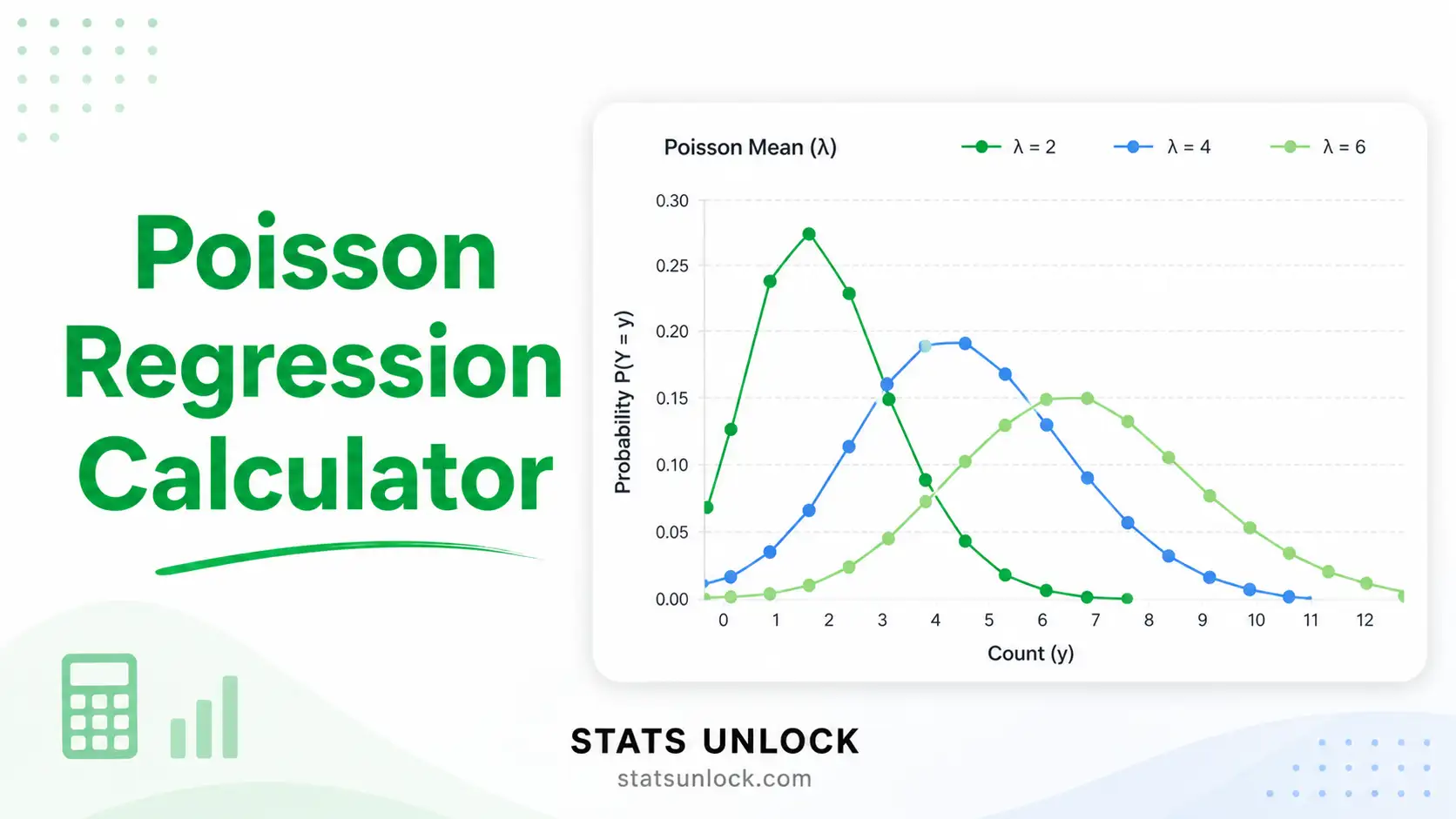

Poisson Regression Calculator
A free online generalised linear model (GLM) for count data — get coefficients, IRR, p-values, deviance, AIC, overdispersion check & APA-format results in seconds.
Fitted Poisson Curve
Predicted vs Observed Counts
📥 1. Enter Your Count Data
Enter rows of (X, Y) pairs. Click + Add Row to extend.
⚙️ 2. Configure the Model
💡 4. Detailed Interpretation Results
Run the analysis above to see a detailed, value-aware interpretation of your Poisson regression results.
📝 How to Write Your Results in Research
Five ready-to-paste reporting templates auto-filled with your numbers — pick the style that matches your audience.
Run the analysis above to auto-fill these examples.
🎯 5. Conclusion
Run the analysis to see your detailed conclusion
This section provides a structured, value-aware conclusion linking your statistical findings to practical, scientific, and policy implications — useful as the final paragraph of a thesis, journal manuscript, or executive summary.
🧭 6. When to Use Poisson Regression
This free Poisson regression calculator is designed for researchers, students, ecologists, and epidemiologists who need to model count outcomes with a single continuous or categorical predictor. Use it whenever your dependent variable is a non-negative integer count (0, 1, 2, …) measured over a fixed unit of time, area, or exposure.
Quick decision checklist
- ✅ Outcome is a count (events per unit, sightings per transect, calls per hour)
- ✅ Counts are non-negative integers (0, 1, 2, ...)
- ✅ Observations are independent
- ✅ Mean ≈ variance (equidispersion) — if not, switch to Negative Binomial
- ✅ Log of expected count is approximately linear in your predictor
Real-world use cases
- 🏥 Epidemiology: hospital admissions per day, disease cases per region
- 🦌 Ecology: species sightings per transect, nest counts per habitat patch
- 📞 Operations: customer calls per hour, machine failures per shift
- 🚗 Public health: traffic accidents per intersection, falls per ward
- 📊 Marketing: conversions per ad, click-throughs per campaign
Decision tree
Outcome is a count? → Yes → Variance ≈ mean? → Yes → Use Poisson Regression.
Variance >> mean? → Use Negative Binomial.
Far too many zeros? → Use Zero-Inflated Poisson (ZIP) or hurdle model.
Outcome is binary or proportion? → Use Logistic Regression.
📐 7. Technical Notes — Formulas
Show formulas, link function, and estimation method
Probability mass function (Poisson distribution):
P(Y = y | μ) = (e−μ · μy) / y! for y = 0, 1, 2, ...
Link function (log link):
log(μᵢ) = β₀ + β₁·xᵢ ⇒ μᵢ = exp(β₀ + β₁·xᵢ)
Incidence Rate Ratio (IRR):
IRR = exp(β₁) — multiplicative change in expected count per 1-unit increase in x.
Estimation: Iteratively Reweighted Least Squares (IRLS) maximises the Poisson log-likelihood:
ℓ(β) = Σᵢ [yᵢ · log(μᵢ) − μᵢ − log(yᵢ!)]
Standard errors come from the inverse Fisher information matrix; Wald z = β / SE(β); p-values use the standard normal CDF.
Where:
- Y = observed count (response variable)
- μ = expected count (Poisson mean = variance)
- β₀ = intercept; β₁ = slope coefficient (on log scale)
- x = predictor variable
- e = Euler's number ≈ 2.71828
Goodness-of-fit measures:
- Deviance = 2·(ℓ_saturated − ℓ_fitted)
- Pearson χ² = Σ (yᵢ − μᵢ)² / μᵢ
- Dispersion φ = Pearson χ² / (n − k); φ ≈ 1 ⇒ equidispersion
- AIC = −2ℓ + 2k; BIC = −2ℓ + k·log(n)
- McFadden Pseudo-R² = 1 − ℓ_full / ℓ_null
📚 8. How to Use This Poisson Regression Calculator
Step-by-step guide (10 steps with worked example)
Step 1 — Enter Your Data. Choose the Paste / Type Data tab. Type or paste comma-separated values into the Predictor (X) box (e.g., hour-of-day) and the Outcome (Y) box (e.g., calls received: 52, 48, 55, 61, 47, ...). Newline-separated values also work.
Step 2 — Choose a Sample Dataset. Five ready-made datasets are pre-loaded: customer calls per hour, wildlife sightings, traffic accidents, hospital admissions, and website conversions. Dataset 1 loads on first render so you can run the tool immediately.
Step 3 — Configure Settings. Set α (default 0.05 = 95% CI). Keep the intercept on unless you have a strong theoretical reason to force the regression through the origin.
Step 4 — Run the Analysis. Click ▶ Run Poisson Regression. The IRLS algorithm converges in a few iterations.
Step 5 — Read the Summary Cards. Four colour-coded cards show: slope β₁, IRR (exp β₁), p-value, and dispersion φ. Green = significant; amber = borderline; red = not significant or assumption violated.
Step 6 — Read the Coefficient Table. For each coefficient (intercept, slope) you'll see β, SE, z, p, IRR, and 95% CI for IRR. Interpret IRR multiplicatively: IRR = 1.22 → counts go up 22% per +1 of x.
Step 7 — Examine All Four Charts. The fitted Poisson curve overlays observed counts; residuals-vs-fitted should look like a horizontal cloud around zero — no pattern. The index plot compares observed and fitted counts side-by-side; the Q-Q plot of Pearson residuals should follow the dashed reference line if residuals are approximately normal.
Step 8 — Check Assumptions. Look for Equidispersion (φ ≈ 1), independence, and linearity-on-log-scale badges. A red badge tells you to switch to Negative Binomial or ZIP.
Step 9 — Read the Interpretation. Section 4 auto-fills five reporting templates (APA 7, Thesis, Plain-Language, Conference Poster, Pre-Registration) with your actual numbers — copy-paste straight into your manuscript.
Step 10 — Export Results. Click Download Doc for a .txt summary or Download PDF for a print-ready report with all 8 sections.
❓ 9. Frequently Asked Questions
Q1. What is Poisson regression and when should I use it?
Poisson regression is a generalised linear model (GLM) for count data — non-negative integer outcomes such as 0, 1, 2, 3 events per unit of time, area, or person. It uses a log link so the predicted count is always positive, and assumes the conditional mean equals the conditional variance.
Use it when your outcome is a count (calls per hour, accidents per week, species sightings per transect) and your predictor is continuous or categorical.
Q2. What does the Incidence Rate Ratio (IRR) mean?
The IRR is the exponent of a slope coefficient: IRR = exp(β). It tells you the multiplicative change in expected count per 1-unit increase in the predictor.
- IRR = 1.20 → counts go up 20% per unit
- IRR = 0.80 → counts drop 20% per unit
- IRR = 1.00 → no effect
Q3. How do I interpret the p-value for a Poisson regression slope?
The p-value tests the null hypothesis that the slope (β₁) equals zero — i.e., the predictor has no effect on the count. A p-value below your chosen α (commonly 0.05) means the relationship between the predictor and the count is unlikely to be due to chance alone.
Common misconception: p is not the probability that H₀ is true. It is the probability of observing data this extreme if H₀ were true.
Q4. What does statistical significance mean — and does it equal practical importance?
Statistical significance (p < α) tells you the effect is unlikely to be zero. Practical importance is judged by the size of the IRR. With huge samples you can get p < .001 for an IRR of 1.001 — statistically real, practically negligible.
Always report and discuss the IRR with its 95% CI alongside the p-value.
Q5. What is overdispersion and how do I detect it?
Overdispersion happens when the variance of the count data exceeds the mean — Poisson assumes they are equal. Detect it with the dispersion statistic φ = Pearson χ² / residual df.
Rule of thumb: φ ≈ 1 is fine; φ > 1.5 signals overdispersion. Switch to Negative Binomial regression or use a quasi-Poisson model with robust standard errors.
Q6. How large a sample do I need for Poisson regression?
A practical minimum is 10–15 observations per predictor; 20+ per predictor is preferable when you also need adequate power. For very rare outcomes (mean count < 1), much larger samples are required because zero-counts dominate the data.
Q7. What is the difference between Poisson regression and Negative Binomial regression?
Both model count data. Poisson assumes mean = variance. Negative Binomial adds a dispersion parameter to handle variance > mean. Use Poisson when φ ≈ 1; switch to Negative Binomial when φ > 1.5.
Otherwise standard errors will be underestimated and p-values will be artificially small.
Q8. How do I report Poisson regression results in APA 7th edition format?
Report n, β, IRR with 95% CI, the Wald z, and the p-value. Example:
"A Poisson regression was conducted to predict number of customer calls from hour-of-day (n = 14). Each one-unit increase in hour was associated with a 22% increase in expected calls, IRR = 1.22, 95% CI [1.11, 1.34], z = 4.18, p < .001."
See Section 4 — five auto-filled templates (APA 7, Thesis, Plain-Language, Poster, Pre-Registration).
Q9. Can I use this calculator for my published research or university thesis?
This tool is designed for educational use, exploratory analysis, and quick checks. For final publication or thesis submission, verify the results in peer-reviewed software (R glm(), Python statsmodels, SAS PROC GENMOD, or Stata poisson).
Cite as: Stats Unlock. (2025). Poisson regression calculator. Retrieved from https://statsunlock.com.
Q10. What should I do if my results are non-significant — does that mean my hypothesis is wrong?
A non-significant result (p > α) does not prove H₀ is true — it only means the data do not provide sufficient evidence to reject it. Possible reasons: low statistical power, small sample, large measurement error, or genuine null effect.
Run a power analysis to check whether the study was adequately powered, and consider Bayesian alternatives (Bayes Factor) for quantifying evidence in favour of H₀.
📚 10. References
The following peer-reviewed references underpin the methods used by this Poisson regression calculator, including count data modelling, the log-link generalised linear model, and incidence rate ratio interpretation.
- Agresti, A. (2015). Foundations of linear and generalized linear models. Wiley. https://www.wiley.com/en-us/9781118730034
- Cameron, A. C., & Trivedi, P. K. (2013). Regression analysis of count data (2nd ed.). Cambridge University Press. https://doi.org/10.1017/CBO9781139013567
- Coxe, S., West, S. G., & Aiken, L. S. (2009). The analysis of count data: A gentle introduction to Poisson regression and its alternatives. Journal of Personality Assessment, 91(2), 121–136. https://doi.org/10.1080/00223890802634175
- Dobson, A. J., & Barnett, A. G. (2018). An introduction to generalized linear models (4th ed.). Chapman & Hall/CRC. https://doi.org/10.1201/9781315182780
- Fox, J. (2015). Applied regression analysis and generalized linear models (3rd ed.). SAGE. https://us.sagepub.com/en-us/nam/applied-regression-analysis-and-generalized-linear-models/book237254
- Gardner, W., Mulvey, E. P., & Shaw, E. C. (1995). Regression analyses of counts and rates: Poisson, overdispersed Poisson, and negative binomial models. Psychological Bulletin, 118(3), 392–404. https://doi.org/10.1037/0033-2909.118.3.392
- Hilbe, J. M. (2014). Modeling count data. Cambridge University Press. https://doi.org/10.1017/CBO9781139236065
- McCullagh, P., & Nelder, J. A. (1989). Generalized linear models (2nd ed.). Chapman & Hall/CRC. https://doi.org/10.1201/9780203753736
- Nelder, J. A., & Wedderburn, R. W. M. (1972). Generalized linear models. Journal of the Royal Statistical Society: Series A, 135(3), 370–384. https://doi.org/10.2307/2344614
- Long, J. S. (1997). Regression models for categorical and limited dependent variables. SAGE. https://us.sagepub.com/en-us/nam/regression-models-for-categorical-and-limited-dependent-variables/book6071
- Zeileis, A., Kleiber, C., & Jackman, S. (2008). Regression models for count data in R. Journal of Statistical Software, 27(8), 1–25. https://doi.org/10.18637/jss.v027.i08
- Zuur, A. F., Ieno, E. N., Walker, N. J., Saveliev, A. A., & Smith, G. M. (2009). Mixed effects models and extensions in ecology with R. Springer. https://doi.org/10.1007/978-0-387-87458-6
- R Core Team. (2024). R: A language and environment for statistical computing. https://www.R-project.org/
- Seabold, S., & Perktold, J. (2010). Statsmodels: Econometric and statistical modeling with Python. Proceedings of the 9th Python in Science Conference, 92–96. https://doi.org/10.25080/Majora-92bf1922-011